1
That is, you can provide the directory where the partition is mounted or the partition
(device) itself as the command line parameter for umount. For example:
1.
To unmount the partition mounted at /mnt, type
umount /mnt
2.
To unmount the partition called /dev/hda1
umount /dev/hda1
Creating or Removing Mount Points
In the course of mounting and unmounting, you might need to create additional
mount points or remove mount points. To create directories, use the mkdir
command; to remove directories, use the rmdir command. For example, to create
the directory mydir, type the following:
mkdir /mydir
To remove the directory mydir, type the following:
rmdir /mydir
The following TeraByte Unlimited KB article covers some additional information on
working with partitions in Linux:
http://terabyteunlimited.com/kb/article.php?id=131
Working with Network Drives
Two of the more common network file systems available in Linux are smbfs
(Samba), and nfs (network file system). You can mount either of these file systems
over a network connection and then Image for Linux can access either of them as a
network drive from a mount point in the local file system.
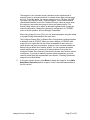
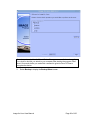
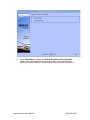
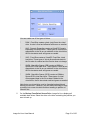
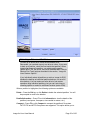
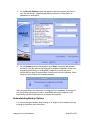
Windows/Samba network shares can be easily mounted by choosing the “Mount
Network Shares” option from the Image for Linux boot media menu and following
the prompts. Network shares mounted via the menu will be mounted using cifs
(using mount.cifs) rather than smbfs.
This KB article provides more information on working with network shares:
http://www.terabyteunlimited.com/kb/article.php?id=347
Image for Linux User Manual
Page 132 of 150