1
Reseating Cover
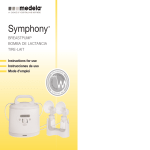
In the event that the Symphony®
breastpump cover becomes separated
or dislodged, this technical bulletin will
guide you through the steps to resolve
this issue. If you continue to experience
issues with the cover, please contact
Customer Service at 800.435.8316.
4. Reseat cover over top of the housing. Make sure ridge(s) are not showing.
5. Replace four (4) screws at the bottom of the pump.
6. Symphony cover has been reseated and is ready for use.
Tools Required
Phillips Screwdriver
Warning – Please be sure to unplug the
Symphony prior to troubleshooting.
Directions
1. Inspect the pump to locate the housing ridge(s) dislodged outside of cover.
2. Remove four (4) screws at the bottom of
the pump with a Phillips Screwdriver.
3. Pull cover straight up (just enough to clear top of housing).
20
If the above steps do not correct the issue, please contact Customer Service at 800.435.8316.