1
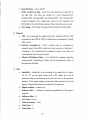
b. Data File Type- select 'ASCII'
c. Write waveform to disk - Used to save the spectrum as a data file in
the hard disk. Four files are created for a save. filename.DAT,
filename.GEG, filename.REF and filename.FFT. The filename.FFT
contains frequency and voltage data, which can be imported into
MATLAB or Excel for further analysis. Other three files are not used.
d. Save Image - For saving the image of the spectrum to the hard disk.
2. Measure
a. CHl - For measuring the signals from CHI. Similarly CH2 for CH2
measurement and CHI & CH2 for simultaneous measurement. Usually
CHI is used.
b. Perform Averaging of - Used to reduce error by averaging the
acquired signal. Since HS3 is used only to get a picture of spectrum, I
averaging is ok. Increasing the averaging increases time taken for
measurements and increases accuracy.
c. Measure Maximum Values - It is selected for resonant inspection
measurements. Unselecting it makes only the instantaneous values of
the spectrum available.
3. CHl
a. Sensitivity - Sensitivity is set according to the signal level at input.
2V, 4V, 8V are the usual values used in RI. Signal level can be
measured using an oscilloscope or by trial and error on the spectrum
analyser. If the signal voltage is much more than sensitivity level, the
signal is clipped and distortion introduced in the spectrum.
b. Signal coupling - Coupling AC
c. Software Gain - I. Increase if a software amplification of the signal is
required.
d. Software offset- 0.
e. Axis Type - Linear
f.
Units of measure - Volts
g. Units Gain - I.
h. Units offset- 0.
A7