1
TEK 1 User’s Manual
V072412
Table of Contents
Copyright & Trademark .............................................................................................................................. 4
FCC Class B Notice..................................................................................................................................... 5
Warranty ....................................................................................................................................................... 6
Introduction ................................................................................................................................................. 7
Benefits ..................................................................................................................................................... 8
Features .................................................................................................................................................... 8
Description and Installation ....................................................................................................................... 9
Description ................................................................................................................................................ 9
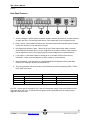
Rear Panel Features ............................................................................................................................... 10
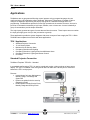
Applications ............................................................................................................................................... 11
TEK 1 Applications ................................................................................................................................. 11
Standard Projector Connection............................................................................................................... 11
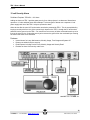
12 volt Security Alarm ............................................................................................................................. 12
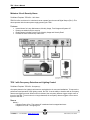
Miniature 24 volt Security Alarm ............................................................................................................. 13
TEK 1 with Occupancy Detection and Lighting Control .......................................................................... 13
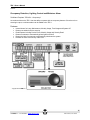
Occupancy Detection, Lighting Control and Miniature Alarm ................................................................. 15
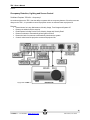
Occupancy Detection, Lighting and Screen Control ............................................................................... 16
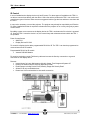
IR Control ................................................................................................................................................ 17
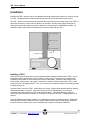
Installation ................................................................................................................................................. 18
Installing a TEK 1 .................................................................................................................................... 18
Configuring the TEK 1 ............................................................................................................................ 19
Setting a Static IP Address ...................................................................................................................... 19
Campus Network supports DHCP .......................................................................................................... 19
Campus Network does not support DHCP ............................................................................................. 19
To set a static IP address on a TEK 1 using the serial port ................................................................... 19
Determining the Current IP Address ....................................................................................................... 20
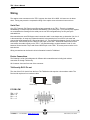
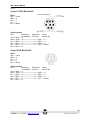
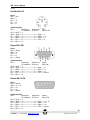
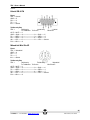
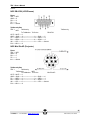
Wiring ......................................................................................................................................................... 21
Serial Port ............................................................................................................................................... 21
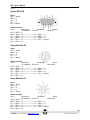
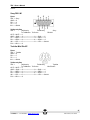
Device Connections ................................................................................................................................ 21
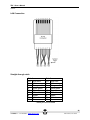
LAN Connection ...................................................................................................................................... 28
Straight-through cable ............................................................................................................................ 28
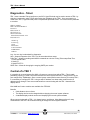
Diagnostics - Telnet .................................................................................................................................. 29
Control of a TEK 1 ..................................................................................................................................... 29
Protocol ................................................................................................................................................... 30
Server Commands .................................................................................................................................. 32
2
TEKVOX, Inc. – 210.348.6565 – www.tekvox.com
San Antonio, TX 78216