1
Chapter 1: Introduction
DICOM
DICOM
The DICOM (Digital Imaging and Communications in Medicine) standard
enables communication of medical imaging devices by specifying a protocol
for network communications, media communications, file formats and other
information. DICOM conforming equipment has the capability to supply data
in a standard format to a common server in such a way that the data can then be
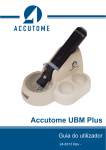
used by other DICOM conforming equipment. The Accutome B-Scan Plus &
UBM Plus software is DICOM compatible and this feature is easily activated
with only a few requirements. Please review the following directions for how
to properly install and activate the DICOM feature in the B-Scan Plus & UBM
Plus software.
New Software Installation
Please see the B-Scan Plus & UBM Plus Installation packet for all Windows
operating system installations. The installation packages are included in the
carrying case that the unit shipped in. The installation packet and instructions
are also available at the Accutome support site (https://support.accutome.com).
Software Key
In order to activate the DICOM function of the B-Scan Plus & UBM Plus
software you must have a software version 4.07 or later and an activation key.
Without this key the DICOM function will not operate. To obtain a DICOM
software activation key or update the current software please do one of the
following options:
1. Contact the Accutome sales representative that covers your region.
2. Call in to the Accutome home office at 800-979-2020.
3. Email your request to [email protected].
Once the software activation key is obtained, please follow the activation
instructions below.
1