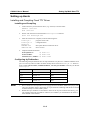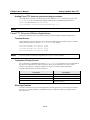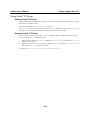
1
CN2610 User’s Manual
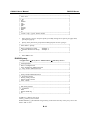
RADIUS Server
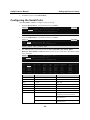
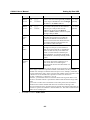
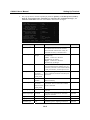
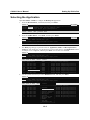
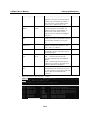
+------------------------------------------------+
| Key Mapping :
|
|
Max. Sessions
: [ 8 ]
|
|
Change Session
: [^T]
|
|
Quit
: [^E]
|
|
Break
: [
]
|
|
Interrupt
: [
]
|
| Auto-link protocol
: [none
]
|
|
Telnet TCP port
: [23
]
|
|
Primary host IP
: [
]
|
| Link by input IP
: [Disable]
|
|
Secondary host IP
: [
]
|
| Auto-login prompt
: [ogin:
]
|
|
Password prompt
: [assword:
]
|
|
Login user name
: [
]
|
|
Login password
: [
]
|
| Terminal type
: [ansi
]
|
| Inactivity time
: [0 ] minutes
|
| Authentication type
: [none
]
|
| TCP alive check time
: [0 ] minutes
|
+------------------------------------------------+
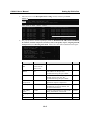
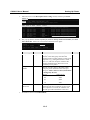
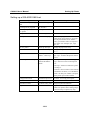
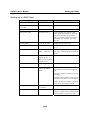
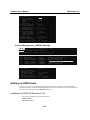
Console Management—RADIUS Settings
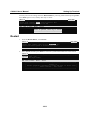
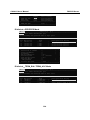
CN2610-8
CN2610-8_19
V2.0
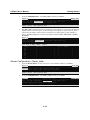
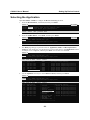
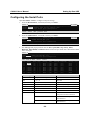
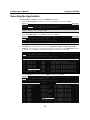
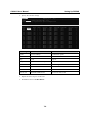
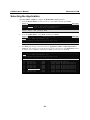
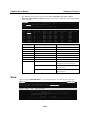
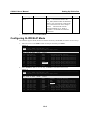
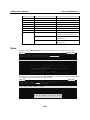
-----------------------------------------------------------------------------[Mode] Line mOdem Welcome_MSG Quit
Examine/modify the operation mode of async ports
ESC: back to menu
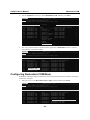
Port
01
02
03
04
05
Enter:
Application
[Reverse Terminal
[Reverse Terminal
[Reverse Terminal
[Reverse Terminal
[Reverse Terminal
]
]
]
]
]
select
Mode
[RTELNET
[RTELNET
[RTELNET
[RTELNET
[RTELNET
]
]
]
]
]
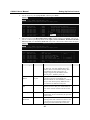
Description/more setting
[Reverse Telnet mode
[Reverse Telnet mode
[Reverse Telnet mode
[Reverse Telnet mode
[Reverse Telnet mode
]
]
]
]
]
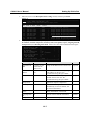
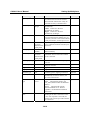
+------------------------------------------------+
| TCP port
: [4003 ]
|
| Source IP address
: [
]
|
| Destination IP addr
: [
]
|
| Inactivity time
: [0 ] minutes
|
| Map keys <CR-LF> to
: [CR-LF]
|
| Authentication type
: [none ]
|
| TCP alive check time : [0 ] minutes
|
+------------------------------------------------+
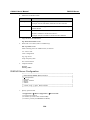
Setting up UNIX Hosts
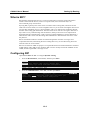
You can use your own RADIUS software to do this. MOXA, however, provides a RADIUS
program for UNIX. To use the MOXA RADIUS Server, extract radius.2.3.tar from the CN2610
CD. All files are extracted to the /radius.2.3 directory.
Installing the RADIUS Execution File
1.
Login to the UNIX host and create a directory.
#mkdir /radius
#cd radius.2.3/bin
B-5