1
RI-8010 User’s Manual
5. How to Use Editor Button
In the state of message edit, You can edit with English/Symbols and Number.
1) English and Symbol entry mode
- Push [BS] button to switch to the English/Symbol entry mode from clear mode.
Then dot appears at the right bottom in the display.
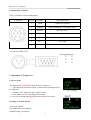
Fig.9. Entry Mode switch
- Push corresponding button continuously until the letter you wanted appears.
To entry the letters in the same button, wait 0.5 sec until cursor moves the next position
after the first letter appears and repeat previous operation for second, third, fourth letters.
For example, to entry “AB”, wait 0.5 sec after “A” appears with pushing “ ABC” button and cursor
moves next position, then push [ABC] button to entry “ B”.
(*) All English letters are fixed within 0.5 sec after appeared or with pushing other
buttons before less than 0.5 sec.
- Push [ * ] button to switch between large letter and small one.
- Push [ # ] button to make the space.
- 15 symbols are arranged in the [1] button, push continuously this until appears the symbol you wanted.
Symbol is fixed within 0.5 sec. Symbols arranged in “1” button are shown below. ! " # $ % & ' ( ) * + , -. /
- Symbols are also arranged in the English letter button with English letters.
12