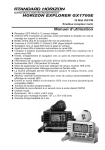
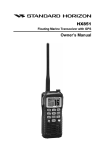
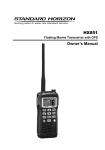
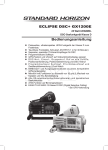
1
EXPLORER GPS GX1700E 25 Watt VHF/FM Marine Transceiver Owner's Manual Integrated 12 Channel WAAS GPS receiver GPS antenna built-in to the front panel allows reception when bracket or flush mounted Ultra thin and compact rear case design (90 mm depth) Meets ITU-R M493-13 Class D DSC (Digital Selective Calling) Navigation to a DSC Call with compass page DSC test call and Auto DSC channel change selection Automatically poll the GPS position of up to 4 ships using DSC Enter, Save, and Navigation to a waypoint with Compass page Navigation (LAT/LON, SOG, and COG) information shown on display Submersible JIS-8 1.5M for 30 minutes Noise canceling microphone with channel selection, 16/9 and H/L keys Programmable Scan, Priority Scan, and Dual Watch Preset key stores up to 10 favorite channels, with scan function Oversized dot matrix display with customizable channel names and GPS Compass display NMEA Input and Output of GPS information to other NMEA compatible devices Programmable soft keys Capable of connecting to a Second Station Remote-Access Microphone CMP30 Die-cast chassis Dimensions: 154 W x 88 H x 97 D (mm) Flush mount cutout: 137 W x 72 H x 65 (mm) 2 Year Waterproof Warranty GX1700E Page 1 TABLE OF CONTENTS Quick Reference Guide...............................................................................4 1 GENERAL INFORMATION....................................................................5 2 PACKING LIST......................................................................................5 3 OPTIONS................................................................................................5 4 SAFETY/WARNING INFORMATION......................................................6 5 GETTING STARTED..............................................................................7 5.1 ABOUT VHF RADIO...................................................................7 5.2 SELECTING AN ANTENNA........................................................7 5.2.1 Coaxial Cable..................................................................8 5.3 EMERGENCY (CHANNEL 16 USE).............................................8 5.4 CALLING ANOTHER VESSEL (CHANNEL 16 OR 9)................9 5.5 OPERATING ON CHANNELS 13 AND 67.............................10 6 INSTALLATION....................................................................................12 6.1 LOCATION..................................................................................12 6.2 MOUNTING THE RADIO..........................................................12 6.2.1 Supplied Mounting Bracket...........................................12 6.2.2 Optional MMB-97 Flush Mount Bracket......................13 6.3 ELECTRICAL CONNECTIONS.................................................14 6.4 ACCESSORY CABLE................................................................16 6.4.1 Internal GPS (DSC Output to a Chart Plotter).........16 6.4.2 External GPS or Chart Plotter (for GPS)...................16 6.4.2.1GPS Input Standard Horizon GPS Antenna......................16 6.4.2.2GPS Input and DSC Output GPS Chart Plotter (RS422 Connection)..........17 6.4.2.3Standard Horizon Chart Plotter or Other Chart Plotter (RS232 Connection)..17 6.5 CHECKING GPS STATUS........................................................18 6.6 CHANGING THE GPS TIME...................................................19 6.7 CHANGING THE TIME AREA.................................................20 6.8 CHANGING THE TIME DISPLAY............................................20 6.9 CHANGING COG TO TRUE OR MAGNETIC.......................21 6.10 OPTIONAL RAM3 (CMP30) INSTALLATION .........................21 6.10.1 Connecting an External Speaker to the RAM3 Mic Cable...............................................23 6.10.2 External Speaker AF Selection....................................23 7 CONTROLS AND INDICATORS........................................................24 7.1 FRONT PANEL..........................................................................24 7.2 REAR PANEL.............................................................................26 7.3 MICROPHONE...........................................................................27 8 BASIC OPERATION............................................................................28 8.1 RECEPTION...............................................................................28 8.2 TRANSMISSION.........................................................................28 8.3 TRANSMIT TIME-OUT TIMER (TOT). .....................................28 8.4 SIMPLEX / DUPLEX CHANNEL USE......................................29 8.5 DISPLAY TYPE..........................................................................29 8.6 USA, CANADA, AND INTERNATIONAL MODE........................30 8.7 DUAL WATCH (TO CHANNEL16).............................................30 8.8 SCANNING.................................................................................31 8.8.1 Scan Type Selection.....................................................31 8.8.2 Scan and P-Scan Memory Programming...................31 8.8.3 Memory Scanning (M-SCAN)........................................32 8.8.4 Priority Scanning (P-SCAN)..........................................32 Page 2 8.9 PRESET CHANNELS (0 ~ 9): INSTANT ACCESS.................33 8.9.1 Preset Channel Programming......................................33 8.9.2 Operation........................................................................33 8.9.3 Deleting a Preset Channel............................................33 8.10 INTERCOM OPERATION..........................................................34 8.10.1 Communication...............................................................34 8.10.2 Calling.............................................................................34 9 DIGITAL SELECTIVE CALLING........................................................35 9.1 GENERAL...................................................................................35 9.2 MARITIME MOBILE SERVICE IDENTITY (MMSI)..................35 9.2.1 What is an MMSI?.......................................................35 9.2.2 Programming the MMSI................................................36 9.3 DSC DISTRESS ALERT...........................................................37 9.3.1 Transmitting a DSC Distress Alert..............................37 9.3.1.1Transmitting a DSC Distress Alert with Nature of Distress....................................38 9.3.1.2Transmitting a DSC Distress Alert by Manually Entering a Position.....................39 9.3.1.3Pausing a DSC Distress Call.........................40 9.3.1.4Cancel a DSC Distress Call...........................40 9.3.2 Receiving a DSC Distress Call...................................40 a. ACCEPT....................................................................40 b. PAUSE.......................................................................40 c. QUIT..........................................................................40 9.4 ALL SHIPS CALL......................................................................42 9.4.1 Transmitting an All Ships Call.....................................42 9.4.2 Receiving an All Ships Call.........................................43 9.5 INDIVIDUAL CALL.....................................................................44 9.5.1 Individual / Position Call Directory Setup.......................44 9.5.2 Individual Reply Setup..................................................45 9.5.3 Individual Acknowledgment Setup................................46 9.5.4 Individual / Group Call Ringer Setup...........................46 9.5.5 Transmitting an Individual Call.....................................47 9.5.5.1Individual Call using the Individual Directory..........................47 9.5.5.2Individual Call by Manually Entering a MMSI........................48 9.5.6 Receiving an Individual Call........................................49 9.6 DSC LOG OPERATION............................................................50 9.6.1 Reviewing and Resending a Transmitted Logged Call...........................................50 9.6.2 Reviewing a DSC Distress Logged Calls..................50 9.6.3 Reviewing a Other Logged Calls................................51 9.6.4 Deleting a Call from the “DSC LOG” Directory........51 9.7 GROUP CALL............................................................................53 9.7.1 Group Call Setup..........................................................53 9.7.2 Transmitting a Group Call............................................54 9.7.2.1Group Call using the Individual Directory..........................54 9.7.2.2Group Call by Manually Entering a MMSI........................55 9.7.3 Receiving a Group Call................................................56 GX1700E TABLE OF CONTENTS 9.8 POSITION REQUEST...............................................................57 9.8.1 Position Reply Setup....................................................57 9.8.2 Position Request Ringer Setup...................................58 9.8.3 Transmitting a Position Request to Another Vessel..........................................................58 9.8.3.1Position Request using the Individual Directory..........................58 9.8.3.2Position Request by Manually Entering a MMSI........................59 9.8.4 Receiving a Position Request......................................60 9.9 POSITION REPORT..................................................................61 9.9.1 Position Report Ringer Setup......................................61 9.9.2 Transmitting a DSC Position Report Call...................61 9.9.2.1DSC Position Report Call using the Individual Directory..........................61 9.9.2.2DSC Position Report Call by Manually Entering a MMSI........................62 9.9.3 Receiving a DSC Position Report Call......................63 9.9.4 Navigating to a Position Report..................................63 9.9.5 Stop Navigating to Position Report.............................63 9.9.6 Saving a Position Report Call as a Waypoint..........64 9.9.7 Navigating to a Saved Waypoint.................................64 9.9.8 Stop Navigating to a Saved Waypoint.......................64 9.10 MANUAL INPUTTING A GPS POSITION (LAT/LON)............65 9.11 AUTO POS POLLING...............................................................66 9.11.1 Polling Time Interval Setup..........................................66 9.11.2 Selecting Stations to be Automatically Polled (tracked)...........................66 9.11.3 Enable/Disable Auto POS Polling................................67 9.12 DSC TEST.................................................................................68 9.12.1 Programming MMSI into Individual Directory.............68 9.12.2 DSC Test Call by using Individual Directory.............68 9.12.3 DSC Test Call by Manually Entering MMSI ..............69 10 ATIS SETUP ........................................................................................70 10.1 ATIS CODE PROGRAMMING....................................................70 10.2 ATIS CHANNEL GROUP............................................................71 11 GENERAL SETUP . ............................................................................72 11.1 DISPLAY.....................................................................................72 11.2 DIMMER ADJUSTING...............................................................73 11.3 CONTRAST ...............................................................................73 11.4 UNIT OF MEASURE.................................................................74 11.5 KEY BEEP.................................................................................75 11.6 STATION NAME .......................................................................76 11.7 SOFT KEYS...............................................................................77 11.7.1 Selecting the Number of Soft Keys............................77 11.7.2 Assigning Soft Keys......................................................77 11.7.3 Selecting How Long the Soft Keys are Shown.........78 12 CHANNEL FUNCTION SETUP..........................................................79 12.1 CHANNEL GROUP (INTERNATIONAL, USA or CANADA BAND SELECTION)...79 12.2 SCAN MEMORY CHANNEL.....................................................79 12.3 SCAN TYPE...............................................................................80 12.4 SCAN RESUME.........................................................................80 GX1700E 12.5 PRIORITY CHANNEL................................................................81 12.6 CHANNEL NAME .....................................................................82 13 DSC SETUP.........................................................................................83 13.1 INDIVIDUAL DIRECTORY.........................................................83 13.2 INDIVIDUAL REPLY..................................................................83 13.3 INDIVIDUAL ACKNOWLEDGMENT..........................................83 13.4 INDIVIDUAL RINGER................................................................83 13.5 GROUP DIRECTORY................................................................83 13.6 POSITION REPLY.....................................................................84 13.7 AUTO POSITION INTERVAL....................................................84 13.8 DSC BEEP.................................................................................84 13.9 AUTO CHANNEL SWITCH TIME............................................85 14 WAYPOINTS.........................................................................................86 14.1 MARKING A POSITION............................................................86 14.2 ADDING A WAYPOINT.............................................................87 14.3 EDITING A WAYPOINT.............................................................88 14.4 DELETING A WAYPOINT.........................................................89 14.5 SAVING A DSC POSITION CALL AS A WAYPOINT............89 14.6 NAVIGATING TO A SAVED WAYPOINT.................................90 14.7 STOP NAVIGATING TO A WAYPOINT...................................90 14.8 WAYPOINT SETUP...................................................................91 14.8.1 Waypoint Range Selection...........................................91 14.8.2 Direction Selection.........................................................91 15 GPS SETUP.........................................................................................92 15.1 UNIT POWER............................................................................92 15.2 COORDINATE SYSTEM...........................................................92 15.3 PINNING.....................................................................................93 15.4 TIME OFFSET...........................................................................93 15.5 TIME AREA................................................................................93 15.6 TIME DISPLAY..........................................................................93 15.7 MAGNETIC.................................................................................93 15.8 POSITION INPUT......................................................................94 15.9 GPS SELECTION.......................................................................94 15.10SBAS (WAAS, EGNOS, MSAS)...............................................95 15.11 NMEA OUTPUT.........................................................................95 16 RAM3 (CMP30) REMOTE MIC OPERATION...................................96 16.1 REMOTE MIC CONTROLS.....................................................96 16.2 ASSIGNING SOFT KEYS........................................................98 17 MAINTENANCE..................................................................................100 17.1 REPLACEMENT PARTS.........................................................100 17.2 FACTORY SERVICE...............................................................100 17.3 TROUBLESHOOTING CHART...............................................101 18 CHANNEL ASSIGNMENTS...............................................................102 19 RESET PROCEDURES.....................................................................104 19.1 MEMORY CLEAR....................................................................104 19.2 MICROPROCESSOR RESET.................................................104 20 SPECIFICATIONS..............................................................................105 20.1 GENERAL.................................................................................105 20.2 TRANSMITTER........................................................................105 20.3 RECEIVER................................................................................106 20.4 GPS UNIT................................................................................106 20.5 NMEA INPUT OUTPUT..........................................................106 20.6 DIMENSIONS...........................................................................107 Page 3 Quick Reference Guide This transceiver is equipped with the E2O (Easy-To-Operate) system. You can do the basic operation in numerical order in the illustration below. button to turn on or off the radio. Press and hold the Rotate the SQL knob counter clockwise to unsquelch the radio. Rotate the VOL knob to adjust the speaker audio volume. Rotate the SQL knob clockwise to the point where the noise not heard from the speaker. Press the / (or microphones / ) button to select the operating channel. Press the (or microphones ) button to toggle the transmit power between High (25W) and Low (1W). (or microphones ) button to recall channel 16. Press the Press and hold the (or microphones ) button to recall channel 9. Press again to revert to the last selected channel. Place your mouth about 1/2 inch away from Mic hole and speak in a normal voice level while pressing the PTT switch. Page 4 Mic Hole GX1700E 1 GENERAL INFORMATION The STANDARD HORIZON EXPLOPER GPS GX1700E Marine VHF/FM Marine transceiver is capable of ITU-R 493-13 DSC (Digital Selective Calling) Class D operation with a 12 channel internal GPS. Class D operation allows continuous receiving of Digital Selective Calling functions on channel 70 even if the radio is receiving a call. The GX1700E VHF operates on all currently-allocated marine channels which are switchable for USA, International, or Canadian regulations. Emergency channel 16 can be immediately selected from any channel by pressing the red key. The GX1700E can be operated from 11 to 16 VDC and has a switchable RF output power of 1 watt or 25 watts. Other features of the GX1700E VHF’s include: Slim design only 90 mm deep, Noise canceling microphone with controls, optional RAM3 second station remote-control microphone with display, intercom between radio and optional RAM3, scanning, priority scanning, Dual Watch, DSC Position Polling up to 4 vessels, high and low voltage warning, and GPS repeatability. 2 PACKING LIST When the package containing the transceiver is first opened, please check it for the following contents: GX1700E Transceiver Power Cord Mounting Bracket and hardware Owner’s Manual Flush Mount Template Ferrite Core Warranty Card 3 OPTIONS HC1600 ............................................................................. Dust Cover (White) MMB-97 . .........................................................................Flush-Mount Bracket CMP30B/W ...............Remote-Access Microphone (RAM3 Mic, Black/White) CT-100 . .................................................... 7 m Extension Cable for RAM3 Mic MLS-310 . ........... 10W amplified External Speaker with on/off Volume control MLS-300 . .................................................................... External Loud Speaker Q7000619A..................................... External GPS antenna with 15 m of cable GX1700E Page 5 4 SAFETY/WARNING INFORMATION IMPORTANT SAFETY INFORMATION Please read this manual carefully to become familiar with the features of this transceiver before using it for the first time. The installation of this equipment should be made in such a manner as to respect the EC recommended electromagnetic field exposure limits (1999/519/EC). The maximum RF power available from this device is 25 W. The antenna should be mounted as high as possible for maximum efficiency and that this installation height should be at least 5 meters above ground (or accessible) level. In the case that an antenna can not be installed at a reasonable height, then the transmitter should neither be continuously operated for long periods if any person is within 5 metres of the antenna, nor operated at all if any person is touching the antenna. non compliance with these recommendations and transmitting for more than 50% of the total radio use time (50 % duty cycle) may cause RF complaince exposure requirements to be be exceeded. In all cases any possible risk depends on the transmitter being activated for long periods (actual recommendation limits are specified as an average of 6 minutes). Normally the transmitter is not active for long periods of time. Some radio licenses will require that a timer circuit automatically cuts the transmitter after 1 - 2 minutes. Do not transmit without an antenna connected to the radio. When transmitting speak into the microphone holding it between 1.5 cm and 5 cm from your mouth. The radio must be used with a maximum operating duty cycle not exceeding 10 % in normal PTT configurations. Do not transmit for more than 10 % of the total radio use time (1:9 duty cycle). The rear case of the radio can become hot when the radio is used on transmit for long periods that exceed the Duty Cycle as stated above. In order to protect the user from the risk of burning if touched in these circumstances, the rear case enclosure must be fitted and permanently attached to the radio using the fixing screws provided whenever the unit is installed in a position where it is possible during normal usage to touch the rear of the radio. Page 6 GX1700E 5 GETTING STARTED 5.1 ABOUT VHF RADIO 5.2 SELECTING AN ANTENNA The radio frequencies used in the VHF marine band lie between 156 and 158 MHz with some shore stations available between 161 and 163 MHz. The marine VHF band provides communications over distances that are essentially “line of sight” (VHF signals do not travel well through objects such as buildings, hills or trees). Actual transmission range depends much more on antenna type, gain and height than on the power output of the transmitter. On a fixed mount 25W radio transmission expected distances can be greater than 25 km, for a portable 5W radio transmission the expected distance can be greater than 8 km in “line of sight”. Marine antennas are made to radiate signals equally in all horizontal directions, but not straight up. The objective of a marine antenna is to enhance the signal toward the horizon. The degree to which this is accomplished is called the antenna’s gain. It is measured in decibels (dB) and is one of the major factors in choosing an antenna. In terms of effective radiated power (ERP), antennas are rated on the basis of how much gain they have over a theoretical antenna with zero gain. A 1 m, 3dB gain antenna represents twice as much gain over the imaginary antenna. Typically a 1 m 3dB gain stainless steel whip is used on a sailboat mast. The longer 2.5 m 6dB fiberglass whip is primarily used on power boats that require the additional gain. 3dB 6dB 9dB GX1700E Page 7 5.2.1 Coaxial Cable VHF antennas are connected to the transceiver by means of a coaxial cable – a shielded transmission line. Coaxial cable is specified by it’s diameter and construction. For runs less than 6 m, RG-58/U (about 6 mm in diameter), is a good choice. For runs over 6 m but less than 15 m, the larger RG-8X or RG-213/U should be used. For cable runs over 15 m RG-213/U should be used. For installation of the connector onto the coaxial cable refer to the figure below. To get your coax cable through a fitting and into your boat’s interior, you may have to cut off the end plug and reattach it later. You can do this if you follow the directions that come with the connector. Be sure to make good soldered connections. 5.3 EMERGENCY (CHANNEL 16 USE) Channel 16 is known as the Hail and Distress Channel. An emergency may be defined as a threat to life or property. In such instances, be sure the transceiver is on and set to CHANNEL 16. Then use the following procedure: 1. Press the microphone push-to-talk switch and say “Mayday, Mayday, Mayday. This is , , ” (your vessel’s name). 2. Then repeat once: “Mayday, ” (your vessel’s name). 3. Now report your position in latitude/longitude, or by giving a true or magnetic bearing (state which) to a well-known landmark such as a navigation aid or geographic feature such as an island or harbor entry. 4. Explain the nature of your distress (sinking, collision, aground, fire, heart attack, life-threatening injury, etc.). 5. State the kind of assistance your desire (pumps, medical aid, etc.). 6. Report the number of persons aboard and condition of any injured. Page 8 GX1700E 7. Estimate the present seaworthiness and condition of your vessel. 8. Give your vessel’s description: length, design (power or sail), color and other distinguishing marks. The total transmission should not exceed 1 minute. 9. End the message by saying “OVER”. Release the microphone button and listen. 10.If there is no answer, repeat the above procedure. If there is still no response, try another channel. NOTE The GX1700E have DSC Distress calling, that can transmit a distress call digitally to all ships with compatible DSC radios. Refer to section “9 DIGITAL SELECTIVE CALLING”. 5.4 CALLING ANOTHER VESSEL (CHANNEL 16 OR 9) Channel 16 may be used for initial contact (hailing) with another vessel. However, its most important use is for emergency messages. This channel must be monitored at all times except when actually using another channel. It is monitored by the U.S. and Canadian Coast Guards and by other vessels. Use of channel 16 for hailing must be limited to initial contact only. Calling should not exceed 30 seconds, but may be repeated 3 times at 2-minute intervals. In areas of heavy radio traffic, congestion on channel 16 resulting from its use as a hailing channel can be reduced significantly in U.S. 0waters by using channel 9 as the initial contact (hailing) channel for non-emergency communications. Also hailing on channel 9, the calling time should not exceed 30 seconds but may be repeated 3 times at 2-minute intervals. Prior to making contact with another vessel, refer to the channel charts in this manual, and select an appropriate channel for communications after initial contact. For example, Channels 68 and 69 of the U.S. VHF Charts are some of the channels available to non-commercial (recreational) boaters. Monitor your desired channel in advance to make sure you will not be interrupting other traffic, and then go back to either channel 16 or 9 for your initial contact. When the hailing channel (16 or 9) is clear, press the PTT button on the mic and state the name of the other vessel you wish to call and then “this is” followed by the name of your vessel and your Station License (Call Sign) then release the PTT button on the mic. When the other vessel returns your call, immediately request another channel by pressing the PTT button on the mic and saying “go to,” the number of the other channel, say “over” and release GX1700E Page 9 the PTT button on the mic. Then switch to the new channel. When the new channel is not busy, call the other vessel. After a transmission, say “over,” and release the microphone’s push-to-talk (PTT) switch. When all communication with the other vessel is completed, end the last transmission by stating your Call Sign and the word “out.” Note that it is not necessary to state your Call Sign with each transmission, only at the beginning and end of the contact. Remember to return to Channel 16 when not using another channel. Some radios automatically monitor Channel 16 even when set to other channels or when scanning. 5.5 OPERATING ON CHANNELS 13 AND 67 (USA Channel Group Only) Channel 13 is used at docks and bridges and by vessels maneuvering in port. Messages on this channel must concern navigation only, such as meeting and passing in restricted waters. Channel 67 is used for navigational traffic between vessels. By regulation, power is normally limited to 1 Watt on these channels. Your radio is programmed to automatically reduce power to this limit on these channels. However, in certain situations it may be necessary to temporarily use a key) for means to temporarily override the higher power. See page 25 ( low-power limit on these two channels. Page 10 GX1700E MEMO __________________________________ __________________________________ __________________________________ __________________________________ __________________________________ __________________________________ __________________________________ __________________________________ __________________________________ __________________________________ __________________________________ __________________________________ __________________________________ __________________________________ __________________________________ __________________________________ __________________________________ __________________________________ __________________________________ __________________________________ __________________________________ __________________________________ __________________________________ __________________________________ __________________________________ __________________________________ __________________________________ __________________________________ __________________________________ __________________________________ __________________________________ __________________________________ __________________________________ GX1700E Page 11 6 INSTALLATION 6.1 LOCATION 6.2 MOUNTING THE RADIO The radio can be mounted at any angle. Choose a mounting location that: • is far enough from any compass to avoid any deviation in compass reading due to the speaker magnet • provides accessibility to the front panel controls • allows connection to a power source and an antenna • has nearby space for installation of a microphone hanger • choose a mounting location that is at least 1 m away from the radio’s antenna. • choose a mounting location that the signal from the GPS satellite can receive sufficiently. Note: To insure the radio does not affect the compass or radios performance is not affected by the antenna location, temporarily connect the radio in the desired location and: a.Examine the compass to see if the radio causes any deviation b.Connect the antenna and key the radio. Check to ensure the radio is operating correctly by requesting a radio check. 6.2.1 Supplied Mounting Bracket The supplied mounting bracket allows overhead or desktop mounting. See illustration on next page, use a 5.2 mm bit to drill the holes to a surface which is more 10 mm thick and can support more than 1.5 kg and secure the bracket with the supplied screws, spring washers, flat washers, and nuts. Desktop Mounting Page 12 GX1700E 6.2.2 Optional MMB-97 Flush Mount Bracket A GPS receiver and antenna is located in the front panel of the GX1700E. In many cases the radio may be flush mounted, however before cutting holes to flush mount the radio it is recommended to temporarily connect the radio to power and turn on in the location where it will be flush mounted to confirm it is able to receive a GPS location on it’s display. If the radio is not able to receive a location, a GPS Chart plotter with NMEA 0183 output or the optional Standard Horizon external GPS antenna may be needed to receive GPS satellite signals. To use the optional Standard Horizon external GPS antenna (Q7000619A), the GX1700E internal GPS Unit Power must be turned OFF (refer to section “15.1 UNIT POWER”) and the GPS Selection changed to External GPS (refer to section “15.9 GPS SELECTION”). To mount the GX1700E to a bulkhead or underside of a shelf, with the bracket on the top of the radio, please follow these instructions: 1. Remove the heat shield cover from the radio by undoing the screws holding the cover in place. Store the screws for use later. 2. Identify the hole associated with the Aerial connector at the bottom Right. 3. Using a round 1 cm file remove a 2 mm arc from adjacent to the letter “T” of the molded word “ANT”. 4. Using the same round 1 cm file remove 2 mm arc from the centre of the square cutout at the top right hand corner of the heat sink cover. 5. Rotate the heat sink cover 180 degrees so that the Aerial connector hole is now top left and offer up to the radio. Ensure that the cables for the DC power supply, extension loudspeaker and NMEA data cable pass through the square hole. Secure in place with the two screws from Step 1 above. 6. Verify that the U mounting Bracket can now be positioned to go over the top of the radio and fits correctly, and can be fixed using the two knurled knobs. Adjusting Screw Figure 1 163 mm Figure 2 GX1700E Page 13 6.3ELECTRICAL CONNECTIONS CAUTION Reverse polarity battery connections will damage the radio! Connect the power cord and antenna to the radio. Antenna and Power Supply connections are as follows: 1. Mount the antenna at least 1 m away from the radio. At the rear of the radio, connect the antenna cable. The antenna cable must have a PL259 connector attached. RG-8/U coaxial cable must be used if the antenna is 7.6 m or more from the radio. RG58 cable can be used for distances less than 7.6 m. 2. Connect the red power wire to a 11.0 V to 16.5 V DC power source (Normal: 13.8 VDC). Connect the black power wire to a negative ground. 3. If an optional remote extension speaker is to be used, refer to section “6.4 ACCESSORY CABLE” for connections. 4. It is advisable to have a Certified Marine Technician check the power output and the standing wave ratio of the antenna after installation. Optional GPS Antenna Optional Chart Plotter Optional Speaker Optional CMP30 Remote MIC Optional Speaker Antenna Water proof Deck Outlet Fuse Red Black Power Source Page 14 GX1700E Ferrite Core Installation To suppress RF interference that can cause abnormal operation of the transceiver, attach the supplied ferrite core to the DC Input Cable, Accessory Connection Cable, and External Speaker Cable together, then snap its two halves together, per the illustration below. Attach the ferrite core as close as possible to the transceiver body, as shown. Finally, wind some plastic tape around the ferrite core, to prevent vibration from causing the two halves to split apart. Snap together Ferrite Core Cables As close as possible Fuse Replacement (125V 6A) To take out the Fuse from the Fuse Holder, hold both ends of the Fuse Holder and pull the Fuse Holder apart without bending the Fuse Holder. When you replace the Fuse, please confirm that the Fuse is tightly fixed on the metal contact located inside the Fuse Holder. If the metal contact holding the fuse is loose, the Fuse holder may heat up. GX1700E Page 15 6.4 ACCESSORY CABLE Wire Color/Description WHITE - External Speaker (+) SHIELD - External Speaker (–) BLUE - NMEA GPS Input (+) GREEN - NMEA GPS Input (–) GRAY - NMEA DSC Output (+) BROWN - NMEA GPS Output (–) Connection Examples Connect to external 4 Ohm audio speaker Connect to external 4 Ohm audio speaker Connect to NMEA (+) output of GPS Connect to NMEA (–) output or common ground of GPS Connect to NMEA (+) intput of GPS Connect to NMEA (–) input or common ground of GPS : Some GPS Chart plotters have a single wire for NMEA Signal Ground, if this is the case connect the NMEA Input (–) and NMEA output (–) to the GPS Chart Plotters single NMEA Signal Ground wire. 6.4.1 Internal GPS (DSC Output to a Chart Plotter) 6.4.2 External GPS or Chart Plotter (for GPS) The connections below are used when the internal GPS cannot receive a Fix. The GX1700E Internal GPS must be turned off (refer to section “15.1 UNIT POWER”) and the GPS Selection must be selected to External GPS (refer to section “15.9 GPS SELECTION”). 6.4.2.1 GPS Input - Standard Horizon GPS Antenna Note: The GPS antenna is supplied with 9 m of cable and a connector. To connect the GPS antenna to the radio, cut off the 5 pin antenna connector, strip the white insulation to expose the Red, Black and Brown wires and connect as shown in the diagram. All other wires are not used and may be cut off. The 2 amp fuse is not included. Page 16 GX1700E 6.4.2.2 GPS Input and DSC Output GPS Chart Plotter (RS422 Connections) 6.4.2.3 Standard Horizopn GPS Chart Plotter or Other Chart Plotter (RS232 Connections) When connecting the External Speaker, Chart Plotter, or External GPS Antenna, strip off about 2.5 cm of the specified wire’s insulation, then splice the ends together. CAUTION Care must be taken not to touch any of the NMEA wires (blue, gray or brown) to positive 12 VDC or the radio may be damaged. External GPS Connections (4800 baud) When the GPS reception is limited, such as the flush mounting of the GX1700, the NMEA input (+) (Blue) and NMEA input (-) (Green) wires may be connected to the NMEA output connections of a external GPS antenna or GPS Chart Plotter. To change the GX1700E from using the internal GPS antenna to the external GPS antenna, refer to section “15.9 GPS SELECTION” (for selection), and “15.1 UNIT POWER” (for turn off). NMEA INPUT (GPS Information) • The GPS must have the NMEA Output turned on and set to 4800 Baud in the setup menu. If there is a selection for parity select none. • For further information on interfacing /setting up your GPS. Please contact the manufacturer of the GPS receiver. • GX1700E can read NMEA-0183 version 2.0 or higher. GX1700E Page 17 • The NMEA 0183 input sentences are GLL, GGA, RMC and GNS (RMC sentence is recommended). NMEA Output (DSC) The NMEA 0183 output sentences are DSC and DSE. 6.5 CHECKING GPS STATUS When the GX1700E receives the GPS signal from the internal GPS, or from an External GPS antenna or Chart plotter, a small satellite icon ( ) will appear on the top right corner of the display and your current location (Latitude/Longitude) is shown on the display. The GX1700E has a GPS status display which shows the satellites currently being received, along with a graphical (bar-graph) representation of the relative signal strengths from the satellites. NOTE For the GX1700E to properly show the GPS status page when a external GPS antenna or a Chart Plotter is connected it must be setup to output GSA and GSV NMEA 0183 sentences. 1. Press and hold down the key until “Setup Menu” appears, then select “GENERAL SETUP” with the / key. 2. Press the soft key, then select “DISPLAY” with the / key. 3. Press the soft key, then select “GPS STATUS” with the / key. 4. Press the soft key to display the GPS status currently being received. 5. Press any key to return to normal operation. -Setup MenuGENERAL SETUP CH Function Setup DSC Setup Waypoint Setup GPS Setup -General MenuDISPLAY MMSI Setup QUIT SELECT Dimmer Contrast Unit of Measure -DisplayKey Beep Normal Station Name CompassSELECT QUIT Waypoint GPS STATUS ENT QUIT NOTE When the GX1700E is first turned on, it may take several minutes to compute a fix of your position. This is normal, as the GX1700E is downloading “almanac” information from the GPS satellites. Page 18 GX1700E 6.6 CHANGING THE GPS TIME From the Factory the GX1700E shows GPS satellite time or UTC (Universal Time Coordinated or GPS Satellite Time). A time offset is needed to show the local time in your area. Please see the Offset Time Table at the bottom of this page. key until “Setup 1. Press and hold down the Menu” appears, then select “GPS SETUP” with the / key. 2. Press the soft key, then select “TIME OFFSET” with the / key. 3. Press the soft key, then press the / key to select time offset of your location. See illustration below to find your offset time. If “00:00” is assigned, the time is the same as UTC (Universal Time Coordinated or GPS Satellite Time). 4. Press the soft key to store the time offset. 5. Press the soft key several times to return to radio operation. -Setup MenuGENERAL SETUP CH Function Setup DSC Setup Waypoint Setup GPS Setup MMSI Setup SELECT QUIT -Setup MenuGeneral Setup CH Function Setup DSC Setup Waypoint Setup GPS SETUP MMSI Setup SELECT QUIT -GPS SetupUnit Power Coodinate System Pinning TIME OFFSET Time Area Time Display SELECT QUIT -Time Offset+02:30 +02:00 +01:30 +01:00 +00:30 00:00 ENT QUIT Time Offset Table GX1700E Page 19 6.7 CHANGING THE TIME AREA This menu selection allows the radio to show UTC (Universal Time Coordinated or GPS Satellite Time) or local time with the offset. key until “Setup 1. Press and hold down the Menu” appears, then select “GPS SETUP” with the / key. 2. Press the soft key, then press the / key to “TIME AREA”. 3. Press the soft key. 4. Press the / key to select “UTC” or “LOCAL”. 5. Press the soft key to store the selected setting. 6. Press the soft key several times to return to radio operation. -Setup MenuGENERAL SETUP CH Function Setup DSC Setup Waypoint Setup GPS Setup MMSI Setup QUIT SELECT -Setup MenuGeneral Setup CH Function Setup DSC Setup Waypoint Setup GPS SETUP MMSI Setup QUIT SELECT -GPS SetupUnit Power Coodinate System Pinning Time Offset TIME AREA Time Display QUIT SELECT -Time AreaUTC Local QUIT ENT 6.8 CHANGING THE TIME DISPLAY This menu selection allows the radio to setup to show time in 12-hour or 24hour format. key until “Setup 1. Press and hold down the Menu” appears, then select “GPS SETUP” with the / key. 2. Press the soft key, then press the / key to select “TIME DISPLAY”. 3. Press the soft key. 4. Press the / key to select “12 HOUR” or “24 HOUR”. 5. Press the soft key to store the selected setting. 6. Press the soft key several times to return to radio operation. -Setup MenuGENERAL SETUP CH Function Setup DSC Setup Waypoint Setup GPS Setup MMSI Setup QUIT SELECT -Setup MenuGeneral Setup CH Function Setup DSC Setup Waypoint Setup GPS SETUP MMSI Setup QUIT SELECT -GPS SetupUnit Power Coodinate System Pinning Time Offset Time Area TIME DISPLAY SELECT QUIT -Time Display12HOUR 24hour ENT Page 20 QUIT GX1700E 6.9 CHANGING COG TO TRUE OR MAGNETIC Allows the GPS Course Over Ground to be selected to show in True or Magnetic. Factory default is True however by following the steps below the COG can be changed to Magnetic. key until “Setup 1. Press and hold down the Menu” appears, then select “GPS SETUP” with the / key. 2. Press the soft key, then press the / key to select “MAGNETIC”. 3. Press the soft key. 4. Press the / key to select “MAGNETIC” or “TRUE”. 5. Press the soft key to store the selected setting. 6. Press the soft key several times to return to radio operation. -Setup MenuGENERAL SETUP CH Function Setup DSC Setup Waypoint Setup GPS Setup MMSI Setup QUIT SELECT -Setup MenuGeneral Setup CH Function Setup DSC Setup Waypoint Setup GPS SETUP MMSI Setup QUIT SELECT -GPS SetupCoodinate System Pinning Time Offset Time Area Time Display MAGNETIC SELECT QUIT -MagneticTRUE Magnetic ENT QUIT 6.10 OPTIONAL RAM3 (CMP30) INSTALLATION The GX1700E is capable of using a RAM3 (CMP30) Remote Station Microphone to remotely control the Radio and DSC functions. In addition the GX1700E can operate as a full function intercom system between the RAM3 and the radio. 1. Connect the Extension Cable to the Remote Mic eight pin connector on the rear panel, then tighten the Cable Nut (see illustration at the right). 2. Install the ferrite core (supplied with the RAM3 ( CMP30 ) Remote Station Microphone) to the Extension Cable, then snap its two halves together, per the illustration below. 3. Attach the ferrite core as close as possible to the MIC plug, as shown. 4. Finally, wind some plastic tape External Speaker Ferrite Core Connections around each ferrite core, to Snap together prevent vibration from causing the two halves to split apart. Routing Cable As close as possible GX1700E Page 21 5. Referring to illustration below, make a 30 mm hole in the wall, then insert the Extension Cable into this hole. Connect the Gasket and Mount Base to the Extension Cable Connector using the Nut. 6. Drill the four Screw holes (approx. 2 mm) on the wall, then install the Mounting Base to the wall using four screws. 7. Put the Rubber Cap on to the Nut. The installation is now complete. External Speaker Connections Ferrite Core Gasket Cap Wall Routing Cable Mounting Bracket Nut NOTE The routing cable can be cut and spliced, however care needs to be taken when reconnecting the wires to ensure water integrity. Before cutting the cable make sure it is not plugged into the radio. After cutting you will notice there are the following wires: Brown, Purple, Blue, Green, White, Shield The White and shield wires are wrapped in foil. Remove the foil, and separate the White and shield wires. Page 22 GX1700E 6.10.1 Connecting an External Speaker to the RAM3 Mic Cable In noisy locations and optional external speaker may be connected to the white speaker wires on the RAM3 routing cable (refer to previous page). The RAM3 can drive the internal speaker or the external speaker one at a time. When connecting an external speaker, follow the procedure below to turn off the RAM3 audio and enable the external speaker wires on the RAM3 routing cable. key 1. On the RAM3 mic, press and hold the until “Setup Menu” appears, then select “GENERAL SETUP” with the / key. 2. Press the soft key. 3. Press the key to until “EXT SPEAKER” is shown and press the soft key. or key to select “OFF” (External 4. Press the speaker off) or “ON” (External speaker on). soft key to save the selection. 5. Press the key to exit this mode. 6. Press the -Setup MenuGENERAL SETUP CH Function Setup DSC Setup Waypoint Setup GPS Setup MMSI Setup QUIT SELECT -General MenuContrast Unit of Measure Key Beep Station Name Soft Keys EXT SPEAKER SELECT QUIT -EXT SpeakerON Off QUIT ENT 6.10.2 External Speaker AF Selection The “AF Select” menu allows you to set the audio output level of the RAM3 external speaker wires (on routing cable) to a fixed level regardless of the volume level setting of the RAM3. This is useful when using the optional MLS-310 amplified speaker with on/off volume control. key 1. On the RAM3 mic, press and hold the until “Setup Menu” appears, then select “GENERAL SETUP” with the / key. 2. Press the soft key. 3. Press the key to until “AF SELECT” is shown and press the soft key. or key to select “PRE-OUT” (Exter4. Press the nal Speaker Level is “Fixed”) or “PA-OUT” (External Speaker Level is “Adjustable”). “Fixed” use when MLS-310 is connected. “Adjustable” use when MLS-300 or other speaker without volume control is connected. key to save the selection. 5. Press the key to exit this mode. 6. Press the GX1700E -Setup MenuGENERAL SETUP CH Function Setup DSC Setup Waypoint Setup GPS Setup MMSI Setup SELECT QUIT -General MenuUnit of Measure Key Beep Station Name Soft Keys EXT Speaker AF SELECT SELECT QUIT -EXT SpeakerPRE-OUT Pa-out ENT QUIT Page 23 7 CONTROLS AND INDICATORS NOTE This section defines each control of the transceiver. For operating instructions refer to section “8 BASIC OPERATION”. 7.1 / Key The / keys are used to select channels and to choose menu items (such as the DSC menu, Radio Setup and DSC Setup menu). keys on the microphone can also be used to select channels and / menu items. Secondary use While holding down the soft key and pressing / key, you can confirm memory channels that have been programmed for scanning. Key Press the key briefly to recall channel 16 from any channel. Press and hold the key to recall channel 9. Pressing the again reverts to the previous selected working channel. FRONT PANEL key Key Turns the transceiver on and off. To turn the transceiver on, press and hold this key until the LCD turns on. To turn it off, press and hold this key until the LCD turns off. When the power is turned on, the transceiver is set to the last-selected channel. Page 24 GX1700E Key Used to send a DSC Distress Alert. To transmit a Distress Alert refer to section “9.2.2 Programming the MMSI” and “9.3.1 Transmitting a DSC Distress Alert”. VOL Knob (Volume Control Knob) Adjusts the audio volume level. Turn this knob clockwise to increase the audio volume level. Secondary use When a RAM3 is connected and intercom mode is selected, controls the listen volume of the audio from the RAM3. Key Press this key to select the Preset Memory Bank, “P SET” will be shown on the display. To exit Preset Memory bank, press the key again or key to select the desired or press the key. Press the preset channel. Refer to section “8.9.1 Preset Channel Programming” to program the Preset channels. Key Press the key to access the “DSC MENU”. Secondary use Press and hold the key to access the “SETUP MENU”. Key Press the key to toggle between 25 W (High) and 1 W (Low) power. Channel 16 and 67 (navigation/Bridge channels) are set 1 W, however when the key is pressed the power on these channels may be temporarily changed to 25 W until the PTT on the microphone is pressed and released. The key does not function on transmit inhibited and low power only channels. SQL Knob (Squelch Control) Adjusting this control clockwise, sets the point at which random noise on the channel does not activate the audio circuits but a received signal does. This point is called the squelch threshold. Further adjustment of the squelch control will degrade reception of wanted transmissions. Soft Keys The 3 soft keys functions can be customized by the Setup Menu mode section “11.7 SOFT KEYS”. When one of the soft keys is pressed briefly, the functions will appear above each key on the display. The factory defaults are Key 1: , Key 2: , and Key 3: function. GX1700E Page 25 7.2 REAR PANEL RAM3 Connector (Remote Station Microphone Connector) Connects the GX1700E to the RAM3 (CMP30) Remote Station Microphone. Refer to section “16 RAM3 (CMP30) REMOTE MIC OPERATION” for details DC Input Cable Connects the radio to a DC power supply capable of delivering 11 to 16V DC. Accessory Connection Cable (Green, Blue, Gray, & Brown) Connects the GX1700E to a Chart Plotter or external GPS Antenna. Refer to section “6.4 ACCESSORY CABLE”. External Speaker Connection Cable (White & Shield) Connects the GX1700E to an external speaker. See section “3 OPTIONS” for a list of optional STANDARD HORIZON Speakers. GND Terminal (Ground Terminal) Connecting a Ground wire to this connection will help reduce engine noise when receiving and transmitting. Use the screw supplied with the radio only. ANT Jack (Antenna Jack) Connects an antenna to the transceiver. Use a marine VHF antenna with an impedance of 50 ohms. Page 26 GX1700E 7.3 MICROPHONE PTT (Push-To-Talk) Switch When in radio mode and the PTT switch pressed, the transmitter is enabled for voice communications to another vessel. When a optional RAM3 second station microphone is connected and intercom mode is selected, pressing the PTT switch enables voice communications from the GX1700E to the RAM3 second station microphone. / Keys The and keys on the microphone function the same as the panel of the transceiver. and keys on the front Microphone When spoken into transmits your voice with reduction of background noise, using Clear Voice Noise Reduction Technology. NOTE Be sure your mouth is about 1.5 cm from the mic hole for best performance. Key The key on the microphone functions the same as the key on the front panel of the transceiver. Immediately recalls channel 16 from any channel location. Holding down this key recalls channel 9. Pressing the key again reverts to the previously selected working channel. Key The key on the microphone functions the same as the key on the front panel of the transceiver. Press this key to toggle the transmit output power between 25 W (High) and 1 W (Low) power. GX1700E Page 27 8 BASIC OPERATION 8.1 RECEPTION 8.2 TRANSMISSION 1. After the transceiver has been installed, ensure that the power supply and antenna are properly connected. 2. Press and hold the key until the radio turns on. ” is shown on 3. Rotate the SQL knob fully counterclockwise until “ the display. This state is known as “unsquelched”. 4. Rotate the VOL knob until noise or audio from the speaker is at a comfortable level. 5. Rotate the SQL knob clockwise until the random noise disappears and the “ ” icon is turned off. This state is known as the “squelch threshold.” 6. Press the / key to select the desired channel. Refer to section “18 CHANNEL ASSIGNMENTS” for available channels. 7. When a message is received, adjust the volume to the desired listening ” indicator on the display indicates communications is level. The “ being received or the radio is unsquelched. 1. Perform steps 1 through 6 of RECEPTION. 2. Before transmitting, monitor the channel to ensure it is clear. 3. Press the PTT (push-to-talk) switch. The “ TX ” indicator on the LCD is displayed. 4. Speak slowly and clearly into the microphone. 5. When the transmission is finished, release the PTT switch. NOTE This is a noise-canceling microphone. Position the Oval Slot label “MIC” within 1.5 cm from the mouth for optimum performance. 8.3 TRANSMIT TIME - OUT TIMER (TOT) When the PTT switch on the microphone is held down, transmit time is limited to 5 minutes. This limits unintentional transmissions due to a stuck PTT switch inside the microphone. About 10 seconds before automatic transmitter shutdown, a warning beep will be heard from the speaker(s). The transceiver will automatically go to receive mode, even if the PTT switch is continually held down. Before transmitting again, the PTT switch must first be released and then pressed again. Page 28 GX1700E 8.4 SIMPLEX/DUPLEX CHANNEL USE Refer to section “18 CHANNEL ASSIGNMENTS” for instructions on use of simplex and duplex channels. NOTE All channels are factory-programmed in accordance with FCC (USA), Industry Canada, and International regulations. Mode of operation cannot be altered from simplex to duplex or vice-versa. 8.5 DISPLAY TYPE The GX1700E display can be setup to show displays other than the default “NORMAL” display by using the procedure below: “NORMAL” Display “COMPASS” Display “WAYPOINT” Display “GPS STATUS” Display 1. Press and hold down the key until “Setup Menu” appears, then select “GENERAL SETUP” with / key. the 2. Press the soft key, then press the / key to select “DISPLAY”. 3. Press the soft key. 4. Press the / key to select desired screen “NORMAL”, “COMPASS”, “WAYPOINT” or “GPS STATUS”. 5. Press the soft key to store the selected setting. 6. Press the soft key several times to return to radio operation. -Setup MenuGENERAL SETUP CH Function Setup DSC Setup Waypoint Setup GPS Setup MMSI Setup QUIT SELECT -General MenuDISPLAY Dimmer Contrast Unit of Measure Key Beep Station Name QUIT SELECT -DisplayNORMAL Compass Waypoint GPS Status ENT QUIT NOTE When the “GPS STATUS” mode is selected in step “4” above, the display will stay the GPS Status until a key is pressed. GX1700E Page 29 8.6 USA, CANADA, AND INTERNATIONAL MODE To change the channel group from USA to Canada or International: -Setup Menukey until “Set- GENERAL 1. Press and hold down the SETUP CH Function Setup up Menu” appears. DSC Setup Waypoint Setup Setup -Setup Menu2. Press the / key to select “CH GPS MMSI Setup General Setup QUITSETUP SELECT CH FUNCTION FUNCTION SETUP”. DSC Setup Waypoint Setup 3. Press the soft key, then press the GPS Setup MMSI Setup QUIT SELECT / key to select “CH GROUP”. 4. Press the soft key. -CH GroupGROUP 1:USA 5. Press the / key to select desired Group 2:INTL Group 3:CAN channel group “USA”, “INTL”, or “CANADA”. 6. Press the soft key to store the selected QUIT ENT setting. 7. Press the soft key several times to return to radio operation. 8.7 DUAL WATCH (TO CHANNEL 16) Dual watch is used to scan two channels for communications. One channel is a normal VHF channel and the other is the priority, channel 16. When a signal is received on the normal channel the radio briefly switches between the normal channel and Channel 16 to look for a transmission. If the radio receives communications on channel 16 the radio stops and listens to Channel 16 until communication ends and then starts Dual watch scan again. Adjust the SQL knob until the background noise disappears. Select the channel you wish to dual watch to the priority channel 16. soft key. Press the one of the Soft keys, then press the The display show “DW-16” and will scan between CH16 and the channel that was selected in step 2. If a transmission is received on the channel selected in step 2, the GX1700E will dual watch to CH16. 4. To stop Dual Watch, press the one of the soft keys, then press the soft key again. 1. 2. 3. NOTE The priority channel may be changed from Ch16 to another channel. Refer to section “12.5 PRIORITY CHANNEL”. Page 30 GX1700E 8.8 SCANNING Allows the user to select the scan type from Memory scan or Priority scan. “Memory scan” scans the channels that were programmed into memory. “Priority scan” scans the channels programmed in memory with the priority channel. 8.8.1 Scan Type Selection -Setup Menu1. Press and hold down key until “Setup GENERAL SETUP CH Function Setup DSC Setup Menu” appears. Waypoint Setup Setup -Setup Menu2. Press the / key to select “CH GPS MMSI Setup General Setup QUITSETUP SELECT CH FUNCTION FUNCTION SETUP”. DSC Setup Waypoint Setup GPS Setup 3. Press the soft key, then press the MMSI Setup QUIT SELECT / key to select “SCAN TYPE”. 4. Press the soft key. -Scan TypePRIORITY SCAN 5. Press the / key to select “PRIORITY Memory Scan SCAN” or “MEMORY SCAN”. 6. Press the soft key to store the selected QUIT ENT setting. 7. Press the soft key several times to return to radio operation. CH01A CH88A CH01A CH09 CH68A CH88A CH12 CH09 CH68A CH12 Priority Channel CH68A CH15 CH61A CH18 CH68A CH15 CH61A CH18 CH22A CH22A Memory Scan (M-SCAN) Priority Scan (P-SCAN) 8.8.2 Scan and P-Scan Memory Programming -Setup Menu1. Press and hold down the key until “Set- GENERAL SETUP CH Function Setup up Menu” appears. DSC Setup Waypoint Setup Setup -Setup Menu2. Press the / key to select “CH GPS General Setup MMSI Setup QUITSETUP SELECT CH FUNCTION FUNCTION SETUP”. DSC Setup Waypoint Setup GPS Setup 3. Press the soft key, then press the MMSI Setup QUIT SELECT / key to select “SCAN MEMORY CH”. 4. Press the soft key. -Scan Memory CH5. Press the / key to select a desired chan- 21 MEM 20 MEM nel to be scanned, the press the soft key. 19 18 17 “MEM” icon appears on the display, which indi- 16 MEM QUIT ADD DELETE cates the channel has been selected to the scan GX1700E Page 31 channel. 6. Repeat step 5 for all the desired channels to be scanned. 7. To DELETE a channel from the list, select the channel then press the soft key. “MEM” icon disappears from the display. 8. When you have completed your selection, press the soft key several times to return to radio operation. 8.8.3 Memory Scanning (M-SCAN) 1. Adjust the SQL knob until background noise disappears. 2. Press the one of the Soft keys momentarily, then press the soft key. “M-SCAN” appears on the display. Scanning will proceed from the lowest to the highest programmed channel number and Preset channel (described in the next chapter) and will stop on a channel when a transmission is received. 3. The channel number will blink during reception. 4. To stop scanning, press the key. 8.8.4 Priority Scanning (P-SCAN) By default, Channel 16 is set as the priority channel. You may change the priority channel to the desired channel from Channel 16 by the Radio Setup Mode, refer to section “12.5 PRIORITY CHANNEL”. 1. Adjust the SQL knob until background noise disappears. 2. Press the one of the Soft keys momentarily, then press the key. “P-SCAN” appears on the display. Scanning will proceed between the memorized channels and Preset channel (described in next chapter) and the priority channel. The priority channel will be scanned after each programmed channel. key. 3. To stop scanning, press the Page 32 soft GX1700E 8.9 PRESET CHANNELS (0 ~ 9): INSTANT ACCESS 10 Preset Channels can be programmed for instant access. Pressing the key activates the preset channel bank. If the key is pressed and no channels have been assigned, an alert beep will be emitted from the speaker. 8.9.1 Preset Channel Programming 1. Press the / key to select the channel to be programmed. key until the channel 2. Press and hold the number is blinking. 3. Press the / key to select the desired Preset channel position (“SET 0” - “SET 9”) you wish to program. soft key momentarily to program 4. Press the the channel into the Preset channel. 5. Repeat steps 1 through 4 to program the desired channels into Preset Channels “0” ~ “9”. 8.9.2 Operation 1. Press the key to recall the Preset Channel. The “P SET” icon will appear on the display. 2. Press the / key to select the desired Preset Channel (“0” ~ “9”). The Preset Channel number appears (“P-SET0” - “P-SET9”) while selecting the Preset Channel. 3. Press the key key again to return to the last selected channel. The “P SET” icon will disappear from the display. 8.9.3 Deleting a Preset Channel 1. Press the key. 2. Press the / key to select the Preset Channel to be deleted. 3. Press and hold the key until the channel number is blinking. 4. Press the soft key momentarily to delete the channel from the Preset Channel. 5. Repeat steps 2 through 4 to delete the desired channels from Preset Channels “0” ~ “9”. 6. To finish the deleting the Preset Channel, press the GX1700E soft key Page 33 8.10 INTERCOM OPERATION An optional RAM3 (CMP30) must be connected to perform intercom functions between the radio and the RAM3 (CMP30). In addition, To access the following Intercom functions one of the soft keys . Refer to section “11.7 SOFT KEYS. must be setup as 8.10.1 Communication 1. Press the one of the Soft keys momentarily, then press the soft key to enable the intercom mode. Note: Depending on the programming of the soft key, the soft key may have to be pressed to see the soft key. 2. When the intercom mode GX1700E RAM3 is enabled, “Intercom” is displayed on the radio and RAM3 (CMP30) Remote Station Microphone. (GX1700E’s PTT switch is pressed) 3. Press the PTT switch on the GX1700E RAM3 radio. “Talk” will be shown on the display. Note: A warning beep will be heard if the PTT button (RAM3’s PTT switch is pressed) on the GX1700E and RAM3 (CMP30) microphone are pushed simultaneously. 4. Speak slowly and clearly into the microphone, hold the microphone about 1/2 inch away from your mouth. 5. When finished, release the PTT switch. 6. Press the soft key to exit intercom mode and revert to radio mode. 8.10.2 Calling Press the soft key when in intercom mode on either the radio or RAM3 (CMP30) mic will produce a calling beep to the other station. Page 34 GX1700E 9 DIGITAL SELECTIVE CALLING 9.1 GENERAL WARNING This radio is designed to generate a digital maritime distress and safety call to facilitate search and rescue. To be effective as a safety device, this equipment must be used only within communication range of a shore-based VHF marine channel 70 distress and safety watch system. The range of signal may vary but under normal conditions should be approximately 20 nautical miles. Digital Selective Calling is a semi-automated method of establishing a radio call, it has been designated by the International Maritime Organization (IMO) as an international standard for establishing VHF, MF and HF radio calls. It has also been designated as part of the Global Maritime Distress and Safety System (GMDSS). Digital Selective Calling allows mariners to instantly send a distress call with GPS position (when connected to the transceiver) to the US Coast Guard and other vessels within range of the transmission. DSC will also allow mariners to initiate or receive Distress, Urgency, Safety, Routine, Position Request, Position Report, Automatic Position Polling and Group calls to or from another vessel equipped with a DSC transceiver. 9.2 MARITIME MOBILE SERVICE IDENTITY (MMSI) 9.2.1 What is an MMSI? An MMSI is a nine digit number used on Marine Transceivers capable of using Digital Selective Calling (DSC). This number is used like a telephone number to selectively call other vessels. THIS NUMBER MUST BE PROGRAMMED INTO THE RADIO TO OPERATE DSC FUNCTIONS. How can I obtain an MMSI assignment? Please contact the Radio Licensing Authority for your country for information on how to obtain an MMSI number. GX1700E Page 35 9.2.2 Programming the MMSI WARNING A user MMSI can be inputted only once. Therefore please be careful not to input the incorrect MMSI number. If you need to change the MMSI number after it has been entered, the radio will have to be returned to Factory Service. Refer to the section “17.2 FACTORY SERVICE.” -Setup Menu1. Press and hold down the key until the GENERAL SETUP CH Function Setup “Setup Menu” appears. DSC Setup Waypoint Setup Setup -Setup Menu2. Press the / key to select “MMSI GPS MMSI Setup General Setup QUITSetup SELECT CH Function SETUP”. DSC Setup Waypoint Setup 3. Press the soft key. (To cancel, press the GPS Setup MMSI SETUP QUIT SELECT soft key.) MMSI4. Press the / key to select the Input -User User MMSI first number of your MMSI, then press the ---------User MMSIsoft key to step to the next number. Input User MMSI QUIT ENT BACK 123456789 5. Repeat step 4 to set your MMSI number (nine digits). QUIT ENT BACK 6. If a mistake was made entering in the MMSI -User MMSInumber, press the soft key until Input User MMSI ********* the wrong number is selected, then press Input Again -User MMSIthe / key to correct the entry and --------Input User MMSI QUIT ENT BACK ********* press the soft key. Input Again 7. When finished programming the MMSI number, 123456789 QUIT ENT BACK press and hold the soft key. The radio will -User MMSIask you to input the MMSI number again. Use Stored ID steps 4 - 6 above. 123456789 8. After the second number has been input, press OK and hold the soft to store the MMSI. 9. Press the soft key to return to radio operation. NOTE To view your MMSI after programming to ensure it is correct, perform steps 1~3. Look that the MMSI number shown on the display is correct. Page 36 GX1700E 9.3 DSC DISTRESS ALERT The GX1700E is capable of transmitting and receiving DSC Distress messages with your vessels position. 9.3.1 Transmitting a DSC Distress Alert NOTE For the GX1700E to be able to transmit a DSC DIstress call with your ships location, the internal GPS must be able to receive a fix or a optional GPS Antenna/Chart Plotter must be connected. Refer to section “6.4 ACCESSORY CABLE.” 1. Lift the red spring loaded DISTRESS cover and press the key. The “DISTRESS ALERT” menu will appear on the display. 2. Press and hold the key. The radios display will count down (3-2-1) and then transmit the Distress Alert. The backlight of the display and keypad flashes while the radios display is counting down. 3. When the distress signal is sent, the transceiver watches for a transmission between CH16 and CH70 until an acknowledgment signal is received. 4. If no acknowledgment is received, the distress call is repeated in 4 minute intervals until a DSC acknowledgment is received. 5. When a DSC Distress acknowledgment is received, a distress alarm sounds and channel 16 is automatically selected. The display shows the !DISTRESS ALERT! Received Acknowledged Name:USCG MMSI of the ship responding to your distress. ID:101234567 RECEIVED ACK: acknowledgment signal is reSince: 00:15 ceived. OK RECEIVED RLY: relay signal is received from another vessel or coast station. 6. Press the PTT button and state your name, vessel name, number of persons on board and the distress situation, then say over and wait for a reply from the acknowledging ship. GX1700E Page 37 9.3.1.1 Transmitting a DSC Distress Alert with Nature of Distress The GX1700E is capable of transmitting a DSC Distress Alert with the following “Nature of Distress” categories you may have: Undesignated, Fire, Flooding, Collision, Grounding, Capsizing, Sinking, Adrift, Abandoning, Piracy, MOB 1. Lift the red spring loaded DISTRESS cover and key. The “DISTRESS ALERT” menu press the will appear on the display. 2. Press the soft key, then press the !NATURE OF! / key to select the desired nature of distress UNDESIGNATED Fire category. Flooding Collision Nature of Distress Categories: Fire, Flood, Colli- Grounding Capsizing QUIT sion, Grounding, Capsizing, Sinking, Adrift, Aban- SELECT !NATURE OF! doning, Piracy, and MOB. Undesignated FIRE 3. Press and hold the key. The radios display Flooding Collision will count down (3-2-1) and then transmit the Dis- Grounding Capsizing QUIT SELECT tress Alert. The backlight of the display and keypad flashes while the radios display is counting down. 4. When the distress signal is sent, the transceiver watches for a transmission between CH16 and CH70 until an acknowledgment signal is received. 5. If no acknowledgment is received, the DSC distress call is repeated in 4 minute intervals until an acknowledgment is received. 6. When a DSC Distress acknowledgment is received, a distress alarm sounds and channel 16 is automatically selected. The display shows the MMSI of the ship responding to your distress. !DISTRESS ALERT! RECEIVED ACK: acknowledgment signal is re- Received Acknowledged Name:USCG ceived. ID:101234567 Since: 00:15 RECEIVED RLY: relay signal is received from anOK other vessel or coast station. 7. Press the PTT button and state your name, vessel name, number of persons on board and the distress situation, then say over and wait for a reply from the acknowledging ship. Page 38 GX1700E 9.3.1.2 Transmitting a DSC Distress Alert by Manually Entering a Position The GX1700E allows you to manually enter a latitude/Longitude of your vessel to be able to transmit a DSC Distress alert. !DISTRESS ALERT! 1. Lift the red spring loaded DISTRESS cover and Nature of:Undesignated --.---_ key. The “DISTRESS ALERT” menu Position:--press the -- --.---_ will appear on the display. POS Time:--:--[UTC] QUIT NATURE POS/TM 2. Press the soft key. -POS/POS Time Input3. Enter the latitude/longitude of your vessel and your --.---_ local UTC time in the 24-hour notation. Press the Position:---- --.---_ / key to select the number and press POS Time:--:--[UTC] QUIT ENT BACK soft key to move the cursor to the next the character. You may backspace the cursor by pressing the soft key, if you make a mistake. 4. When you have completed your selection, press and hold in the soft key for two seconds to save the setting. 5. Press and hold the key. The radios display will count down (3-2-1) and then transmit the Distress Alert. The backlight of the display and keypad flashes while the radios display is countdown. 6. When the distress signal is sent, the transceiver “shadow-watches” for a transmission between CH16 and CH70 until an acknowledgment signal is received. 7. If no acknowledgment is received, the distress call is repeated in 4 minute intervals until an acknowledgment is received. 8. When a DSC Distress acknowledgment is received, a distress alarm sounds and channel 16 is automatically selected. The display shows the !DISTRESS ALERT! MMSI of the ship responding to your distress. Received Acknowledged Name:USCG ID:101234567 RECEIVED ACK: acknowledgment signal is reSince: 00:15 ceived. OK RECEIVED RLY: relay signal is received from another vessel or coast station. 9. Press the PTT button and state your name, vessel name, number of persons on board and the distress situation, then say over and wait for a reply from the acknowledging ship. GX1700E Page 39 9.3.1.3 Pausing a DSC Distress Call After a DSC Distress call is transmitted, the DSC distress call is repeated every 4 minutes until the call is canceled by the user or until the radio is turned on and off again. The GX1700E has provision to suspend (Pause) the retransmitting of the distress call by the procedure below. 1. After the distress call is transmitted, the radio will show the top display to the right. Looking at this display you will notice TX in: 02:25, this is the time when the radio will re-transmit the DSC distress call. 2. To suspend re-transmitting the DSC call, press the soft key. 3. To resume counting down to transmit the DSC Distress call, press the soft key. !DISTRESS ALERT! Retransmission is now pausing! TX in: 02:25 RESUME CANCEL 9.3.1.4 Cancel a DSC Distress Call If a DSC Distress call was sent by error the GX1700E allows you to send a message to other vessels to cancel the Distress Call that was made. Press the press soft key, then soft key. !DISTRESS ALERT! Transmit? YES NO 9.3.2 Receiving a DSC Distress Call 1. When a DSC Distress call is received, an emergency alarm sounds. 2. Press any key to stop the alarm. 3. The display shows the position of the vessel in distress. To show additional information of the vessel in distress, press the key (refer to the second display). On the display you will notice 3 soft key selections. These selections are described below: a. : Press to immediately select Channel 16. Note: If a key is not pressed for 30 seconds or longer the radio will automatically select Channel 16. b. : Temporarily suspend switching to channel 16. c. : Exit to the working channel. 4. Press the soft key to enter the “Waypoint Input” menu, then enter the desired waypoint name (up to 11 characters), described previously (select Page 40 GX1700E the letter/number by pressing the / key and move the cursor by pressing the / soft key). 5. The ID is the MMSI from the vessel in distress. 6. When you are finished entering the waypoint name, press and hold the soft key to replace the display to the “WAYPOINT” Screen. The display indicates the distance and direction of the vessel in distress by a dot (). 7. To stop navigating to a waypoint, press the one of the Soft keys, then press the soft key. The radio is switched to Normal Mode. NOTE You must continue monitoring channel 16 as a coast station may require assistance in the rescue attempt. GX1700E Page 41 9.4 ALL SHIPS CALL The All Ships Call function allows contact to be established with DSC equipped vessels without having their MMSI in the individual calling directory. Also, priority for the call can be designated as Urgency or Safety. URGENCY Call:This type of call is used when a vessel may not truly be in distress, but have a potential problem that may lead to a distress situation. This call is the same as saying PAN PAN PAN on channel 16. SAFETY Call: Used to transmit boating safety information to other vessels. This message usually contains information about an overdue boat, debris in the water, loss of a navigation aid or an important meteorological message. This call is the same as saying Securite, Securite, Securite.” 9.4.1 Transmitting an All Ships Call 1. Press the key. The “DSC Menu” will ap-DSC MenuINDIVIDUAL Group pear. All Ships Request 2. Press the / key to select “ All POS POS Report -DSC MenuAuto POS Polling Individual QUIT SELECT Group SHIPS”. ALL SHIPS POS Request 3. Press the soft key. (To cancel, press POS Report -CategorySAFETY Auto POS Polling the soft key.) QUIT UrgencySELECT 4. Press the / key to select the na-Select Intership CHture of call (“SAFETY” or “URGENCY”), then SELECT 16 QUIT 06 08 press the soft key. 09 10 Intership CH5. Press the / key to select the oper- -Select 13 16 QUIT SELECT MANUAL 06 ating channel you want to communicate on, 08 09 -All Ships Callthen press the soft key. If the chan- 10 13 QUIT SELECT MANUAL nel you want to use is not listed, press the Category:Safety CH: 06 soft key, then press the / key to Transmit? QUIT YES select the operating channel you want to commu-All Ships Callnicate on (default is channel 16), then press Category:Safety the soft key. CH: 06 -All Ships Call6. Press the soft key to transmit the Transmiting selected type of all ships DSC call. Category:Safety CH: 06 7. After the All Ships Call is transmitted, the transSince: 00:25 QUIT ceiver will switch to the selected channel. 8. Listen to the channel to make sure it is not busy, then press the microphone’s PTT switch and say PAN PAN PAN or “Securite, Securite, Securite” depending on the priority of the call and state your message. 9. Press the soft key to exit the ALL ship call menu. Page 42 GX1700E 9.4.2 Receiving an All Ships Call Received All Ships 1. When an all ships call is received, an emergency Name:Horizon ID:123456789 alarm will sound. Category:Safety CH: 06 The display shows the MMSI of the vessel transSince: 01:03 mitting the All Ships Call and the radio will change ACCEPT PAUSE QUIT Received All Ships to the requested channel after 10 seconds. Name:Horizon ID:123456789 2. Press any key to stop the alarm. Category:Safety CH: 06 Since: 01:03 3. Monitor the requested channel until the ALL SHIPs QUIT voice communication is completed. On the display you will notice 3 soft key selections. These selections are described below: : Accept to auto switching to Channel 16. a. Note: If a key is not pressed for 30 seconds or longer the radio will automatically select Channel 16. b. : Temporarily suspend switching to channel 16. c. : Exit to the working channel. 4. Press the soft key to return to the channel display. GX1700E Page 43 9.5 INDIVIDUAL CALL This feature allows the GX1700E to contact another vessel with a DSC VHF radio and automatically switch the receiving radio to a desired communications channel. This feature is similar to calling a vessel on CH16 and requesting to go to another channel (switching to the channel is private between the two stations). Up to 80 Individual contacts may be programmed. 9.5.1 Individual / Position Call Directory Setup The GX1700E has a DSC directory that allows you to store a vessel or person’s name and the MMSI number associated with vessels you wish to transmit Individual calls, Auto Polling, Position Request, and Position Report transmissions. To transmit an Individual call you must program this directory with information of the persons you wish to call, similar to a cellular phones telephone directory. -Setup Menukey until “Setup GENERAL 1. Press and hold down the SETUP CH Function Setup Menu” appears. DSC Setup Waypoint Setup 2. Press the / key to select “DSC SETUP” GPS Setup MMSI Setup QUIT SELECT menu. -Setup Menu3. Press the soft key, then select “INDIVIDUAL General Setup CH Function Setup DSC SETUP DIRECTORY” with the / key. Waypoint Setup GPS Setup 4. Press the soft key. MMSI Setup QUIT SELECT 5. Select “ADD” with the / key, then press -DSC SetupINDIVIDUAL DIRECTORY the soft key. Individual Reply Ack 6. Press the / key to scroll through the first Individual Individual Ring Group Directory letter of the name of the vessel or person you want Position Reply QUIT SELECT to reference in the directory. -Individual DirectoryADD 7. Press the soft key to store the first letter in Edit Delete the name and step to the next letter to the right. 8. Repeat step 6 and 7 until the name is complete. SELECT QUIT The name can consist of up to eleven characters, -Individual Directoryif you do not use all eleven characters press the Individual Name _ soft key to move to the next space. This ID:--------method can also be used to enter a blank space QUIT ENT BACK in the name. If a mistake was made entering in the -Individual DirectoryName name repeat pressing the soft key until the Individual H wrong character is selected, then press the ID:--------QUIT ENT BACK / key to correct the entry. 9. After the eleventh letter or space has been entered, press and hold the soft key to advance to the MMSI (Maritime Mobile Service Iden- Page 44 GX1700E -Individual Directorytity Number) number entry. Name / key to scroll through num- Individual 10. Press the Horizon bers, 0-9. To enter the desired number and move ID:--------QUIT ENT BACK one space to the right by pressing the soft key. Repeat this procedure until all nine space of the MMSI number are entered. 11. If a mistake was made entering in the MMSI number repeat pressing the soft key until the wrong number is selected, then press the / key to correct the entry. 12. To store the data entered, press and hold the -Individual DirectoryIndividual Name soft key. Horizon 13. To enter another individual address, repeat steps 5 ID:123456789 QUIT ENT BACK through 12. 14.Press the soft key several times to return to radio operation. 9.5.2 Individual Reply Setup This menu item sets up the radio to automatically or manually (default setting) respond to a DSC Individual call requesting you to switch to a working channel for voice communications. When Manual is selected the MMSI of the calling vessel is shown allowing you to see who is calling. This function is similar to caller id on a cellular phone. key until “Setup 1. Press and hold down the Menu” appears. 2. Press the / key to select “DSC SETUP” menu. 3. Press the soft key, then select “INDIVIDUAL REPLY” with the / key. 4. Press the soft key. 5. Press the / key to select “AUTOMATIC” or “MANUAL”. 6. Press the soft key to store the selected setting. 7. Press the soft key several times to return to radio operation. -Setup MenuGENERAL SETUP CH Function Setup DSC Setup Waypoint Setup GPS Setup MMSI Setup -Setup MenuGeneral Setup CH Function Setup DSC SETUP Waypoint Setup GPS Setup MMSI Setup QUIT SELECT -DSC SetupIndividual Directory INDIVIDUAL REPLY Individual Ack Individual Ring Group Directory Position Reply SELECT QUIT -Individual ReplyAUTOMATIC Manual ENT GX1700E QUIT SELECT QUIT Page 45 9.5.3 Individual Acknowledgment Setup The GX1700E can select either reply message “Able” (default) or “Unable” when the Individual Reply setting (described previous section) is set to “AUTOMATIC”. When the Individual Reply setting (described previous section) is set to “AUTOMATIC”, the GX1700E can be setup to reply “Able” (default) or not reply “Unable” to an received Individual Call. When “Unable” is selected the GX1700E will transmit a “Unable” reply to the calling station to inform them you are away from your radio. -Setup Menukey until GENERAL 1. Press and hold down the SETUP CH Function Setup “Setup Menu” appears. DSC Setup Waypoint Setup Setup -Setup Menu2. Press the / key to select “DSC GPS General Setup MMSI Setup QUITSetup SELECT CH Function SETUP” menu. DSC SETUP Waypoint Setup Setup 3. Press the soft key, then select “INDIVIDUAL GPS MMSI Setup QUIT SELECT ACK” with the / key. -DSC SetupIndividual Directory 4. Press the soft key. Individual Reply ACK 5. Press the / key to select “ABLE TO INDIVIDUAL Individual Ring -Individual AckGroup Directory ABLE TO COMPLY COMPLY” or “UNABLE”. Position Reply Comply QUIT SELECT Unable to 6. Press the soft key to store the selected setting, then press the soft key sevQUIT ENT eral times to return to radio operation. 9.5.4 Individual/Group Call Ringer Setup When a Individual Call or Group Call is received the radio will produce a ringing sound for 2 minutes. This selection allows the Individual Call ringer time to be changed. -Setup Menukey until “Set- GENERAL 1. Press and hold down the SETUP CH Function Setup up Menu” appears. DSC Setup Waypoint Setup Setup -Setup Menu2. Press the / key to select “DSC GPS General Setup MMSI Setup QUITSetup SELECT CH Function SETUP” menu. DSC SETUP Waypoint Setup Setup 3. Press the soft key, then select “INDIVIDUAL GPS MMSI Setup QUIT SELECT RING” with the / key. -DSC Setup4. Press the soft key. Individual Directory Individual Reply Individual Ack 5. Press the / key to select ringing INDIVIDUAL RING Group Directory time of a Individual Call. Position -Individual Reply RingQUIT SELECT DEFAULT(2MIN) 6. Press the soft key to store the se15 Rings 10 Rings 5 Rings lected setting, then press the soft key several times to return to radio operation. QUIT ENT Page 46 GX1700E The GX1700E has the capability to turn off the Individual and Group call ringer. -Setup Menukey until “Set- GENERAL 1. Press and hold down the SETUP CH Function Setup up Menu” appears. DSC Setup Waypoint Setup -Setup MenuSetup General Setup 2. Press the / key to select “DSC GPS MMSI Setup CH Function Setup QUIT SELECT DSC SETUP SETUP” menu. Waypoint Setup GPS Setup 3. Press the soft key, then select “DSC BEEP” MMSI Setup QUIT SELECT with the / key. -DSC SetupIndividual Ack 4. Press the soft key. Individual Ring Group Directory 5. Press the / key to select “Individual” if you Position Reply Auto POS Interval DSC BEEP wish to disable the Individual call ringer, or “Group” SELECT QUIT if you wish to disable the Group call ringer, -DSC BeepSelect Call Individual soft key. then press the Beep -DSC Beep6. Press the / key to select “Off”. On Select Call Individual soft key to store the se7. Press the QUIT ENT Beep lected setting, then press the soft key sevOff QUIT ENT eral times to return to radio operation. / To re-enable the ringer, repeat the above procedure, pressing the key to select “On” in step “6” above. NOTE The GX1700E may turn on and off the call ringer of the All Ships, POS Request, POS Report, and Geographical as well as the Individual and Group call. 9.5.5 Transmitting an Individual Call This feature allows the user to contact another vessel with a DSC radio. This feature is similar to calling a vessel on CH16 and requesting to go to another channel. 9.5.5.1 Individual Call using the Individual Directory key. The “DSC Menu” will appear. 1. Press the 2. Press the / key to select “INDIVIDUAL”. (To cancel, press the soft key.) 3. Press the soft key. 4. Press the / key to select the “Individual” you want to contact. NOTE -DSC MenuINDIVIDUAL Group All Ships POS Request POS Report Auto POS Polling SELECT QUIT To make it easier to make Individual calls, the GX1700E shows the NAME of last Individual calls transmitted. GX1700E Page 47 5. Press the soft key, then press the / key to select the nature of call (“ROUTINE”, “SAFETY”, or “URGENCY”). 6. Press the soft key, then press the Intership CH/ key to select the operating chan- -Select 06 08 nel you want to communicate on, then press 09 10 -Select Intership CHthe soft key. If the channel is not 13 06 15 QUIT SELECT 08 MANUAL 09 shown in the list, press the soft key, 10 then press the / key to select the oper- 13 15 ating channel you want to communicate on, then SELECT MANUAL QUIT -Individual CallName:Horizon press the soft key. ID:234567890 Category:Routine 7. Press the soft key to transmit the individual CH: 08 DSC signal. Transmit? QUIT YES 8. When an individual call acknowledgment is re-Individual CallName:Horizon ceived, the established channel is automatically ID:234567890 Category:Routine changed to the channel selected in step 5 above CH: 08 Transmiting and a ringing tone sounds. 9. Press the soft key to listen to the channel -Individual CallName:Horizon to make sure it is not busy, then press the microID:234567890 Category:Routine CH: 08 phone’s PTT switch and talk into the microphone Since: 00:25 Waiting for ACK to the other vessel. QUIT 9.5.5.2 Individual Call by Manually Entering a MMSI You may enter an MMSI number manually to contact another vessel. key. The “DSC Menu” menu will ap1. Press the pear. 2. Confirm “INDIVIDUAL” is selected. (To cancel, press the soft key.) 3. Press the soft key. NOTE -DSC MenuINDIVIDUAL Group All Ships POS Request POS Report Auto POS Polling QUIT SELECT If you have transmitted a Individual call before, the radio will show the name of the last person you called as shown in the display at the right. If this is the case press the soft key and the following steps. 4. Confirm “MANUAL” is selected, then press the soft key. 5. Press the / key to select the first number of the MMSI which you want to contact, then press the soft key to step to the next number. Page 48 -Individual CallInput MMSI ID:--------SELECT BACK QUIT GX1700E 6. Repeat step 5 to set the MMSI number (nine digits). 7. If a mistake was made entering in the MMSI numsoft key until the ber, repeat pressing the wrong number is selected, then press the / key to correct the entry. 8. When finished entering the MMSI number, press and hold the soft key. 9. Press the soft key, then press the / key to select the nature of call (“ROUTINE”, “SAFETY”, or “URGENCY”). 10.Press the / key to select the operating channel you want to communicate on, then press the soft key. If the channel is not shown in the list, press the soft key, then press the / key to select the operating channel you want to communicate on, then press the soft key. 11. Press the soft key to transmit the individual DSC signal. 12. W hen an individual call acknowledgment is received, the established channel is automatically changed to the channel which is selected on step 5 above and a ringing tone sounds. 13.Press the soft key to listen to the channel to make sure it is not busy, then press the microphone’s PTT switch and talk into the microphone to the other vessel. -Individual CallInput MMSI ID:345678901 SELECT QUIT BACK -Select Intership CH06 08 09 10 13 15 SELECT MANUAL QUIT -Select Intership CH06 08 09 10 13 15 SELECT MANUAL QUIT -Individual CallName: ID:345678901 Category:Routine CH: 08 Transmit? YES QUIT -Individual CallName: ID:345678901 Category:Routine CH: 08 Transmiting -Individual CallName: ID:345678901 Category:Routine CH: 08 Since: 00:25 Waiting for ACK QUIT 9.5.6 Receiving an Individual Call When a Individual DSC call is received, the radio will automatically respond (Default setting) to the calling ship, and switch to the requested channel for voice communications. Refer to section “9.5.2 Individual Reply Setup” to change the reply to manual if you want to see who is calling before replying to the call. 1. When an individual call is received, an individual call ringing alarm sounds. The radio automatically switches to the requested channel. The display shows the MMSI of the vessel calling. GX1700E Received Individual Name:Horizon ID:123456789 Category:Routine CH: 06 Since: 01:03 Connected QUIT Page 49 2. Press any key to stop the alarm. soft key to return to radio opera3. Press the tion 4. Press the microphone’s PTT switch and talk into the microphone to the other vessel. 9.6 DSC LOG OPERATION The GX1700E logs transmitted calls, received distress calls, and other calls (Individual, Group, All Ship etc.). The DSC Log feature is similar to an answer machine where calls are recorded for review and a “ ” icon will appear on the radios display. The GX1700E can store up to 24 Transmitted calls, up to 27 Distress, and up to 64 other calls (All Ships Calls, Individual Calls, Group Calls, Position Report, Position Request Ack, and Test Call Ack). 9.6.1 Reviewing and Resending a Transmitted Logged Call The GX1700E radios allows Transmitted Logged Calls to be reviewed and resend the call. -DSC Menukey. The “DSC menu” will ap- INDIVIDUAL 1. Press the Group pear. All Ships POS Request -DSC Menu2. Press the / key to select “DSC LOG” POS Report Group Auto POS Polling All Ships QUIT SELECT menu. POS Request POS Report Auto POS 3. Press the soft key, then confirm “TRANS- DSC LOG Polling QUIT SELECT MITTED LOG” is selected. -DSC Log4. Press the soft key, then press the TRANSMITTED LOG Distress Log Call Log / key to select the station (name Other Log Delete or MMSI number) you want to review and/or QUIT SELECT resend the call. 5. Press the soft key, to review details for the selected station. -Transmitted LogALL Ships Call 6. Press the soft key to resend the call, if deDate:09/03 sired. Time:09:50AM Category:Safety CH: 06 CALL QUIT 9.6.2 Reviewing DSC Distress Logged Calls The GX1700E radios allows DSC Distress Logged Calls to be reviewed. 1. Press the pear. 2. Press the menu. 3. Press the Page 50 key. The “DSC menu” will ap/ key to select “DSC LOG” soft key, then press the -DSC MenuINDIVIDUAL Group All Ships POS Request POS Report -DSC MenuGroup Auto POS Polling QUIT SELECT All Ships POS Request POS Report Auto POS Polling DSC LOG SELECT QUIT GX1700E -DSC Log/ key to select “DISTRESS LOG”. Transmitted Log DISTRESS LOG 4. Press the soft key, then press the Other Call Log Log Delete / key to select the station (name -Distress LogQUIT SELECT 08:15 234567891 or MMSI number) you want to review. 06:36 Pamle 18:42 SUN LIGHT Note: When there is an unread received call, “ ” icon will appear behind the station name (or MMSI QUIT SELECT number). -Distress LogDistress 5. Press the soft key, to review details for the Name: ID:234567891 Time:08:15 selected station. -DIST INFONature of:Undesignate QUIT 9.6.3 Reviewing Other Logged Calls Reviewing other logged calls (All Ships Calls, Individual Calls, Group Calls, Position Report, Position Request Ack, and Test Call Ack). -DSC Menukey. The “DSC Menu” will ap1. Press the INDIVIDUAL Group pear. All Ships Request / key to select “DSC LOG” POS 2. Press the POS Report -DSC MenuGroup Auto POS Polling QUIT SELECT All Ships menu. POS Request POS Report 3. Press the soft key, then press the Auto POS Polling DSC LOG QUIT SELECT / key to select “OTHER CALL LOG”. -DSC Log4. Press the soft key, then press the Transmitted Log Distress Log / key to select the station (name OTHER CALL LOG Log Delete or MMSI number) you want to review. QUIT Note: When there is an unread received SELECT call, “ ” icon will appear behind the station name (or MMSI number). -Other Call Log5. Press the soft key, to review details for the Individual Name:Horizon selected station. ID:234567890 Time:08:20 Category:Safety CH: 06 QUIT 9.6.4 Deleting a Call from the “DSC LOG” Directory -DSC Menu1. Press the key. The “DSC Menu” will ap- INDIVIDUAL Group pear. All Ships POS Request Report -DSC Menu2. Press the / key to select “DSC LOG” POS Auto POS Polling Group QUIT SELECT All Ships menu. POS Request POS Report 3. Press the soft key, then press the Auto POS Polling DSC LOG QUIT SELECT / key to select “LOG DELETE” menu. 4. Press the soft key, then press the / key to select the category (“TRANSMITTED LOG”, “DISTRESS LOG”, or “OTHER CALL LOG”) to be deleted. GX1700E Page 51 -DSC Log5. Press the soft key. Transmitted Log Distress Log 1)If you want to delete all stations at a time, Other Call Log LOG DELETE select “ALL LOG DELETE” with the -Log DeleteQUITLog / key, then press the soft SELECT Transmitted DISTRESS LOG Other Call Log key, then press the soft key. Press the soft key several times to return to radio QUIT SELECT operation. “All Log Delete” “View Log List” 2)If you want to delete one -Distress Log-Distress Logof the logged stations, se- ALL LOG DELETE All Log Delete VIEW LOG LIST View Log List lect “VIEW LOG LIST” with the / key, then SELECT SELECT QUIT QUIT press the soft -Distress Log Delete-Distress Log08:15 234567891 key. Press the / Delete Log 06:36 Pamle All directory 18:42 SUN LIGHT key to select the station Are your sure? (name or MMSI numQUIT QUIT OK DELETE ber) to be deleted, then -Distress Log Delete- -Distress Log Deletepress the soft Delete Log Delete Log All directory 23456789 key. The display will show Complete Are your sure? “Are your sure?”. Press the QUIT QUIT OK soft key. -Distress Log DeleteDelete Log 6. Press the soft key several times to return 23456789 to radio operation. Complete QUIT Page 52 GX1700E 9.7 GROUP CALL This feature allows the user to contact a group of specific vessels (example members of a yacht club) using DSC radios with Group call function to automatically switch to a desired channel for voice communications. This function is very useful for yacht clubs and vessels traveling together that want to collectively make announcements on a predetermined channel. Up to 32 Group MMSI may be programmed. 9.7.1 Group Call Setup For this function to operate, the same Group MMSI must be programmed into all the DSC VHF radios within the group of vessels that will be using this feature. To understand Group MMSI programming, first a Ship MMSI has to be understood. Ship MMSI: The first three digits called a MID (Mobile Identity Group) of a Ship MMSI denote the country the ship registered for a MMSI. The last 6 digits are specific to the Ships ID. Ship MMSI Example: If your MMSI is “366123456”, “366” is MID which denote the country and “123456” is your ships MMSI. Group MMSI: Group MMSI numbers are not assigned by the FCC or other organizations licensed to assign ship MMSI numbers. The first digit of a Group MMSI is always set to “0” by International rules. All Standard Horizon radios are preset so when programming a Group MMSI the first digit is set to “0”. The USCG recommends programming the MID of a ships MMSI into the Second, Third and Fourth digits of the Group MMSI as it denotes the area the ship is located in. The last 5 digits are decided upon by persons in the Group. This is an important step as all radios in the Group must contain the same Group MMSI so they can be contacted by each other. There is a chance that another group of vessels may program in the same Group MMSI. If this happens, simply change one or more of the last 5 digits of the Group MMSI. -Setup Menukey until “Set- GENERAL 1. Press and hold down the SETUP CH Function Setup up Menu” appears. DSC Setup Waypoint Setup -Setup Menu2. Press the / key to select “DSC GPS Setup General Setup MMSI Setup QUITSetup SELECT CH Function SETUP” menu. DSC SETUP Waypoint Setup 3. Press the soft key, then select “GROUP DI- GPS Setup MMSI Setup QUIT SELECT RECTORY” with the / key. 4. Press the soft key, then select “ADD” with the / key. GX1700E Page 53 -DSC Setup5. Press the soft key. Individual Directory Individual Reply 6. Press the / key to scroll through the first Individual Ack Individual Ring DIRECTORY letter of the name of the group you want to refer- GROUP Position Reply QUIT SELECT ence in the directory. -Group Directorysoft key to store the first letter in ADD 7. Press the Edit Delete the name and step to the next letter to the right. 8. Repeat step 6 and 7 until the name is complete. QUIT SELECT The name can consist of up to eleven characters, -Group Directoryif you do not use all eleven characters press the Group Name _ soft key to move to the next space. This ID:0-------method can also be used to enter a blank space QUIT ENT BACK in the name. If a mistake was made entering in the -Group Directoryname repeat pressing the soft key until the Group Name Horizon wrong character is selected, then press the ID:0-------/ key to correct the entry. QUIT ENT BACK 9. After the eleventh letter or space has been entered, press and hold the soft key to advance to the GROUP MMSI (Maritime Mobile Service Identity Number) number entry. -Group Directory10. Press the / key to select the second Name number of the MMSI (nine digits: first digit perma- Group Horizon nently set to “0”) which you want to contact, then ID:02------QUIT ENT BACK press the soft key to step to the next num-Group Directoryber. Repeat this procedure until all eight space of Group Name the MMSI number are entered. Horizon 11. If a mistake was made entering in the MMSI num- ID:023456789 QUIT ENT BACK ber repeat pressing the soft key until the wrong number is selected, then press the / key to correct the entry. 12. To store the data entered, press and hold the soft key. 13. To enter another group address, repeat steps 5 through 12. 14.Press the soft key several times to return to radio operation. 9.7.2 Transmitting a Group Call 9.7.2.1 Group Call using the Individual Directory -DSC Menu1. Press the key. The “DSC Menu” will ap- INDIVIDUAL Group pear. All Ships POS Request 2. Press the / key to select “GROUP”. POS Report -DSC MenuAuto POS Polling Individual QUIT SELECT GROUP (To cancel, press the key.) All Ships POS Request 3. Press the soft key. The transceiver will POS Report Auto POS Polling beep, and the “Last Group Call” will appear. QUIT SELECT 4. Press the / key to select the “Group” you want to contact. Page 54 GX1700E 5. Press the soft key, then press the / key to select the operating chan-Group Callnel you want to communicate on, then press Manual HORIZON GRP the soft key. If the channel you want Fisher GRP USCG GRP Intership VERTEX GRP CHis not shown, press the soft key, -Select 06 08 QUIT SELECT then press the / key to select the 09 10 -Select Intership CHoperating channel you want to communicate 13 06 15 08 QUIT SELECT MANUAL 09 on, then press the soft key. 10 -Group Call13 6. Press the soft key to transmit the Name:HORIZON GRP 15 ID:023456789 QUIT SELECT MANUAL Category:Routine Group Call signal. CH: 08 -Group Call7. When the Group Call signal is sent, the disName:HORIZON GRP Transmit? ID:023456789 QUIT YES Category:Routine play will be as shown in the illustration at CH: 08 the right. Transmiting 8. After the Group Call is transmitted, all the radios in -Group CallName:HORIZON GRP the group will switch to the designated channel. ID:023456789 9. Listen to the channel to make sure it is not busy, Category:Routine CH: 08 Since: 00:25 then press the microphone’s PTT switch and call QUIT the other vessel you desire to communicate with. 9.7.2.2 Group Call by Manually Entering a MMSI This feature allows you to contact a group of vessels by entering in their Group MMSI manually. -DSC Menukey. The “DSC Menu” will ap- INDIVIDUAL 1. Press the Group pear. All Ships Request 2. Press the / key to select “GROUP”. POS POS Report -DSC MenuAuto POS Polling Individual QUIT SELECT GROUP (To cancel, press the soft key.) All Ships POS Request 3. Press the soft key. The transceiver will POS Report Auto POS Polling beep, and the “Last Group Call” will appear. QUIT SELECT 4. Confirm “ MANUAL ” is selected and press the soft key. 5. Press the / key to select the first number of the MMSI (nine digits: first digit permanently set -Group Callto “0”) which you want to contact, then press the Input Group soft key to step to the next number. ID:0-------6. Repeat step 5 to set the MMSI number. 7. If a mistake was made entering in the MMSI num- SELECT BACK QUIT -Group Callber, repeat pressing the soft key until the Input Group wrong number is selected, then press the ID:034567891 / key to correct the entry. QUIT SELECT BACK 8. When finished entering the MMSI number, press GX1700E Page 55 -Select Intership CHand hold the soft key. 06 9. Press the / key to select the oper- 08 09 10 -Select Intership CHating channel you want to communicate on, 13 06 15 QUIT SELECT 08 MANUAL then press the soft key. If the chan09 10 13 soft 15 nel you want is not shown, press the QUIT SELECT MANUAL key, then press the / key to select -Group Callthe operating channel you want to commuName: ID:034567891 Category:Routine nicate on, then press the soft key. CH: 08 -Group CallName: 10.Press the soft key to transmit the Transmit? ID:034567891 QUIT YES Category:Routine Group Call signal. CH: 08 11. After the Group Call is transmitted, all the radios in Transmiting the group will switch to the designated channel. -Group CallName: 12.Listen to the channel to make sure it is not busy, ID:034567891 Category:Routine then press the microphone’s PTT switch and talk CH: 08 Since: 00:25 into the microphone to the group of vessels. QUIT 9.7.3 Receiving a Group Call 1. When a group call is received, the GX1700E will produce a ringing alarm sound. Received GROUP 2. The display shows the GROUP MMSI number. Name:HORIZON GRP ID:023456789 3. Press the any key to stop the alarm. Category:Safety CH: 06 4. Monitor the channel for the person calling the Since: 01:03 QUIT ACCEPT PAUSE Group for a message. On the display you will notice 3 soft key selections. These selections are described below: a. : Press to immediately select Channel 16. Note: If a key is not pressed for 30 seconds or longer the radio will automatically select Channel 16. b. : Temporarily suspend switching to channel 16. c. : Exit to the working channel. Received GROUP 5. If you want to respond, monitor the channel to Name:HORIZON GRP ID:023456789 make sure it is clear, then press the microphone’s Category:Safety CH: 06 Since: 01:03 PTT switch and talk into the microphone to the QUIT group of vessels. 6. Press the soft key to return to radio operation. Page 56 GX1700E 9.8 POSITION REQUEST Advancements in DSC have made it possible to poll the location of another vessel and show the position of that vessel on the display of the GX1700E. Standard Horizon has taken this feature one step further, if any compatible GPS chart plotter is connected to the GX1700E, the polled position of the vessel is shown on the display of the GPS chart plotter making it easy to navigate to the location of the polled vessel. This is a great feature for anyone wanting to know the position of another vessel. For example your buddy that is catching fish, or finding the location of a person you are cruising with. NOTE The other vessel must have an operating GPS receiver connected to its DSC radio and must not have its radio set not to deny position requests. (Refer the section “9.5 INDIVIDUAL CALL” to enter information into the individual directory). 9.8.1 Position Reply Setup The GX1700E can be set up to automatically (default setting) or manually send your position when requested by another vessel. This selection is important if you are concerned about someone polling the position of your vessel that you may not want to. In the manual mode you will see the MMSI or persons name shown on the display allowing you to choose to send your position to the requesting vessel. -Setup Menukey until “Setup GENERAL 1. Press and hold down the SETUP CH Function Setup Menu” appears. DSC Setup Waypoint Setup Setup 2. Press the / key to select “DSC SETUP” GPS MMSI Setup QUIT SELECT menu. -Setup Menu3. Press the soft key, then select “POSITION General Setup CH Function Setup DSC SETUP REPLY” with the / key. Waypoint Setup GPS 4. Press the soft key, then select “AUTOMATIC” MMSISetup Setup QUIT or “MANUAL”. In “AUTOMATIC” mode, after a DSC SELECT -DSC SetupDirectory POS Request is received, the radio will automati- Individual Individual Reply Individual Ack cally transmit your vessels position. In “MANUAL” Individual Ring Group Directory mode, the display of the GX1700E will show who POSITION REPLY QUIT SELECT is requesting the position and the soft key -Position ReplyAUTOMATIC on radio has to be pressed to send your position to Manual the requesting. 5. Press the soft key to store the selected QUIT ENT setting. 6. Press the soft key several times to return to radio operation. GX1700E Page 57 9.8.2 Position Request Ringer Setup The GX1700E has the capability to turn off the Position Request ringer. -Setup Menukey until “Set- GENERAL 1. Press and hold down the SETUP CH Function Setup up Menu” appears. DSC Setup Waypoint Setup -Setup Menu2. Press the / key to select “DSC GPS Setup General Setup MMSI Setup CH Function QUITSetup SELECT SETUP” menu. DSC SETUP Waypoint Setup 3. Press the soft key, then select “DSC GPSSetupSetup -DSC MMSI Ack Setup Individual QUIT SELECT Individual Ring BEEP” with the / key. Group Directory Reply 4. Press the soft key, then select “POS Position Auto POS Interval DSC BEEP Request” with the / key. QUIT SELECT 5. Press the soft key, then select “Off” with the / key. 6. Press the soft key to store the selected setting. 7. Press the soft key several times to return to radio operation. To re-enable the ringer tone, repeat the above procedure, pressing the / key to select “On” in step “5” above. 9.8.3 Transmitting a Position Request to Another Vessel 9.8.3.1 Position Request using the Individual Directory -DSC Menu1. Press the key. The “DSC Menu” will INDIVIDUAL Group appear. All Ships Request -DSC Menu2. Press the / key to select “POS POS POS Report Auto POS Individual Polling QUIT REQUEST”, then press the soft key. SELECT Group All Ships POS REQUEST POS Report 3. Press the / key to select a name Auto POS Polling QUIT SELECT that was stored in the Individual DSC directory, then press the soft key. -CategoryROUTINE 4. Press the / key to select the naSafety ture of call (“ROUTINE” or “SAFETY”), then -POS Request CallName:Horizon press the soft key. ID:234567890 SELECT QUIT Category:Routine 5. Press the soft key to transmit the -POS Request CallName:Horizon Transmit? Position Request DSC call. ID:234567890 QUIT YES Category:Routine 6. When the GX1700E receives the position Transmiting from the polled vessel it is shown on the radio display and also transferred to a GPS Chart plotter -POS Request CallName:Horizon with NMEA DSC and DSE sentences. ID:234567890 Category:Routine 7. Press the soft key to return to radio operaSince: 00:25 Waiting for ACK tion. QUIT Page 58 GX1700E NOTE If the GX1700E does not receive a position data from the polled vessel, the display will show “NO POSITION DATA.” 9.8.3.2 Position Request by Manually Entering a MMSI This feature allows you to request the position of vessel by manually entering the MMSI of the ship you want to send your position to. -DSC Menu1. Press the key. The “DSC Menu” will ap- INDIVIDUAL Group pear. All Ships POS Request Report -DSC Menu2. Press the / key to select “POS RE- POS Individual Auto POS Polling QUIT SELECT Group QUEST”. All Ships POS REQUEST Report 3. Press the soft key to show the “Last Indi- POS Auto POS Polling QUIT SELECT vidual Call”. 4. Press the / key to select the “MANUAL,” then press the soft key. 5. Press the / key to select the first number of the MMSI (nine digits) which you want to con-POS Request Calltact, then press the soft key to step to the Input MMSI next number. ID:--------6. Repeat step 5 to set the MMSI number. QUIT SELECT BACK 7. If a mistake was made entering in the MMSI num-POS Request Callber, repeat pressing the soft key until the Input MMSI ID:345678901 wrong number is selected, then press the / key to correct the entry. QUIT SELECT BACK 8. When finished entering the MMSI number, press -CategoryROUTINE Safety and hold the soft key. 9. Press the / key to select the nature QUIT of call (“ROUTINE” or “SAFETY”), then press the SELECT -POS Request Callsoft key. Name: ID:345678901 10.Press the soft key to transmit the position Category:Routine request DSC call. Transmit? QUIT YES 11. When the GX1700E receives the position from -POS Request Callthe polled vessel it is shown on the radio display Name: ID:345678901 and also transferred to the GPS Chart plotter with Category:Routine NMEA DSC and DSE sentences. Transmiting 12.Press the soft key to return to radio opera-POS Request CallName: tion. ID:345678901 Category:Routine Since: 00:25 Waiting for ACK QUIT GX1700E Page 59 9.8.4 Receiving a Position Request When a position request call is received from another vessel, a ringing alarm sounds and POS REQUEST will be shown in the display. Operation and transceiver function differs depending on “Position Reply” in the “DSC Setup” menu. Automatically reply: 1. When a position request call is received, a calling alarm sounds 4 times. Then requested position coordinates are transmitted automatically to the vessel requesting your vessels position. 2. To exit from position request display, press the Manually reply: 1. When a position request call is received from another vessel, the display will be as shown in the illustration at the right. 2. A ringing alarm sounds 2 minutes. To send your vessels position to the requesting vessel, press soft key. Or to exit from position rethe quest display, press the soft key. Received POS Request Name:Horizon ID:123456789 Category:Routine Since: 01:03 QUIT soft key. Received POS Request Name:Horizon ID:123456789 Category:Routine Since: 01:03 REPLY QUIT Received POS Request Name:Horizon ID:123456789 Category:Routine Since: 01:03 Transmitted QUIT Page 60 GX1700E 9.9 POSITION REPORT The feature is similar to Position Request, however instead of requesting a position of another vessel this function allows you to send your position to another vessel. Your vessel must mark the internal GPS receiver for the GX1700E to send the position. NOTE To transmit a Position Report Call, a GPS must be connected to the radio and the GX1700E Individual directory must be programmed with stations you wish to send your position to. To setup this directory refer to section “9.5.1 Individual / Position Call Directory Setup.” 9.9.1 Position Report Ringer Setup The GX1700E has the capability to turn off the Position Report ringer. -Setup Menu1. Press and hold down the key until GENERAL SETUP CH Function Setup “Setup Menu” appears. DSC Setup Waypoint Setup -Setup Menu2. Press the / key to select “DSC GPS Setup General Setup MMSI Setup CH Function QUITSetup SELECT SETUP” menu. DSC SETUP Waypoint Setup -DSC GPSSetupSetup 3. Press the soft key, then select “DSC Individual MMSI Ack Setup Individual Ring QUIT SELECT BEEP” with the / key. Group Directory Position Reply Auto POS Interval 4. Press the soft key, then select “POS DSC BEEP QUIT SELECT Report” with the / key. -DSC Beep5. Press the soft key, then select “Off” Select Call POS Report with the / key. Beep -DSC BeepOn soft key to store the se6. Press the Select Call POS Report QUIT ENT lected setting. Beep Off 7. Press the soft key several times to return QUIT ENT to radio operation. To re-enable the ringer tone, repeat the above procedure, pressing the / key to select “On” in step “5” above. 9.9.2 Transmitting a DSC Position Report Call 9.9.2.1 DSC Position Report Call using the Individual Directory -DSC Menu1. Press the key. The “DSC Menu” will ap- INDIVIDUAL Group pear. All Ships Request 2. Press the / key to select “POS POS POS Report -DSC MenuAuto POS Polling Individual QUIT REPORT”. (To cancel, press the soft SELECT Group All Ships POS Request key.) POS RERORT Auto POS Polling 3. Press the soft key. QUIT SELECT GX1700E Page 61 4. Press the / key to select the name in the directory, then press the soft -Categorykey. ROUTINE Safety 5. Press the / key to select the na-POS Report Callture of call (“ROUTINE” or “SAFETY”), then Name:Horizon ID:234567890 SELECT QUIT Category:Routine soft key. press the -POS Report Call6. Press the soft key to send your poName:Horizon Transmit? ID:234567890 QUIT YES Category:Routine sition to the selected vessel. 7. Press the key to return to radio operation. Transmiting -POS Report CallName:Horizon ID:234567890 Category:Routine Since: 00:25 Waiting for ACK QUIT 9.9.2.2 DSC Position Report Call by Manually Entering a MMSI This feature allows you to send your position to another vessel by manually entering the MMSI of the ship you want to send your position to. -DSC Menukey. The “DSC Menu” will ap- INDIVIDUAL 1. Press the Group pear. All Ships POS Request Report -DSC Menu2. Press the / key to select “POS POS Individual Auto POS Polling QUIT SELECT Group REPORT”. (To cancel, press the soft All Ships POS Request POS RERORT key.) Auto POS Polling QUIT SELECT 3. Press the soft key. The transceiver will beep, and the “Position Report Call” menu will appear. / key to select “MANUAL”, then 4. Press the press the soft key. -POS Report Call5. Press the / key to select the first number Input MMSI of the MMSI which you want to contact, then press ID:--------the soft key to step to the next number. QUIT SELECT BACK 6. Repeat step 5 to set the MMSI number. -POS Report Call7. If a mistake was made entering in the MMSI num- Input MMSI ber, repeat pressing the soft key until the ID:345678901 wrong number is selected, then press the QUIT SELECT BACK / key to correct the entry. 8. When finished entering the MMSI number, press and hold the Press the soft key. -CategoryROUTINE 9. Press the / key to select the nature Safety of call (“ROUTINE” or “SAFETY”), then press the SELECT QUIT soft key. Page 62 GX1700E 10.Press the soft key to send your position to the selected vessel. 11. Press the soft key to return to radio operation. -POS Report CallName: ID:345678901 Category:Routine -POS Report CallName: Transmit? ID:345678901 QUIT YES Category:Routine Transmiting -POS Report CallName: ID:345678901 Category:Routine Since: 00:25 Waiting for ACK QUIT 9.9.3 Receiving a DSC Position Report Call When another vessel transmits their vessels location to the GX1700E the following will happen: 1. A ringing sound will be produced when the call is received and NMEA sentences DSC, DSE are outputted so the position Received POS REPORT Name:Horizon ID:123456789 can be shown on a connected chart plotter or a Category:Routine computer. Since: 01:03 -POS INFOQUIT TO WPT SAVE 2. Press the any key to stop ringing. / key to see position information of the station. 3. Press the 4. To exit to radio mode, press the soft key. 9.9.4 Navigating to a Position Report The GX1700E has a feature that allows navigation to a received Position Report call by using the Compass display. Navigating to the location of a Position Report call may be enabled by the procedure below. POS REPORT 1. After the Position Report call has been re- Received Name:Horizon ID:123456789 soft key. ceived: press the Category:Routine 2. To start navigating using the compass Since: 01:03 -POS INFOdisplay, press and hold the soft key TO WPT SAVE QUIT until the Compass Page is shown. The display indicates the distance and direction of the received vessel, and the compass indicates the received vessel by a dot () icon. 9.9.5 Stop Navigating to Position Report To stop navigating to a waypoint, press the one of the Soft keys, then press the soft key. The radio is switched to Normal Mode. GX1700E Page 63 9.9.6 Saving a Position Report Call as a Waypoint The GX1700E can save a Position Report call in the radios memory as a waypoint. 1. After the Position Report call has been received: soft key. Press the 2. Press the / key to change the first letter in the name of the waypoint and press the soft key. 3. Repeat step 2 until the WPT Name is entered. 4. Press and hold the soft key to save the waypoint into memory. Received POS REPORT Name:Horizon ID:123456789 Category:Routine Since: 01:03 -POS INFOTO WPT SAVE QUIT 9.9.7 Navigating to a Saved Waypoint -Setup Menu1. Press and hold down the key until GENERAL SETUP CH Function Setup “Setup Menu” appears. DSC Setup Waypoint Setup GPS Setup -General Menu2. Select “GENERAL SETUP” with the / MMSI Setup DISPLAY QUIT SELECT Dimmer key. Contrast Unit of Measure 3. Press the soft key, then select “DISKey Beep -DisplayNormal Station Name PLAY” with the / key. QUIT CompassSELECT WAYPOINT GPS Status 4. Press the / key to select “WAY-Waypoint DirectorySwim Point POINT” and press the soft key. QUIT ENT FISHING PT Port 5. Press the / key to select the way-Waypoint InputWPT Name:FISHING PT point name and press the soft key. QUIT SELECT ID:--------6. Press the key so show the compass Position: 33 33.120N 118 06.230W display and to navigate to the waypoint. The QUIT ENT display indicates the distance and direction of the saved waypoint, and the compass indicates the saved waypoint by a dot () icon. 9.9.8 Stop Navigating to a Saved Waypoint 1. Press and hold down the key until “Setup Menu” appears. 2. Select “GENERAL SETUP” with the / key. 3. Press the soft key. 4. Select “DISPLAY” with the / key, and press the soft key. 5. Select “NORMAL” with the / key, and press the soft key. Page 64 -Setup MenuGENERAL SETUP CH Function Setup DSC Setup Waypoint Setup GPS Setup -General MenuDISPLAY MMSI Setup QUIT SELECT Dimmer Contrast Unit of Measure -DisplayKey Beep NORMAL Station Name CompassSELECT QUIT Waypoint GPS Status ENT QUIT GX1700E 9.10 MANUAL INPUTTING A GPS POSITION (LAT/LON) This selection allows the Latitude/Longitude of your vessel to be manually entered so DSC Distress or a Position Report call will contain position information. This feature maybe useful when the GX1700E is located in an area where GPS reception is limited. key until “Setup 1. Press and hold down the Menu” appears, then select “GPS SETUP” with the / key. 2. Press the soft key, then select “POSITION INPUT” with the / key. 3. Press the soft key. The transceiver will beep, and the display will be as shown in the illustration on the right. 4. Enter the latitude/longitude of your vessel and your local UTC time in the 24-hour notation by the / key. Press the / key to select the number and press the soft key to move the cursor to the next character. You may backspace the cursor by pressing the soft key, if you make a mistake. 5. To store the data entered, press and hold the soft key. 6. Press the soft key several times to return to radio operation. GX1700E -Setup MenuGENERAL SETUP CH Function Setup DSC Setup Waypoint Setup GPS Setup MMSI Setup QUIT SELECT -Setup MenuGeneral Setup CH Function Setup DSC Setup Waypoint Setup GPS SETUP MMSI Setup QUIT SELECT -GPS SetupPinning Time Offset Time Area Time Display Magnetic POSITION INPUT SELECT QUIT -POS/POS Time InputPosition: -- --.---_ --- --.---_ POS Time:--:--[UTC] ENT BACK QUIT Page 65 9.11 AUTO POS POLLING The GX1700E has the capability to automatically track four stations programmed into the Indvidual directory. 9.11.1 Polling Time Interval Setup The following steps allows the radio to setup the interval time between DSC Position Request Transmissions. -Setup Menukey until “Set- GENERAL 1. Press and hold down the SETUP CH Function Setup up Menu” appears. DSC Setup Waypoint Setup -Setup Menu2. Press the / key to select “DSC GPS Setup General Setup MMSI Setup CH Function QUITSetup SELECT SETUP” menu. DSC SETUP Waypoint Setup -DSC SetupGPS Setup 3. Press the soft key, then select “AUTO Individual MMSI Reply Setup Individual Ack QUIT SELECT POS INTERVAL” with the / key. Individual Ring Group Directory Position Reply 4. Press the / key to select the de- AUTO POS INTERVAL QUIT sired interval time (30 second, 1, 2, 3, 4, 5, SELECT -Auto POS Interval10, 20, 30, and 40 minutes) and press the 30 sec 1 MIN 2 min soft key. 3 min 4 min 5. Press the soft key numerous times to exit 5 min QUIT ENT to the radio mode. 9.11.2 Selecting Stations to be Automatically Polled (tracked) NOTE The radio uses the Individual directory to select stations. Refer to section “9.5.1 Individual / Position Call Directory Setup” and to enter MMSI of stations you want to poll before proceeding. 1. Press the key. The “DSC Menu” will appear. 2. Press the / key to select “AUTO POS POLLING”, then press the soft key. 3. Press the / key to select the “SELECT ADDRESS”, then press the soft key. 4. The radio will show 4 calling stations to be selected, select “CALL 1” and press the soft key. 5. T h e r a d i o w i l l s h o w t h e s t a t i o n s p r o grammed in the Individual directory. Press the / key to select the desired station and press the soft key. Page 66 -DSC MenuIndividual Group All Ships POS Request POS Report AUTO POS POLLING QUIT SELECT -Auto POS PollingActivation SELECT ADDRESS -Auto POS PollingCALL 1: Call 2: QUIT Call 3: Call 4: -Auto POS Polling- SELECT CALL 1:HORIZON Call 2:SELECT Call 3: Call 4: SELECT CALL CALL QUIT QUIT GX1700E 6. Repeat steps 4 and 5 for CALL 2, CALL 3 and CALL 4 entries. soft key numer7. When finished, press the ous times to exit to the radio mode. 9.11.3 Enable/Disable Auto POS Polling -DSC Menu1. Press the key. The “DSC Menu” will ap- INDIVIDUAL Group pear. All Ships POS Request 2. Press the / key to select “AUTO POS Report -DSC MenuAuto POS Polling Individual QUIT POS POLLING”, then press the soft SELECT Group All Ships POS Request key. POS Report AUTO POS POLLING QUIT 3. Press the / key to select the “ACTIVA- SELECT -Auto POS PollingTION”, then press the soft key. ACTIVATION 4. Select “START” to enable transmissions to Select Address the stations or “STOP” to disable transmis-Auto POS PollingSTART QUIT SELECT Stop sions to stations. 5. Press the soft key. QUIT ENT 6. Press the soft key numerous times to exit to the radio mode. NOTE When the radio receives position reports from a called vessel the display will show the image to the right also NMEA 0183 DSC and DSE sentences are outputted to a connected GPS Chart Plotter or PC. GX1700E Received POS REPORT Name:Horizon ID:123456789 Category:Routine Since: 01:03 -POS INFOTO WPT SAVE QUIT Page 67 9.12 DSC TEST This function is used to contact another DSC equipped vessel or USCG station to ensure the DSC functions of the radio are operating. NOTE To use this feature, the radio you will be transmitting the test call to needs to have the DSC Test feature. To perform the DSC test you will need to enter a MMSI of another vessel into the Individual directory or manually enter in the MMSI using the procedure below. 9.12.1 Programming MMSI into Individual Directory Refer to section “9.5.1 Individual / Position Call Directory Setup”. 9.12.2 DSC Test Call by using Individual Directory -DSC Menu1. Press the key. The “DSC Menu” will INDIVIDUAL Group appear. All Ships POS Request Report -DSC Menu2. Press the / key to select “DSC POS All Ships Auto POS Polling QUIT SELECT POS Request TEST”, then press the soft key. POS Report Auto POS Polling Log 3. Press the / key to select the Ship DSC DSC TEST QUIT SELECT name and press the soft key. 4. Press the soft key to transmit the DSC test call to the other vessel. -Test CallName:Horizon ID:234567890 -Test CallName:Horizon Transmit? ID:234567890 YES QUIT -Test CallName:Horizon Transmiting ID:234567890 Since: 00:25 Waiting for ACK QUIT NOTE After the radio receive a Test Call reply from vessel that was called, the radio will ring and show TEST ACK display, which confirms the radio you called received the test call. Page 68 Received TEST ACK Name:Standard ID:123456789 Category:Routine Since: 00:25 QUIT GX1700E 9.12.3 DSC Test Call by Manually Entering a MMSI -DSC Menu1. Press the key. The “DSC Menu” will ap- INDIVIDUAL Group pear. All Ships Request / key to select “DSC POS 2. Press the POS Report -DSC MenuAll Ships Auto POS Polling QUIT SELECT POS Request TEST”, then press the soft key. POS Report Auto POS Polling 3. Press the / key to select “MANUAL” and DSC Log DSC TEST QUIT SELECT press the soft key. 4. Press the / key to select the first digit in the MMSI and press the soft -Test Callkey. Input MMSI 5. Repeat step 4 until all the numbers of the ID:--------MMSI are shown on the display. -Test CallQUIT SELECT BACK 6. Press and hold the soft key to show Input MMSI ID:345678901 the Test Call page. -Test Call7. Press the soft key to transmit the SELECT BACKName:QUIT ID:345678901 Category:Routine DSC Test Call to the other vessel. CH: 08 -Test CallName: Transmit? ID:345678901 YES QUIT -Test CallName: Transmiting ID:345678901 Since: 00:25 Waiting for ACK QUIT NOTE After the radio receive a Test Call reply from vessel that was called, the radio will ring and show TEST ACK display, which confirms the radio you called received the test call. GX1700E Received TEST ACK Name: ID:345678901 Category:Routine Since: 00:25 QUIT Page 69 10ATIS SETUP The GX1700E supports the ATIS (Automatic Transmitter Identification System) used in Inland waterways in Europe. When enabled ATIS mode transmits a unique ATIS code each time the Microphone’s PTT button is released at the end of a transmission. Users should check with their local marine regulatory authority in their country for assistance in obtaining an ATIS code. 10.1 ATIS CODE PROGRAMMING key until 1. Press and hold down the “SETUP MENU” appears. 2. Press the / key to select “ATIS SETUP” menu. 3. Press the soft key, the select “ATIS CODE” with the / key. 4. Press the soft key. 5. Press the / key to select the first number of your ATIS, then press the soft key to step to the next number. 6. Repeat step 5 to set your ATIS (nine digits). 7. If a mistake was made entering, repeatedly press the soft key until the wrong number is selected, then press the / key to correct entry. 8. When finished programming the ATIS number, soft key. The radio will press and hold the ask you to input the ATIS number again. Use steps 5 - 7 above, then press and hold the soft key. 9. Press the soft key to store the ATIS number in memory. 10.Press the soft key several times to return to radio operation. Page 70 GX1700E 10.2 ATIS CHANNEL GROUP The GX1700E has the capability to turn on and off the ATIS feature for each channel group. 1. Press and hold down the key until “SETUP MENU” appears. 2. Press the / key to select “ATIS SETUP” menu. 3. Press the soft key, the select “GROUP” with the / key. 4. Press the soft key, then press the / key to select the channel group you wish to change the setting. 5. Press the soft key, then press the / key to select “On” or “Off”. 6. Press the soft key to store the selected setting. 7. Press the soft key several times to return to radio operation. NOTE r The “SCAN” and “Dual Watch” features do not activate on the Channel Group which turned on the ATIS feature. r The TX output power is set to “1W” automatically on the following channels of the Channel Group which turned on the ATIS feature. CH 06, 08, 10, 11, 12, 13, 14, 15, 17, 71, 72, 74, 75, 76, and 77 GX1700E Page 71 11GENERAL SETUP The optional RAM3 (CMP30) Remote Station Microphone can also adjust items in the setup menu using the following procedures. 11.1 DISPLAY The GX1700E can select additional screens other than the default “NORMAL” (Radio) Display by using the procedure below. “NORMAL” Display “COMPASS” Display “WAYPOINT” Display “GPS STATUS” Display key until “Setup 1. Press and hold down the Menu” appears, then select “GENERAL SETUP” with the / key. 2. Press the soft key, then press the / key to select “DISPLAY”. soft key. 3. Press the 4. Press the / key to select desired screen type “NORMAL”, “COMPASS”, “WAYPOINT”, or “GPS STATUS”. 5. Press the soft key to store the selected setting. 6. Press the soft key several times to return to radio operation. Page 72 -Setup MenuGENERAL SETUP CH Function Setup DSC Setup Waypoint Setup GPS Setup MMSI Setup QUIT SELECT -General MenuDISPLAY Dimmer Contrast Unit of Measure Key Beep Station Name QUIT SELECT -DisplayNORMAL Compass Waypoint GPS Status ENT QUIT GX1700E 11.2 DIMMER ADJUSTING This menu selection adjusts the backlight intensity of the display and keypad. key until “Setup 1. Press and hold down the Menu” appears, then select “GENERAL SETUP” with the / key. 2. Press the soft key, then press the / key to select “DIMMER”. 3. Press the soft key, then press the / key to select the desired level (“HIGH” is default). When “OFF” is selected, the lamp is turned off. 4. Press the soft key to store the selected level. 5. Press the soft key several times to return to radio operation. -Setup MenuGENERAL SETUP CH Function Setup DSC Setup Waypoint Setup GPS Setup MMSI Setup QUIT SELECT -General MenuDisplay DIMMER Contrast Unit of Measure Key Beep Station Name QUIT SELECT -DimmerHIGH 6 5 4 3 2 QUIT ENT 11.3 CONTRAST This selection sets up the display contrast for overhead or dash installations. key until “Setup 1. Press and hold down the Menu” appears, then select “GENERAL SETUP” with the / key. 2. Press the soft key, then press the / key to select “CONTRAST”. soft key. 3. Press the 4. Press the / key to select the desired level. The contrast level can be set from “0” to “31”. 5. Press the soft key to store the selected level. 6. Press the soft key several times to return to radio operation. GX1700E -Setup MenuGENERAL SETUP CH Function Setup DSC Setup Waypoint Setup GPS Setup MMSI Setup QUIT SELECT -General MenuDisplay Dimmer CONTRAST Unit of Measure Key Beep Station Name QUIT SELECT -Contrast20 19 18 17 16 15 ENT QUIT Page 73 11.4. UNIT OF MEASURE Allows Navigation displays to be shown in “Knot”, “Mile/Hour” or “Kilo-Meter/ Hour” (for speed), “Nautical Mile” or “Kilo-Meter” (for distance), and “Feet” or “Meter” (for altitude). NOTE GPS fix from the internal antenna or a NMEA signal from an external GPS or Chart plotter must be received. -Setup Menu1. Press and hold down the key until “Setup GENERAL SETUP CH Function Setup Menu” appears, then select “GENERAL SETUP” with DSC Setup Waypoint Setup GPS Setup the / key. MMSI Setup QUIT SELECT 2. Press the soft key, then press the -General Menu/ key to select “UNIT OF MEASURE”. Display Dimmer Contrast 3. Press the soft key. UNIT OF MEASURE Beep 4. Press the / key to select “SPEED”, “DIS- Key Station Name QUIT SELECT TANCE”, or “ALTITUDE” which you wish to change. -Unit of MeasureSPEED 5. Press the soft key, then press the Distance / key to select desired unit. Available selec- Altitude tions are KTS (knot), MPH (Mile/Hour), or KMH QUIT SELECT (Kilo-Meter/Hour) for speed, NM (Nautical Mile), -Speed UnitKTS:KNOTS SM (Statute Mile) or KM (Kilo-Meter) for distance, MPH:Mile/Hour KMH:Kilo-Meter/Hour and FT (feet) or M (Meter) for altitude. 6. Press the soft key to store the selected QUIT ENT setting. 7. Press the soft key several times to return to radio operation. Page 74 GX1700E 11.5 KEY BEEP This selection is used to select the beep tone volume level when a key is pressed. key until “Setup 1. Press and hold down the Menu” appears, then select “GENERAL SETUP” with the / key. 2. Press the soft key, then press the / key to select “KEY BEEP”. 3. Press the soft key. 4. Press the / key to select the desired level. The beep level can be set from “LEVEL 1” to “LEVEL 6”, “HIGH”, or “OFF”. 5. Press the soft key to store the selected level. 6. Press the soft several times to return to radio operation. GX1700E -Setup MenuGENERAL SETUP CH Function Setup DSC Setup Waypoint Setup GPS Setup MMSI Setup QUIT SELECT -General MenuDisplay Dimmer Contrast Unit of Measure KEY BEEP Station Name QUIT SELECT -Key BeepHIGH Level Level Level Level Level ENT 6 5 4 3 2 QUIT Page 75 11.6 STATION NAME This function allows you to change the name of the radio or RAM3 second station microphone. Example: “Radio - Cabin”, “RAM1 - Flybridge”. 1. Connect the RAM3 second station microphone to -Setup MenuGENERAL SETUP CH Function Setup the GX1700E. DSC Setup Setup key until “Setup Waypoint 2. Press and hold down the GPS Setup MMSI Setup QUIT Menu” appears, then select “GENERAL SETUP” with SELECT -General Menuthe / key. Display Dimmer 3. Press the soft key, then press the Contrast Unit of Measure Key Beep / key to select “STATION NAME”. STATION NAME QUIT SELECT 4. Press the soft key. -Station Name5. Press the / key to select the Unit (“Radio” Select Unit Radio or “RAM1”) to be named, then press the Unit Name RADIO soft key. QUIT ENT 6. Press the / key to scroll through the first -Station NameSelect Unit letter of the new channel name. Radio 7. Press the soft key to store the first letter in Unit Name CADIO the name and step to the next letter to the right. QUIT ENT BACK 8. Repeat step 6 and 7 until the name is complete. -Station NameUnit The name can consist of up to 8 characters, if you Select Radio do not use all 8 characters press the soft Unit Name Cabin key to move to the next space. This method can QUIT ENT BACK also be used to enter a blank space in the name. If a mistake was made entering in the name repeat pressing the key until the wrong character is selected, then press the / key to correct the entry. 9. Press and hold the soft key to enter the name. 10.If you want to enter the name of the connected RAM3 or Radio, repeat steps 5 through 9. 11. Press the soft key several times to return to radio operation. Page 76 GX1700E 11.7 SOFT KEYS This menu item assigns the number of soft keys, soft key selection and how long the display will show the soft key icon after a soft key is pressed. 11.7.1 Selecting the Number of Soft Keys -Setup Menu1. Press and hold down the key until GENERAL SETUP CH Function Setup “Setup Menu” appears, then select “GENERAL DSC Setup Waypoint Setup GPS Setup -General MenuSETUP” with the / key. Dimmer MMSI Setup SELECT Contrast QUIT 2. Press the soft key, then press the Unit of Measure Key Beep Station Name / key to “SOFT KEY ASSIGNMENT”. SOFT KEY ASSIGNMENT QUIT SELECT 3. Press the soft key, then press the -Soft Keys/ key to “NUMBER OF SOFT KEYS”. NUMBER OF SOFT KEYS Assignment soft key, then press the Time Out Timer 4. Press the -Number of Soft Keys3 / key to select the number of soft QUIT SELECT 4 5 keys (3 through 10). 6 7 soft key to store the selected 8 5. Press the QUIT ENT setting. 6. Press the soft key several times to return to radio operation. 11.7.2 Assigning Soft Keys -Setup Menu1. Press and hold down the key until GENERAL SETUP Function Setup “Setup Menu” appears, then select “GENERAL CH DSC Setup -General MenuWaypoint Setup Dimmer GPS Setup Contrast SETUP” with the / key. MMSI Setup Unit of Measure Beep QUIT 2. Press the soft key, then press the SELECT Key Station Name SOFT KEY ASSIGNMENT / key to “SOFT KEY ASSIGNMENT”. QUIT SELECT soft key, then press the 3. Press the / key to select “ASSIGNMENT” (to change the use of selected soft keys). 4. Press the soft key, then press the -Assignment/ key to select the key (“KEY1”, (NONE) SCAN “KEY2”, or “KEY3”). DW IC 5. Press the soft key, then press the CPS:Compass WPT QUIT ENT / key to select the new function to be assigned, and press the soft key. Available functions are listed below. DISPLAY SCAN DW IC CMP: COMPASS WPT PRESET WX MARK PRESET 0-9 GX1700E FUNCTION Starts and stops Scanning. Starts and stops Dual Watch Scan. Activates Intercom between radio and RAM3 mic (optional RAM3 required). Shows to the “Compass” display. Shows to the “Waypoint” Navigation display. Saves or deletes the preset memory channel. Immediately recalls the last select the weather channel. Marks the current position for a “Waypoint”. Immediately recalls the Preset Memory Channel. Page 77 6. Repeat steps 4 and 5 to program the other soft keys. The factory defaults , Key 2: , and Key 3: function. are Key 1: 7. Press the soft key to store the selected setting. 8. Press the soft key several times to return to radio operation. 11.7.3 Selecting How Long the Soft Keys are Shown -Setup Menu1. Press and hold down the key until GENERAL SETUP CH Function Setup “Setup Menu” appears, then select “GENERAL DSC Setup Waypoint Setup GPS Setup -General MenuSETUP” with the / key. Dimmer MMSI Setup QUIT 2. Press the soft key, then press the SELECT Contrast Unit of Measure Key Beep Station Name / key to “SOFT KEY ASSIGNMENT”. SOFT KEY ASSIGNMENT QUIT SELECT key, then press the 3. Press the / -Soft Keyskey to select “TIME OUT TIMER” (selects how Number of Soft Keys Assignment long the soft key icon will be shown on the TIME OUT TIMER -Time Out Timerdisplay after a soft key is pressed, default 2 sec 3 sec QUIT SELECT 4 SEC soft is 4 seconds). Then, press the 5 sec 6 sec key. 7 sec QUIT SELECT 4. Press the / key to select the time. soft key to store the selected setting. 5. Press the 6. Press the soft key several times to return to radio operation. Page 78 GX1700E 12CHANNEL FUNCTION SETUP 12.1 CHANNEL GROUP (INTERNATIONAL, USA or CANADA BAND SELECTION) This section selects a channel group from International, USA and Canada. -Setup Menukey until “Set- GENERAL 1. Press and hold down the SETUP CH Function Setup up Menu” appears. DSC Setup Waypoint Setup 2. Press the / key to select “CH GPS Setup -Setup MenuMMSI Setup General Setup QUITSETUP SELECT CH FUNCTION FUNCTION SETUP”. DSC Setup Waypoint Setup 3. Press the soft key, then press the GPS Setup MMSI Setup QUIT SELECT / key to select “CH GROUP”. 4. Press the soft key. -CH GroupGROUP 1:USA 5. Press the / key to select desired Group 2:INTL Group 3:CAN channel group “USA”, “INTL”, or “CANADA”. 6. Press the soft key to store the selected QUIT ENT setting. 7. Press the soft key several times to return to radio operation. 12.2 SCAN MEMORY CHANNEL To be able to scan channels the radio must be programmed. This section allows channels to be stored in scan memory. key until “Setup 1. Press and hold down the Menu” appears. 2. Press the / key to select “CH FUNCTION SETUP”. 3. Press the soft key, then press the / key to select “SCAN MEMORY CH”. 4. Press the soft key. 5. Press the / key to select a desired channel to be scanned, the press the key. “MEM” icon appears on the display, which indicates the channel has been selected to the scan channel. 6. Repeat step 5 for all the desired channels to be scanned. 7. To DELETE a channel from the list, select the key. “MEM” icon channel then press the disappears from the display. 8. When you have completed your selection, press the eral times to return to radio operation. GX1700E -Setup MenuGENERAL SETUP CH Function Setup DSC Setup Waypoint Setup GPS Setup MMSI Setup QUIT SELECT -Setup MenuGeneral Setup CH FUNCTION SETUP DSC Setup Waypoint Setup GPS Setup MMSI Setup QUIT SELECT -Scan Memory CH21 MEM 20 19 MEM 18 17 16 MEM ADD DELETE QUIT soft key sev- Page 79 12.3 SCAN TYPE This selection is used to select the scan mode between “Memory Scan” and “Priority Scan”. The default setting is Priority Scan. key until “Setup 1. Press and hold down the Menu” appears. 2. Press the / key to select “CH FUNCTION SETUP”. 3. Press the soft key, then select “SCAN TYPE” with the / key. 4. Press the soft key. 5. Press the / key to select “PRIORITY SCAN” or “MEMORY SCAN”. 6. Press the soft key to store the selected setting. 7. Press the soft key several times to return to radio operation. -Setup MenuGENERAL SETUP CH Function Setup DSC Setup Waypoint Setup GPS Setup MMSI Setup QUIT SELECT -Setup MenuGeneral Setup CH FUNCTION SETUP DSC Setup Waypoint Setup GPS Setup MMSI Setup QUIT SELECT -Scan TypePRIORITY SCAN Memory Scan QUIT ENT 12.4 SCAN RESUME This selection is used to select the time the GX1700E waits after a transmission ends before the radio start to scan channels again. The default setting is 2 seconds. key until “Setup 1. Press and hold down the Menu” appears. 2. Press the / key to select “CH FUNCTION SETUP”. 3. Press the soft key, then select “SCAN RESUME” with the / key. 4. Press the soft key. 5. Press the / key to select the desired resume time, default is 2 seconds. The resume time can be set to “1SEC” through “5SEC”, or “OFF”. In the “OFF” selection, the scanner will resume after the other station stops transmitting (carrier drops). soft key to store the selected 6. Press the setting. 7. Press the soft key several times to return to radio operation. Page 80 -Setup MenuGENERAL SETUP CH Function Setup DSC Setup Waypoint Setup GPS Setup MMSI Setup QUIT SELECT -Setup MenuGeneral Setup CH FUNCTION SETUP DSC Setup Waypoint Setup GPS Setup MMSI Setup SELECT QUIT -Scan Resume5 sec 4 sec 3 sec 2 SEC 1 sec Off ENT QUIT GX1700E 12.5 PRIORITY CHANNEL By default the radio priority channel is set to channel 16. This procedure allows the radio to use a different priority channel used when priority scanning. key until “Setup 1. Press and hold down the Menu” appears. 2. Press the / key to select “CH FUNCTION SETUP”. 3. Press the soft key, then select “PRIORITY CH” with the / key. 4. Press the soft key. 5. Press the / key to select the desired channel to be a priority. 6. Press the soft key to store the selected setting. 7. Press the soft key several times to return to radio operation. GX1700E -Setup MenuGENERAL SETUP CH Function Setup DSC Setup Waypoint Setup GPS Setup MMSI Setup QUIT SELECT -Setup MenuGeneral Setup CH FUNCTION SETUP DSC Setup Waypoint Setup GPS Setup MMSI Setup SELECT QUIT Page 81 12.6 CHANNEL NAME When radio mode (NORMAL) is selected, the display will show a name under the channel number. This name describes the use of the channel. The radio has the capability to customize the name by the procedure below. Example: CH69 PLEASURE to HOOKUP key until “Setup 1. Press and hold down the Menu” appears. 2. Press the / key to select “CH FUNCTION SETUP”. 3. Press the soft key, then select “CH NAME” with the / key. 4. Press the soft key. 5. Press the / key to select the channel to be named, then press the soft key. 6. Press the / key to scroll through the first letter of the new channel name. 7. Press the soft key to store the first letter in the name and step to the next letter to the right. 8. Repeat step 6 and 7 until the name is complete. The name can consist of up to 16 characters, if you do not use all 16 characters press the soft key to move to the next space. This method can also be used to enter a blank space in the name. If a mistake was made entering in the name key until the wrong repeat pressing the character is selected, then press the / key to correct the entry. 9. Press and hold the soft key to save the name. 10.If you want to enter the name of another channel, repeat steps 5 through 9. 11. Press the soft key several times to return to radio operation. Page 82 -Setup MenuGENERAL SETUP CH Function Setup DSC Setup Waypoint Setup GPS Setup MMSI Setup QUIT SELECT -Setup MenuGeneral Setup CH FUNCTION SETUP DSC Setup Waypoint Setup GPS Setup MMSI Setup QUIT SELECT -CH NameSelect CH 16 CH Name DISTRESS QUIT ENT -CH NameSelect CH 69 CH Name PLEASURE QUIT ENT -CH NameSelect CH 69 CH Name HLEASURE ENT BACK QUIT -CH NameSelect CH 69 CH Name HOOKUP ENT BACK QUIT GX1700E 13DSC SETUP 13.1 INDIVIDUAL DIRECTORY The GX1700E has a DSC directory that allows you to store a vessel or person’s name and the MMSI number associated with vessels you wish to transmit Individual calls, Position Requests and Position Send transmissions. To transmit an Individual call you must program this directory with information of the persons you wish to call, similar to a cellular phones telephone directory. Refer to section “9.5.1 Individual / Position Call Directory Setup” for programming. 13.2 INDIVIDUAL REPLY This menu item sets up the radio to automatically or manually (default setting) respond to a DSC Individual call requesting you to switch to a working channel for voice communications. When Manual is selected the MMSI of the calling vessel is shown allowing you to see who is calling. This function is similar to caller id on a cellular phone. Refer to section “9.5.2 Individual Reply Setup” for setting. 13.3 INDIVIDUAL ACKNOWLEDGMENT The radio can be setup to transmit a reply automatically (default) or set so the radio will not reply to an individual call. Refer to section “9.5.3 Individual Acknowledgment Setup” for setting. 13.4 INDIVIDUAL RINGER The radio can be setup to ring like a telephone to alert you the radio received a DSC Individual call. The default setting is 2 minutes, however this can be changed to 15, 10 or 5 seconds. Refer to section “9.5.4 Individual/Group Call Ringer Setup” for setting. 13.5 GROUP DIRECTORY For this function to operate, the same Group MMSI must be programmed into all the DSC VHF radios within the group of vessels that will be using this feature. To understand Group MMSI programming, first a Ship MMSI has to be understood. Refer to section “9.7.1 Group Call Setup” for programming. GX1700E Page 83 13.6 POSITION REPLY The GX1700E can be set up to automatically (default setting) or manually send your position when requested by another vessel. This selection is important if you are concerned about someone polling the position of your vessel that you may not want to. In the manual mode you will see the MMSI or persons name shown on the display allowing you to choose to send your position to the requesting vessel. Refer to section “9.8.1 Position Reply Setup” for setting. 13.7 AUTO POSITION INTERVAL The GX1700E has the capability to automatically track four stations programmed into the Indvidual directory. Selecting Auto POS Polling time interval between position request transmissions to be setup. Refer to section “9.11 AUTO POS POLLING” for setting. 13.8 DSC BEEP This feature allows the alarm beeps to be turned on (default setting) or off when a DSC call is received. The DSC calls that can be customized are: Individual, Group, All Ships, Position Request, Position Report, Geographical Call using the procedure below: key until “Setup 1. Press and hold down the Menu” appears. 2. Press the / key to select “DSC SETUP” menu. 3. Press the soft key, then select “DSC BEEP” with the / key. 4. Press the soft key, then press the / key to the desired DSC call type and press the soft key. 5. Press the / key to turn “On” or “Off” the DSC beep and press the soft key. 6. Press the soft key several times to return to radio operation. -Setup MenuGENERAL SETUP CH Function Setup DSC Setup Waypoint Setup GPS Setup MMSI Setup QUIT SELECT -Setup MenuGeneral Setup CH Function Setup DSC SETUP Waypoint Setup GPS Setup MMSI Setup QUIT SELECT -DSC SetupIndividual Ack Individual Ring Group Directory Position Reply Auto POS Interval DSC BEEP SELECT QUIT -DSC BeepSelect Call Individual Beep On ENT Page 84 QUIT GX1700E 13.9 AUTO CHANNEL SWITCH TIME When a DSC Distress or ALL Ships (Urgency or Safety) call is received, the GX1700E will automatically switch to channel 16. This menu selection allows the automatic switch time to be changed. The default selection is 30 seconds. key until “Setup 1. Press and hold down the Menu” appears. 2. Press the / key to select “DSC SETUP” menu. 3. Press the soft key, then select “AUTO CH SWITCH TIME” with the / key. 4. Press the soft key, then press the / key to the desired time and press the soft key. 5. Press the soft key several times to return to radio operation. -Setup MenuGENERAL SETUP CH Function Setup DSC Setup Waypoint Setup GPS Setup MMSI Setup QUIT SELECT -Setup MenuGeneral Setup CH Function Setup DSC SETUP Waypoint Setup GPS Setup MMSI Setup SELECT QUIT -DSC SetupIndividual Ring Group Directory Position Reply Auto POS Interval DSC Beep AUTO CH CHANGE TIME QUIT SELECT -Auto CH Change Time10 sec 20 sec 30 sec 40 sec 50 sec 1.0 min ENT GX1700E QUIT Page 85 14WAYPOINTS The GX1700E is capable of storing up to 100 waypoints and navigating to them using the compass page. In addition DSC distress calls with position or a position received from a another DSC radio using DSC polling can be navigated to. 14.1 MARKING A POSITION This feature allows the radio to mark the current position of the vessel. 1. Press the one of the Soft keys momentarily, then soft key. press the 2. Enter the Waypoint Name, by pressing the / key to select the first letter. Note: The GX1700E assign a name of the Waypoint with “WPT xxx” automatically. 3. Press the soft key to store the first letter and to move to the second letter in the name. 4. Repeat step 2 and 3 until the name is shown. Press the soft key to skip a letter if needed. You may backspace the cursor by pressing the soft key, if you make mistake. 5. Press and hold the soft key two times to save the waypoint into memory. 6. Press the soft key several times to return to radio operation. Page 86 GX1700E 14.2 ADDING A WAYPOINT -Setup Menu1. Press and hold down the key until “Setup GENERAL SETUP CH Function Setup Menu” appears. DSC Setup Waypoint Setup Setup / key to select “WAYPOINT GPS 2. Press the MMSI Setup QUIT SELECT SETUP”. -Setup Menu3. Press the soft key, then select “WAYPOINT General Setup CH Function Setup DSC Setup DIRECTORY” with the / key. WAYPOINT SETUP Setup 4. Press the soft key, then select “ADD” with GPS MMSI Setup QUIT SELECT the / key. -Waypoint SetupWAYPOINT DIRECTORY 5. Press the soft key. Display Range Direction 6. Enter the Waypoint Name, by pressing the / key to select the first letter. QUIT SELECT 7. Press the soft key to store the first letter -Waypoint DirectryMark Position and to move to the second letter in the name. ADD Edit 8. Repeat step 6 and 7 until the name is shown. Delete Press the soft key to skip a letter if need- SELECT QUIT ed. -Waypoint Input002 9. Press and hold the soft key, then enter the WPT Name:WPT ID:---------- --.---_ coordinates of the waypoint POSITION, by press- Position:----.---_ ing the / key to select the first digit in the QUIT ENT BACK Latitude. 10.Press the soft key to store the first number and to move to the second number in the position. 11. Repeat step 9 and 10 until the latitude is shown include N or S in the last digit. soft key to select the first digit of the Longitude is blink12.Press the ing. 13.Press the / key to select the first digit in the Longitude. 14.Press the soft key to store the first number and to move to the second number in the position. 15.Repeat step 13 and 14 until the Latitude is shown include E or W in the last digit. 16.After all information is entered, press and hold the soft key to store the waypoint into memory. 17.Press the soft key several times to return to radio operation. GX1700E Page 87 14.3 EDITING A WAYPOINT This function allows a previously entered waypoint to be edited. -Setup Menukey until “Set- GENERAL 1. Press and hold down the SETUP CH Function Setup up Menu” appears. DSC Setup Setup 2. Press the / key to select “WAY- Waypoint GPS Setup -Setup MenuGeneral Setup MMSI Setup QUITSetup SELECT CH Function POINT SETUP”. DSC Setup WAYPOINT SETUP 3. Press the soft key, then select GPS Setup -Waypoint MMSI SetupSetup WAYPOINT DIRECTORY QUIT SELECT “WAYPOINT DIRECTORY” with the / Display Range Direction key. -Waypoint DirectryPosition 4. Press the soft key, then select “EDIT” SELECT Mark Add QUIT EDIT with the / key. Delete soft key, then press the 5. Press the QUIT SELECT / key to select the waypoint to be edited. -Waypoint DirectorySwim Point soft key to show the waypoint FISHING 6. Press the PT Port Input display. 7. Press the soft key repeatedly until the SELECT QUIT number or letter is selected that is to be changed. 8. Press the / key to change the letter or number. 9. Repeat step 7 and 8 until the waypoint is updated. 10.Press and hold the soft key to store the edited waypoint into memory. 11. Press the soft key several times to return to radio operation. Page 88 GX1700E 14.4 DELETING A WAYPOINT -Setup Menu1. Press and hold down the key until “Set- GENERAL SETUP CH Function Setup up Menu” appears. DSC Setup Waypoint Setup -Setup Menu/ key to select “WAY- GPS Setup 2. Press the General Setup MMSI Setup QUITSetup SELECT CH Function POINT SETUP”. DSC Setup WAYPOINT SETUP 3. Press the soft key, then select “WAYGPS Setup -Waypoint MMSI SetupSetup WAYPOINT DIRECTORY QUIT SELECT POINT DIRECTORY” with the / key. Display Range Direction 4. Press the soft key, then select “DE-Waypoint DirectryMark Position LETE” with the / key. Add QUIT SELECT Edit 5. Press the soft key, then press the DELETE / key to highlight the waypoint to be de- SELECT QUIT leted. -Waypoint DirectorySwim Point 6. Press and hold the soft key until the radio FISHING PT Port beeps and the waypoint directory is removed from the display. QUIT ENT 7. Press the soft key several times to return to radio operation. 14.5 SAVING A DSC POSITION CALL AS A WAYPOINT When a DSC POSITION REPORT call is received from a another DSC radio the GX1700E allows the position to be saved as a waypoint. 1. After a position has been received, press the soft key. 2. The first digit in the WPT Name will be flashing, press the / key to the first letter of the name you want to input. 3. Press the soft key, then press the / key to select the second letter in the name. 4. Repeat step 3 until the name is shown. 5. Press and hold the soft key to save the waypoint to memory and return to radio operation. GX1700E Received POS REPORT Name:Horizon ID:123456789 Category:Routine Since: 01:03 -POS INFOTO WPT SAVE QUIT Page 89 14.6 NAVIGATING TO A SAVED WAYPOINT -Setup Menu1. Press and hold down the key until “Set- GENERAL SETUP CH Function Setup up Menu” appears. DSC Setup Waypoint Setup -General Menu/ key to select “GENERAL GPS Setup 2. Press the DISPLAY MMSI Setup QUIT SELECT Dimmer SETUP”. Contrast Unit of Measure 3. Press the soft key, then select “DISKey Beep Station Name QUIT SELECT PLAY” with the / key. -Waypoint Directory4. Press the soft key, and select “WAYSwim Point FISHING PT POINT”, and press the soft key. Port Input5. Select the waypoint name and press the WPT-Waypoint Name:FISHING PT ID:--------QUIT SELECT soft key to show the waypoint data Position: 33 33.120N 118 06.230W display. QUIT ENT 6. Press the soft key to start navigating the waypoint and show the Waypoint Nav display. NOTE The radio must be connected to a GPS to be able to navigate to a waypoint. 14.7 STOP NAVIGATING TO A WAYPOINT To stop navigating to a waypoint, press the one of the Soft keys, then press the soft key. The radio is switched to Normal Mode. soft key to open the “Waypoint DiPress the rectory” to select and navigate to a new waypoint. Page 90 GX1700E 14.8 WAYPOINT SETUP 14.8.1 Waypoint Range Selection This menu item allows setting of the range rings on the display. The default setting is “Automatic”. -Setup Menukey until “Set- GENERAL 1. Press and hold down the SETUP CH Function Setup up Menu” appears. DSC Setup Setup 2. Press the / key to select “WAY- Waypoint GPS Setup -Setup MenuGeneral Setup MMSI Setup QUITSetup SELECT CH Function POINT SETUP”. DSC Setup WAYPOINT SETUP 3. Press the soft key, then select “DISPLAY GPS Setup MMSI Setup QUIT SELECT RANGE” with the / key. -Waypoint Setupsoft key. 4. Press the Waypoint Directory DISPLAY RANGE 5. Press the / key to select desired Direction -Waypoint Rangerange. Available selections are “Automatic”, AUTOMATIC QUIT SELECT 0.5 NM 1 NM “0.5NM”, “1NM”, “2NM”, “5NM”, “10NM”, 2 NM 5 NM “15NM”, “20NM”, “30NM”, “40NM”, and “50NM”. 1.0 NM QUIT ENT soft key to store the selected 6. Press the setting. 7. Press the soft key several times to return to radio operation. 14.8.2 Direction Selection This menu item allows you to select the top of the Waypoint Compass to be oriented in “North Up” or “Course Up”. The default setting is “North Up”. -Setup Menukey until “Set- GENERAL 1. Press and hold down the SETUP CH Function Setup up Menu” appears. DSC Setup Waypoint Setup 2. Press the / key to select “WAY- GPS Setup -Setup MenuMMSI Setup QUIT SELECT General Setup POINT SETUP”. CH Function Setup DSC Setup WAYPOINT SETUP 3. Press the soft key, then select “DIRECTION” GPS Setup MMSI Setup with the / key. QUIT SELECT 4. Press the soft key. -Waypoint SetupWaypoint Directory Range 5. Press the / key to select desired Display DIRECTION direction. -DirectionUP 6. Press the soft key to store the se- SELECT NORTH Course UpQUIT lected setting. 7. Press the soft key several times to return QUIT ENT to radio operation. GX1700E Page 91 15 GPS SETUP The GX1700E’s “GPS Setup” mode allows a number of the GX1700E internal GPS unit’s parameters to be custom-configured for your operating requirements. 15.1 UNIT POWER This selection allows the internal GPS unit to be turned on or off. When you use the optional Standard Horizon GPS Antenna (Q7000619A) or the radio is connected to an external Chart plotter, set this selection to “OFF”. The default setting is “ON”. -Setup Menukey until GENERAL 1. Press and hold down the SETUP CH Function Setup “Setup Menu” appears. DSC Setup Waypoint Setup -Setup Menu2. Press the / key to select “GPS GPS Setup General Setup MMSI Setup QUITSetup SELECT CH Function SETUP”. DSC Setup Waypoint Setup 3. Press the soft key, then select “UNIT POW- GPS SETUP MMSI Setup QUIT SELECT ER” with the / key. -GPS Setup4. Press the soft key, then press the UNIT POWER Coodinate System Pinning / key to select “On” or “Off”. Time Offset Time Area -Unit Powersoft key to save the new 5. Press the ON Time Display QUIT SELECT Off setting. soft key several times to return 6. Press the QUIT ENT to radio operation. 15.2 COORDINATE SYSTEM This menu item selects the Coordinate System to be shown on the GX1700E display. The default setting is “ddd mm.mmm”. -Setup Menukey until GENERAL 1. Press and hold down the SETUP CH Function Setup “Setup Menu” appears. DSC Setup Waypoint Setup Setup -Setup Menu2. Press the / key to select “GPS GPS General Setup MMSI Setup QUITSetup SELECT CH Function SETUP”. DSC Setup Waypoint Setup SETUP 3. Press the soft key, then select “COORDI- GPS MMSI Setup QUIT SELECT NATE SYSTEM” with the / key. -GPS Setup4. Press the soft key, then press the Unit Power COODINATE SYSTEM / key to select the desired Coor- Pinning Time Offset -Coodinate SystemArea DDD MM SS dinate System. The Coordinate System can Time Time Display QUIT SELECT ddd mm.mm ddd mm.mmm be select to “ddd mm ss”, “ddd mm.mm”, or “ddd mm.mmm”. QUIT ENT soft key to save the new setting. 5. Press the 6. Press the soft key several times to return to radio operation. Page 92 GX1700E 15.3 PINNING This selection is used to enable or disable position updates when the vessel is not underway. The default setting is “on”. -Setup Menukey until “Set- GENERAL 1. Press and hold down the SETUP CH Function Setup up Menu” appears. DSC Setup Waypoint Setup -Setup Menu2. Press the / key to select “GPS GPS Setup General Setup MMSI Setup QUITSetup SELECT CH Function SETUP”. DSC Setup Waypoint Setup 3. Press the soft key, then select “PINNING” GPS SETUP MMSI Setup QUIT SELECT with the / key. -GPS Setup4. Press the soft key, then press the Unit Power Coodinate System PINNING / key to select “On” or “Off”. Time Offset Area On:W h e n p i n n i n g i s t u r n e d “ o n ” , t h e Time -PinningTime Display On QUIT SELECT OFF GX1700E will not update its position unless the vessel travels over 10Ft. QUIT ENT Off:When the vessel is underway or stopped, the GX1700E continuously updates its position (unless transmitting). This improves accuracy of the position fix. soft key to save the new setting. 5. Press the 6. Press the soft key several times to return to radio operation. 15.4 TIME OFFSET From the Factory the GX1700E shows GPS satellite time or UTC time. A time offset is needed to show the local time in your area. The Time Offset must be changed in order for the radio to display the current time in your area. Refer to section “6.6 CHANGING THE GPS TIME” for setting. 15.5 TIME AREA This selection allows the radio to show UTC time or local time with the offset. Refer to section “6.7 CHANGING THE TIME AREA” for setting. 15.6 TIME DISPLAY This selection allows the radio to setup to show time in 12-hour or 24-hour format. Refer to section “6.8 CHANGING THE TIME DISPLAY” for setting. 15.7 MAGNETIC This selection allows the GPS Course Over Ground to be selected to show in True or Magnetic. Factory default is True however by following the steps below the COG can be changed to Magnetic. Refer to section “6.9 CHANGING COG TO TRUE OR MAGNETIC” for setting. GX1700E Page 93 15.8 POSITION INPUT This selection allows the Latitude/Longitude of your vessel to be manually entered so DSC Distress or a Position Report call will contain position information. This feature maybe useful when the GX1700E is located in an area where GPS reception is limited. Refer to section “9.10 MANUAL INPUTTING A GPS POSITION (LAT/LON)” for setting. 15.9 GPS SELECTION This selection allows the GX1700E to: a.use the internal GPS to compute and display position information (default setting). b.use the NMEA output of Standard Horizon GPS Antenna (Q7000619A) to input position information into the GX1700E when the GPS reception is limited, such as the flush mounting of the GX1700E. Refer to page 15 for connections. This is a useful feature when the GX1700E is located in an area where GPS reception is limited. NOTE When using an external GPS antenna or Chart plotter to input position data, turn off the GPS receiver, refer to section “15.1 UNIT POWER”. 1. Press and hold down the key until “Setup Menu” appears. 2. Press the / key to select “GPS SETUP”. 3. Press the soft key, then select “GPS SELECTION” with the / key. 4. Press the soft key, then press the / key to select “INTERNAL GPS” or “EXTERNAL GPS”. soft key to save the new setting. 5. Press the 6. Press the soft key several times to return to radio operation. -Setup MenuGENERAL SETUP CH Function Setup DSC Setup Waypoint Setup GPS Setup MMSI Setup QUIT SELECT -Setup MenuGeneral Setup CH Function Setup DSC Setup Waypoint Setup GPS SETUP MMSI Setup QUIT SELECT -GPS SetupTime Offset Time Area Time Display Magnetic Position Input GPS SELECTION SELECT QUIT -GPS SelectionINTERNAL GPS External GPS ENT Page 94 QUIT GX1700E 15.10 SBAS (Satellite Based Augmentation System) This selection enables or disables Satellite Based Augmentation Systems such as WAAS, EGNOS and MSAS as some areas (Australia for example) can have problems with GPS reception with SBAS enabled. The default setting is “on”. -Setup Menukey until “Set- GENERAL 1. Press and hold down the SETUP CH Function Setup up Menu” appears. DSC Setup Waypoint Setup -Setup Menu2. Press the / key to select “GPS GPS Setup General Setup MMSI Setup CH Function QUITSetup SELECT SETUP”. DSC Setup Waypoint Setup 3. Press the soft key, then select “SBAS” with GPS SETUP MMSI Setup QUIT SELECT the / key. -GPS Setupsoft key, then press the 4. Press the Time Area Time Display / key to select “ON” or “OFF”. Magnetic Position Input Selection soft key to save the new setting. GPS 5. Press the SBAS QUIT 6. Press the soft key several times to return SELECT -SBASto radio operation. ON Off ENT QUIT 15.11 NMEA OUTPUT This selection is used to setup the NMEA output sentences of the GX1700E. By default, all the NMEA sentences are turned “off”. -Setup Menukey until “Set- GENERAL 1. Press and hold down the SETUP CH Function Setup up Menu” appears. DSC Setup Waypoint Setup -Setup Menu2. Press the / key to select “GPS GPS Setup General Setup MMSI Setup QUITSetup SELECT CH Function SETUP”. DSC Setup Waypoint Setup 3. Press the soft key, then select “NMEA OUT- GPS SETUP MMSI Setup QUIT SELECT PUT” with the / key. -GPS Setup4. Press the soft key, then press the Time Display Magnetic Input / key to select the desired sentence. Avail- Position GPS Selection SBAS able sentences are “GLL”, “GGA”, “GSA”, “GSV”, and NMEA OUTPUT QUIT SELECT “RMC”. -NMEA Output5. Press the soft key, then press the GLL GGA GSA / key to select “On” or “Off”. GSV -GLLON soft key to save the new RMC 6. Press the Off QUIT ENT setting. 7. Press the soft key several times to return QUIT ENT to radio operation. GX1700E Page 95 16RAM3 (CMP30) REMOTE MIC OPERATION When an optional RAM3 Remote mic is connected to the GX1700E, all VHF, DSC, setup menus, AIS, Waypoint, and Compass functions can be remotely operated. The RAM3’s operation is same as GX1700E except the receiver audio volume setting and squelch level setting. The reason for the same operation is to make the operation of the radio and RAM3 mic easy. For specific operation of the RAM3 mic review sections in the radio manual. The RAM3 is supplied with 7 m of routing cable and can be extended up to 21 m using three 7 m extension cables model CT-100. The Intercom feature can be used between the RAM3 and the GX1700E. In addition, speaker wires are supplied at the panel mount of the routing cable for external speakers to be connected in noisy environments. 16.1 REMOTE MIC CONTROLS KEY key is pressed while Toggles between high and low power. When the the transceiver is on CH13 or CH67, the power is temporarily switched key does not funcfrom LO to HI until the PTT switch is released. The tion on transmit inhibited and low-power only channels. Page 96 GX1700E PTT (Push-To-Talk) Key Push this key to enable the transmitter. (POWER) Key Press and hold down this key to turn the transceiver and Remote MIC on or off. MICROPHONE The internal ClearVoice Noise Canceling mic is located here. When transmitting, position your mouth about 1.5 ~ 2.5 cm away from the small mic hole. Speak slowly and clearly into the microphone. DISPLAY Full dot matrix display. SOFT KEY These three key’s functions can be customized by the Setup Menu mode. When press one of these key briefly, the key functions will appear at the bottom of the display. Refer to section “16.2 ASSIGNING SOFT KEYS” for details. KEY PAD Key Press this key to access the DSC menu. Press and hold this key to access the SETUP menu. Key First press: channel 16 is immediately selected. Second press: recalls the last selected channel. Press and hold: selects channel 9. (UP) / (DOWN) Key These keys are used to select channels, adjust the volume and squelch level, and to choose DSC calls, DSC setup and Radio setup function. Key (Volume Control / Squelch Control) First press: Volume adjustment mode Second press: Squelch adjustment mode Third press: exits adjustment mode When in volume or squelch mode, press the the level. GX1700E or keys to adjust Page 97 Key Press to CLEAR a function or menu selection. Press and hold to select NOAA Weather channels. Press and hold again to exit Weather mode and revert to radio mode. Note The WX function does not work on the GX1700E. Secondary use Hold down the key while pressing the key to change the mode from International to USA or Canadian. Key This key functions as the enter key. SPEAKER The internal speaker is located here. [DISTRESS] KEY Used to send a DSC Distress call. Refer to section “9 DIGITAL SELECTIVE CALLING”. 16.2 ASSIGNING SOFT KEYS This menu item allows selection of the number of soft keys, soft key selection and how long the display will show the soft key icon after a soft key is pressed. The keys maybe setup to control the following functions: key until “Setup 1. Press and hold down the Menu” appears, then select “GENERAL SETUP” with the or key. 2. Press the soft key, then press the key to select “SOFT KEYS”. 3. Press the soft key, then press the to select “NUMBER OF SOFT KEYS”. 4. Press the soft key, then press the or key to select the number of soft keys (3 through 10). soft key, then press the 5. Press the key to select “ASSIGNMENT” (to change the use of selected soft keys). Then press the soft key. or key to select the key 6. Press the (“KEY1”, “KEY2”, “KEY3” etc), and press the soft key. Then press the key to select the new function to be or Page 98 -Setup MenuGENERAL SETUP CH Function Setup DSC Setup Waypoint Setup GPS Setup -General MenuDimmer MMSI Setup SELECT Contrast QUIT Unit of Measure Key Beep Station Name key SOFT KEYS SELECT QUIT -Soft KeysNUMBER OF SOFT KEYS Assignment Time Out Timer -Number of Soft Keys3 4 QUIT 5 6 -Soft Keys7 Number 8 of Soft Keys SELECT ASSIGNMENT ENT QUIT Time Out Timer SELECT QUIT GX1700E -Assignmentassigned, and press the soft key. (NONE) SCAN Available functions are listed next page. Re- DW IC CPS:Compass peat step 6 to program the other soft keys. WPT -Soft KeysQUIT ENT 7. Press the soft key, then press the Number of Soft Keys Assignment TIME OUT TIMER or key to select “KEY TIMER” (selects Out Timerhow long the soft key icon will be shown on 2 -Time sec QUIT SELECT the display after a soft key is pressed, de- 34 sec SEC 5 sec 6 sec fault is 5 seconds). Then, press the 7 sec QUIT SELECT soft key. 8. Press the or key to select the time. 9. Press the soft key to store the selected setting. 10.Press the soft key several times to return to radio operation. DISPLAY SCAN DW IC CMP: COMPASS WPT PRESET WX MARK PRESET 0-9 GX1700E FUNCTION Starts and stops Scanning. Starts and stops Dual Watch Scan. Activates Intercom between radio and RAM3 mic (optional RAM3 required). Shows to the “Compass” display. Shows to the “Waypoint” Navigation display. Saves or deletes the preset memory channel. Immediately recalls the last select the weather channel. Marks the current position for a “Waypoint”. Immediately recalls the Preset Memory Channel. Page 99 17MAINTENANCE The inherent quality of the solid-state components used in this transceiver will provide many years of continuous use. Taking the following precautions will prevent damage to the transceiver. • • • • Keep the microphone connected or the jack covered at all times to prevent corrosion of electrical contacts; Never key the microphone unless an antenna or suitable dummy load is connected to the transceiver. Ensure that the supply voltage to the transceiver does not exceed 16 VDC or fall below 11 VDC. Use only STANDARD HORIZON-approved accessories and replacement parts. In the unlikely event of serious problems, please contact your Dealer or our repair facility. 17.1 REPLACEMENT PARTS • • • • • • • Dust Cover (HC1600): AAH79X101 Power Cord: T9025406 VOL and SQL Knob: RA1282500 (White), RA1282600 (Black) Mounting Bracket: RA1283100 (White), RA1283200 (Black) Mounting Bracket Knob: RA0978500 (White), RA0978600 (Black) Microphone Hanger: RA0436000 (White), RA0458800 (Black) RAM3 Mic Routing Cable Assembly: S8101512 17.2 FACTORY SERVICE In the unlikely event that the radio fails to perform or needs servicing, please contact your Dealer. An “RA” Return Authorization number is not necessary to send a product in for service. Include a brief note describing the problem along with your name, return address, phone number, and proof of purchase. Page 100 GX1700E 17.3 TROUBLESHOOTING CHART SYMPTOM PROBABLE CAUSE Transceiver blows fuse when connected to power supply. Reversed power wires. Popping or whining noise from the speaker while engine runs. Sound is not emitted from the internal or external speaker. Receiving station reports low transmit power, even with transceiver set to HI power. “HI BATTERY” or “ L O B AT T E R Y ” message appears when the power is turned on. Your position is not displayed on the Chart Plotter. Engine noise. Transceiver fails to power up. GX1700E No DC voltage to the tra n sce i ve r, o r b l o w n fuse. Accessory cable. REMEDY a. Check the 12VDC battery connections and the fuse. b. The key needs to be pressed and held to turn the radio on. Check the power cable for DC voltage, or replace the fuse (6A). Make sure the red wire is connected to the positive (+) battery post, and the black wire is connected to the negative (–) battery post. If the fuse still blows, contact your Dealer. Re-route the DC power cables away from the engine. Add noise suppressor on power cable. Change to resistive spark plug wires and/or add an alternator whine filter. Check the connections of the accessory cable. External speaker cable (WHITE/ SHIELD) shorted together. Antenna. Have the antenna checked or test the transceiver with another antenna. If the problem persists, contact your Dealer for servicing. The power supply voltage is too high or too low. Confirm that the connected power supply voltage is not 17 volts or lower than 10 volts. Accessory cable. Check the accessory cable connection. Some GPS Chart Plotters use the battery ground for NMEA connection. Page 101 18CHANNEL ASSIGNMENTS CH 01 02 03 04 05 06 07 08 09 10 11 12 13 14 15 16 17 18 19 20 21 22 23 24 25 26 27 28 60 61 62 63 64 65 66 67 68 69 70 71 72 73 74 75 TX (MHz) 156.050 156.100 156.150 156.200 156.250 156.300 156.350 156.400 156.450 156.500 156.550 156.600 156.650 156.700 156.750 156.800 156.850 156.900 156.950 157.000 157.050 157.100 157.150 157.200 157.250 157.300 157.350 157.400 156.025 156.075 156.125 156.175 156.225 156.275 156.325 156.375 156.425 156.475 156.575 156.625 156.675 156.725 156.775 Page 102 RX (MHz) 160.650 160.700 160.750 160.800 160.850 156.300 160.950 156.400 156.450 156.500 156.550 156.600 156.650 156.700 156.750 156.800 156.850 161.500 161.550 161.600 161.650 161.700 161.750 161.800 161.850 161.900 161.950 162.000 160.625 160.675 160.725 160.775 160.825 160.875 160.925 156.375 156.425 156.475 156.525 156.575 156.625 156.675 156.725 156.775 SIMPLEX/DUPLEX DUPLEX DUPLEX DUPLEX DUPLEX DUPLEX SIMPLEX DUPLEX SIMPLEX SIMPLEX SIMPLEX SIMPLEX SIMPLEX SIMPLEX SIMPLEX SIMPLEX SIMPLEX SIMPLEX DUPLEX DUPLEX DUPLEX DUPLEX DUPLEX DUPLEX DUPLEX DUPLEX DUPLEX DUPLEX DUPLEX DUPLEX DUPLEX DUPLEX DUPLEX DUPLEX DUPLEX DUPLEX SIMPLEX SIMPLEX SIMPLEX SIMPLEX SIMPLEX SIMPLEX SIMPLEX SIMPLEX SIMPLEX LOW PWR – – – – – – – – – – – – – – LOW – LOW – – – – – – – – – – – – – – – – – – – – – – – – – – LOW CHANNEL USE TELEPHONE TELEPHONE TELEPHONE INTL INTL SAFETY INTL COMMERCIAL CALLING COMMERCIAL VTS VTS BRG/BRG VTS COMMERCIAL DISTRESS SAR INTL INTL PORT OPR INTL INTL INTL TELEPHONE TELEPHONE TELEPHONE TELEPHONE TELEPHONE TELEPHONE INTL INTL INTL TELEPHONE INTL INTL BRG/BRG SHIP-SHIP PLEAURE DSC PLEASURE SHIP-SHIP PORT OPR PORT OPR PORT OPR GX1700E CH 76 77 78 79 80 81 82 83 84 85 86 87 88 M1 M2 TX (MHz) 156.825 156.875 156.925 156.975 157.025 157.075 157.125 157.175 157.225 157.275 157.325 157.375 157.425 157.850 161.425 RX (MHz) 156.825 156.875 161.525 161.575 161.625 161.675 161.725 161.775 161.825 161.875 161.925 157.375 157.425 157.850 161.425 SIMPLEX/DUPLEX SIMPLEX SIMPLEX DUPLEX DUPLEX DUPLEX DUPLEX DUPLEX DUPLEX DUPLEX DUPLEX DUPLEX SIMPLEX SIMPLEX SIMPLEX SIMPLEX LOW PWR LOW – – – – – – – – – – – – – – CHANNEL USE PORT OPR PORT OPR INTL INTL INTL INTL INTL INTL TELEPHONE TELEPHONE TELEPHONE PORT OPR PORT OPR – – NOTE1: Channel M1 and M2 are assigned to only U.K. version. 2: Channel Asignment is different depending on the transceiver version. GX1700E Page 103 19RESET PROCEDURES 19.1 MEMORY CLEAR To clear the Scan memory and Preset memory: 1. Turn the radio off. 2. Press and hold in the three [Programmable] keys while turning the radio on. 19.2 MICROPROCESSOR RESET To clear all memories and other settings to factory defaults (except the Channel Group, MMSI number, and DSC directory information): 1. Turn the radio off. , and keys 2. Press and hold in the while turning the radio on. While resetting the radio, the display will show the display to the right for about 10 seconds, then turn on. Page 104 EE-PROM Resetting GX1700E 20SPECIFICATIONS Performance specifications are nominal, unless otherwise indicated, and are subject to change without notice. 20.1 GENERAL Channels................................................. All USA, International and Canadian Normal Input Voltage....................................................................... 13.8 V DC Operating Voltage Range........................................................... 11 V to 16.5 V Current Drain Standby.............................................................................................. 0.45 A Receiver (at Maximum AF Output)....................................................... 0.8 A Transmit........................................................................5.0 A (Hi), 1.0 A (Lo) Operating Temperature Range...............................................–15 °C to +55 °C Distress Call Log........................................................................................... 27 Individual Call Log......................................................................................... 64 Individual Call Directory................................................................................. 80 Group Call Directory...................................................................................... 32 Waypoint Directory...................................................................................... 100 LCD Display Type........................................................................... 70 x 34 mm Full Dot Matrix (132 x 64 pixels) Dimensions (WxHxD) (approx.)............................................ 154 x 88 x 97 mm Flush-Mount Dimensions (WxHxD) (approx.)....................... 137 x 72 x 65 mm Weight (approx.)...................................................................................... 0.9 kg 20.2 TRANSMITTER Frequency Range.............................................. 156.025 MHz to 157.425 MHz RF Output Power................................................................ 25 W (Hi), 1 W (Lo) Conducted Spurious Emissions.............Less than –80 dBc (Hi), –66 dBc (Lo) Audio Response............................................ within +1/–3dB of a 6 dB/Octave pre-emphasis characteristic at 300 to 3000 Hz Audio Distortion.......................................................................... Less than 5 % Modulation...................................... 16K0G3E (for Voice), 16K0G2B (for DSC) Frequency Stability............................................ ±0.0003 % (–20 °C to +60 °C) FM Hum and Noise..................................................................................50 dB GX1700E Page 105 20.3 RECEIVER Frequency Range.............................................. 156.050 MHz to 162.000 MHz Sensitivity 20 dB Quieting................................................................................... 0.6 µV 20 dB SINAD..................................................................................... 0.5 µV Squelch Sensitivity (Threshold)......................................................... 0.5 µV Modulation Acceptance Bandwidth.....................................................±7.5 kHz Selectivity (Typical) Spurious and Image Rejection.................. 80 dB for Voice (75 dB for DSC) Intermodulation and Rejection................... 70 dB for Voice (70 dB for DSC) Audio Output..................................4.5 W (at 4 ohms external speaker output) Audio Response............................................ within +1/–3dB of a 6 dB/Octave de-emphasis characteristic at 300 to 3000 Hz Frequency Stability............................................ ±0.0003 % (–15 °C to +55 °C) Channel Spacing....................................................................................25 kHz DSC Format............................................................................. ITU-R M.493-13 20.4 GPS UNIT Receiver Channels........................................................................12 Channels Sensitivity......................................................................... Less than –130 dBm Time to First Fix.................................................1 minute typical (@Cold Start) 40 seconds typical (@ Warm Start) Geodetic Datum................................................................................... WGS84 20.5 NMEA INPUT/OUTPUT NMEA 0183 GPS Input (4800 baud)......... GSA, GSV, GGA, GLL, GNS, RMC NMEA 0183 DSC Output (4800 baud)....................................... DSC and DSE Page 106 GX1700E 20.6 DIMENSIONS 5.4” ( 136 mm ) 3.4” ( 85 mm ) 5.9” ( 150 mm ) 1.4” ( 36 mm ) 3.4” ( 85 mm ) 1.1” ( 27.7 mm ) 2.6” ( 66 mm ) 2.8” ( 71 mm ) 1. 6 ” ( 40.1 mm ) 0.8” ( 19.1 mm ) GX1700E Page 107 6.9” ( 174.4 mm ) 5.4” ( 136 mm ) 3.4” ( 85 mm ) 4.4” ( 110.5 mm ) 5.9” ( 150 mm ) 5.9” ( 150 mm ) 1.4” ( 36 mm ) 3.4” ( 85 mm ) 1.1” ( 27.7 mm ) 2.6” ( 65 mm ) 2.8” ( 71 mm ) 1.6” ( 40.1 mm ) 0.8” ( 19.1 mm ) 2.7” ( 69.5 mm ) Page 108 GX1700E MEMO __________________________________ __________________________________ __________________________________ __________________________________ __________________________________ __________________________________ __________________________________ __________________________________ __________________________________ __________________________________ __________________________________ __________________________________ __________________________________ __________________________________ __________________________________ __________________________________ __________________________________ __________________________________ __________________________________ __________________________________ __________________________________ __________________________________ __________________________________ __________________________________ __________________________________ __________________________________ __________________________________ __________________________________ __________________________________ __________________________________ __________________________________ __________________________________ __________________________________ GX1700E Page 109 Attention in case of use This transceiver works on frequencies which are not generally permitted. For frequency allocation, apply for a licence at your local spectrum management authority. For actual usage contact your dealer or sales shop in order to get your transceiver adjusted to the allocated frequency range. List of the practicable area AUT BEL BGR CYP CZE DEU ESP EST FIN FRA GBR GRC IRL ITA LTU LUX LVA MLT POL PRT ROM SVK SVN SWE ISL LIE NOR - DNK HUN NLD CHE - Disposal of your Electronic and Electric Equipment Products with the symbol (crossed-out wheeled bin) cannot be disposed as household waste. Electronic and Electric Equipment should be recycled at a facility capable of handling these items and their waste byproducts. In EU countries, please contact your local equipment supplier representative or service center for information about the waste collection system in your country. Page 110 GX1700E Yaesu UK Ltd Unit 12, Sun Valley Business Park Winnall Close Winchester SO23 OLB United Kingdom Tel: +44 (0) 1962 866667 Fax: +44 (0) 1962 856801 Email: [email protected] Declaration of Conformity Nr. YUK-DOC-0511-12 We, Yaesu UK Ltd. certify and declare under our sole responsibility that the following equipment complies with the essential requirements of the Directive 1999/5/EC with the provisions of Annex III (Conformity Assessment procedure referred to in article 10) Type of Equipment: Brand Name: Model Number: Manufacturer: Address of Manufacturer: VHF Transceiver STANDARD HORIZON GX1700E Yaesu Musen Co. Ltd Tennozu Parkside Building, 2-5-8 Higashi-Shinagawa, Shinagawa-ku, Tokyo 140-0002 Japan Applicable Standards: This equipment is tested to and conforms to the essential requirements of directive, as included in following standards: Radio Standard: EMC Standard: Safety Standard: EN 301 025-2 V1.4.1 EN 301 025-3 V1.4.1 EN 300 698-1 V1.4.1 EN 300 698-2 V1.2.1 EN 300 698-3 V1.2.1 IEC 62238 (2003-03) IEC 61108-1:2003 EN 301 843-1 V1.2.1 EN 301 843-2 V1.2.1 IEC 61108-1:2003 EN 60950-1:2006+A11:2009+A1:2010 EN 50385:2002: RF Safety The technical documentation as required by the Conformity Assessment procedures is kept at the following address: Company: Address: Yaesu UK Ltd Unit 12, Sun Valley Business Park, Winnall Close, Winchester SO23 0LB Technical Construction File: Issued by Yaesu Musen Co. Ltd, Tokyo, Japan File No: YETA0047 Drawn up in: Date: Name and position: GX1700E Winchester, United Kingdom 18th May 2012 PCJ Bigwood, Technical Sales Manager Page 111 YAESU MUSEN CO., LTD. Tennozu Parkside Building 2-5-8 Higashi-Shinagawa, Shinagawa-ku, Tokyo 140-0002 Japan YAESU USA 6125 Phyllis Drive, Cypress, CA 90630, U.S.A. YAESU UK LTD. Unit 12, Sun Valley Business Park, Winnall Close Winchester, Hampshire, SO23 0LB, U.K. YAESU HK LTD. Unit 1306-1308, 13F., Millennium City 2, 378 Kwun Tong Road, Kwun Tong, Kowloon, Hong Kong E M 0 4 8 N 2 5 0 Page 112 Copyright 2012 YAESU MUSEN CO., LTD. All rights reserved. No portion of this manual may be reproduced without the permission of YAESU MUSEN CO., LTD. Printed in China GX1700E