1
Front Panel Operation
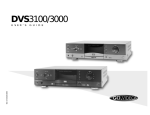
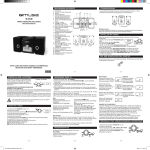
FRONT PANEL FEATURES
1
Power Button
Turns the unit on and off.
2
Play/Pause Button
Begins or pauses playback.
3
Disc Slot
Insert disc into the slot.
4
Stop Button
Stops playback.
5
Reverse Skip Button
Skips to the previous chapter/track.
6
Remote LED Receiver
Receives remote control command.
7
Forward Skip Button
Skips to the next chapter/track.
8
Eject Button
Opens and closes the disc tray.
1
2
3
4
FRONT PANEL CONTROLS
■
Power ON/OFF - Press POWER (1) to turn
the unit on/off.
■
Loading a Disc - Insert the disc (label side
up) into the DISC SLOT (3).
■
Ejecting a Disc - Press EJECT (8) and the
disc will slide out.
© 2002 Directed Electronics, Inc.
5
6
7
8
■
Begin Playback - Press PLAY/PAUSE (2)
and playback will begin. Press again to
pause playback.
■
Stop Playback - Press STOP (4) and playback will cease.
■
Resume Playback - Press PLAY/PAUSE (2)
and playback will resume.
9