1
Time & Attendance System user manual
10.3, Real time read
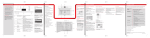
The real time function will support to download the event records from the machine in real time.
From the [Read records] window, you will see the [Start to Real time] button. This button can support
the real time function to read the event records from the device automatic.
10.4, Add the machine
How to add the new machine.
a. Click on [Add] button, the following window will be displayed.
b. To fill the machine Name, and machine Number, then select the communication type
between COMM and TCP/IP.
X CommPort means that the communication is via RS232 or RS485. Then you
should fill which com1 or com2 or others, and the baud rate(19200 as default.)
X Tcp/IP means that the communication is via TCP/IP.then you should fill the IP
address for the device. You can get it via the menu on the LCD.
c. Select keep or delete after reading the Log data., select whether to clear attendance
log (in/out record) after read from the reader.
Page 37 of 60