1
SDR-CF/SDR-OEM-CF Configuration Guide rev 1.2
Configuring the DataBridge SDR-CF
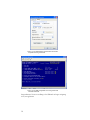
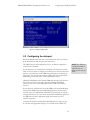
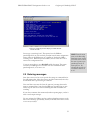
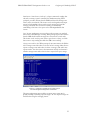
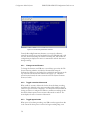
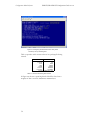
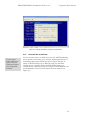
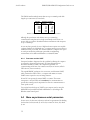
Figure 2.9. Configuring the time stamping for ASCII data with
CR+LF line ends.
Powering up in passthrough mode: This option forces the SDR into
passthrough mode (as if the user had pressed 8 from the main configuration
menu) whenever the SDR powers up, regardless of whether the SDR is
recording or not. When the option is enabled, the user must enter +++ to
return to the configuration menu.
If you are unsure how to use it,DO NOT enable this option. This option
can make your SDR appear to be broken. For more information about
passthrough mode, see section 4.1.5.
2.5 Entering messages
Some data sources need to receive specific data strings or commands before
they will transmit data. Other data sources send data continuously once they
are initialized with a specific string or command.
Your serial data source may also have the option of powering down with a
string or command that is sent when the SDR stops recording. Or you may
wish to stop the data source from transmitting data while the SDR is not
recording.
If your device transmits data continuously without requiring input, you don’t
need to send output messages.
You can configure the SDR to send up to eight independent messages to the
data source on startup, periodically, or both, on intervals from once a second
to once every 194 days.
19
NOTE: From the main
menu, in the Recording
Parameters menu option
you will be able to check
the state of power up in
passthrough mode on
menu option 6. By
selecting this option you
can turn this feature on
or off.