1
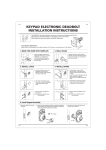
KEYPAD ELECTRONIC LEVER & KNOB
INSTALLATION INSTRUCTION
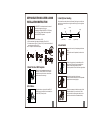
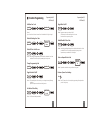
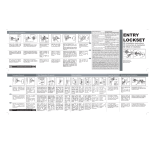
The BACKSET is the distance between the center of
cross bore and edge bore of the door.
Adjustable latch fits both BACKSET of 2-3/8” (60mm)
and 2-3/4” (70mm). Please follow the steps shown
below for BACKSET adjustment.
b
Face the door from outside, the door is left handed if the hinge is on the left-hand
side of the door, whereas the door is right handed if the hinge is on the right-hand
side of the door.
Door
(Left Handed)
a. The backset shown on the left is 60mm (2-3/8").
b. Pull the cam toward right to extend the backset to 70mm (2-3/4").
c. The backset shown in figure C is 70mm (2-3/4”). Pull the cam back to left will
return the backset to 60mm (2-3/8”).
Note : The shape of cam should be square.
a
3. Identify Door Handing
Interior
Hinge
Exterior
(Right Handed)
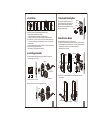
4. Install Latch
a. Insert the latch and lay the faceplate against the door
edge.
Use a pencil to mark it's perimeter, then take out the
latch.
c
b. Chisel out the portion you've marked with pencil for
about 4mm (5/32") deep. Score the area within the
borders as clearly and precisely as possible.
Ensure the plate can fit flush with the door edge surface.
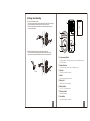
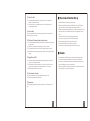
1. Mark The Door With Template
Select the height and backset as desired on the
door face ; use the TEMPLATE as an indication
to mark the center of the circle on the door face
and the center of the door edge.
c. Insert the latch and tighten it with screws.
Be sure the holes for thru-bolts (next to the adjustable
cam) should be horizontally aligned.
2. Drill Holes
Using the marks as a guide to drill a hole Ø2-1/8”
(54mm) through the door face for the lockset, then
a hole of Ø1” (25.4mm) for latch.
d. There is no necessary to chisel the door edge for the
faceplate installation if you use the drive-in latch.
You may install it into the edge bore directly, but be
sure the bevel should face the outside assembly.
1
2