1
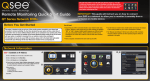
Pick i-dvr.net from the server list
In the Host field enter the host you picked on I-DVR.net server page (yourhostname).
In the User field enter user name off the DDNS sticker on the CD.
In the password field enter password off the DDNS sticker on the CD.
DDNS server activation and setup now is complete.
6- Connecting the DVR to the Internet:
To log in to your DVR using your computer Internet Explorer browser in the address bar;
If using the IP address type in (http://your local IP address:port number), in our example,
it is (http://192.168.1.212:88) and press Enter key.
If using the DDNS type in (http://your host name:port number), in our example, it is
(http://yourhost name.i-dvr.net:88) and press Enter key.