1
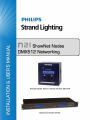
N21 ShowNet Node
Installation & User’s Manual
PREFACE
1. About this Manual
The document provides installation and operation instructions for the following products:
• N21 ShowNet Node, 2-Port, POE, 2-Gang (catalog number 65151)
• N21 ShowNet Node, 2-Port, POE, SN110 Retrofit (catalog number 65152)
• N21 ShowNet Node, 2-Port, POE, with Surface Mount Box (catalog number 65153)
• N21 ShowNet Node, 2-Port, POE, with Portable Mount Back Box, C-Clamp/U-Bolt Hardware (catalog number
65153-P)
• N21 ShowNet Node, 4-Port, 1U Rackmount Enclosure & AC Adapter (catalog number 65154)
Please read all instructions before installing or using this product. Retain this manual for future reference. Additional
product information and descriptions may be downloaded at www.strandlighting.com.
2. Getting Started
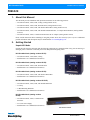
Unpack N21 Node
Unpack the node from the packaging and check that all components are contained within. If any parts are missing, or
damaged, please contact the carrier and your nearest Philips Strand Lighting office.
N21 ShowNet Node (catalog number 65151):
• N21 ShowNet Node, 2 Port, POE, 2-Gang
• Installation & User’s Manual (this document)
N21 ShowNet Node (catalog number 65152):
• N21 ShowNet Node, 2-Port, POE, SN110 Retrofit
• Installation & User’s Manual (this document)
N21 ShowNet Node (catalog number 65153):
• N21 ShowNet Node, 2-Port, POE, with Surface Mount Box
N21 Portable Nodes
• Installation & User’s Manual (this document)
N21 ShowNet Node (catalog number 65153-P):
• N21 ShowNet Node, 2-Port, POE, with Portable Back Box
• C-Clamp
• U-Bolt Mounting Hardware
• Installation & User’s Manual (this document)
N21 ShowNet Node (catalog number
65154):
• N21 ShowNet Node, 4-Port, 1U Rackmount
Enclosure
• AC to DC Power Supply
• Installation & User’s Manual (this document)
N21 Rackmount Nodes
About this Manual
3