1
RTD Current Source (Resistive) Test
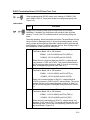
If readings from the RTD are still suspect following the RTD Probe Continuity test, follow
the Instructions below to test the current source on the Termination Board to verify it is
receiving power.
Required
Equipment
•
•
Totalflow Diagnostics Kit 2017373
Digital MultiMeter w/ alligator clip leads
Instructions
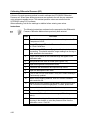
Step
Procedure
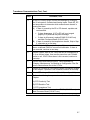
1.
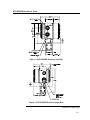
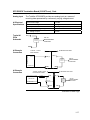
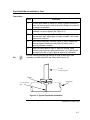
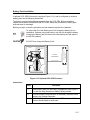
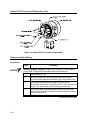
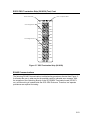
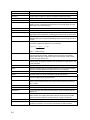
Begin by disconnecting power from Termination Board. Remove
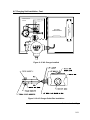
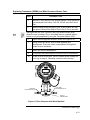
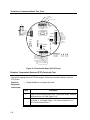
connection from J16 (see Figure 5–4).
2.
Remove connectors for any external connections: J3–Analog In,
J6–Digital In, J5–Digital Output, J19–Communication Port 1,
J20–Communication Port 2.
3.
Disconnect RTD connection, J8–RTD.
4.
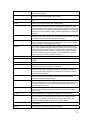
Set DMM to 200 mVDC.
5.
Select RTD Test Resistance value by selecting resistor test
connector from FCU Diagnostic Kit, or make one using a resistor
appropriate for your unit:
•
6.
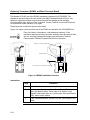
Substitute RTD Probe wiring by connecting either a 100
OHM or 123 OHM Resistor across J8 connector terminals 3
and 4.
• Connect a jumper wire between terminals 2 and 3.
• Connect a jumper wire between terminals 4 and 5.
Clip the positive lead of the DMM to the upper side of the RTD
TEST RESISTOR.
7.
Clip the negative lead of the DMM to the lower side of the RTD
TEST RESISTOR.
8.
Supply power to the unit.
9.
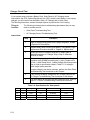
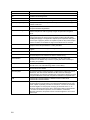
Once running, the measured value across the RTD TEST
RESISTOR should be either:
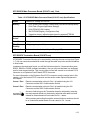
100 OHM Resistor – Min. of 100mv to a maximum of 125mv.
123 OHM Resistor – Min. of 123mv to a maximum of 155mv
10.
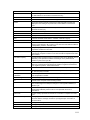
The RTD measurement temperature on the FCU display should
read either:
100 OHM Resistor – 31.0°F to 33.0°F
123 OHM Resistor – 140.8°F to 142.8°F
5-10