1
Best Service - TITAN 23
Manual
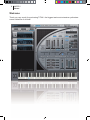
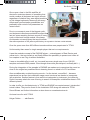
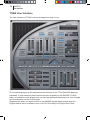
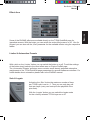
Some of the ENGINE effects are available directly on the TITAN QuickEdit page for
immediate access. With the button you can switch the entire effect area on or off. Like for
Origami you can also edit the „Wet“ parameter for the available effects using the respective
faders.
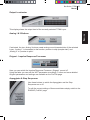
Limiter & Automation Presets
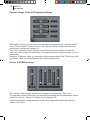
With a click on the „Limiter“ button you can switch the limiter on or off. To edit the settings
of the limiter simply switch to the insert effect area on Engine ProEdit page.
The „Automation Presets“ pull-down menu contains some already prepared automation
assignments of the TITAN QuickEdit page parameters for several hardware controllers. For
further details about automation please refer to the ENGINE manual.
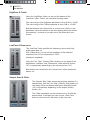
Solo & Legato
Activating the „Solo“ button the maximum number of keys
per TITAN Layer is set to „1“. Thus you can only play one
note per Layer (every new note quits the playback of the
prior note).
With the „Legato“ button you can switch the legato mode
for the currently selected TITAN Layer on or off.
ENGLISH
Effect Area