1
7.2.2 Final Target Device action
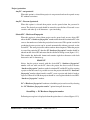
Every device action, like AUTO Program, Read etc. starts with the activation of the RESET
line (active low). When the device programming action begins the RESET line is raised high. When
device action is finished, then RESET line is again asserted, protecting the target device from
running the application program.
The target device can be set to run an application immediately after the target device
programmed. This allows to verify functionality of the programmed device if required. In order to
do this check the
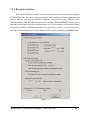
‘Hardware Reset (RST line) and start the application program’
or
‘Soft Reset (JTAG only) and start the application program’
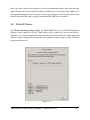
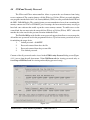
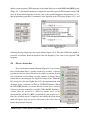
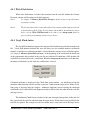
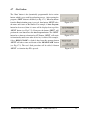
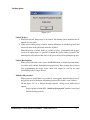
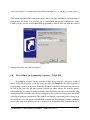
option in the Reset Options window, shown in Figure 7-2. Application run time can be unlimited
or limited up to 120 seconds. Limited time is specified in the “Application Program RUN time”
box. When entered ‘0' in the “Program RUN time” box then time is unlimited.
7.3
Preferences Dialog Box
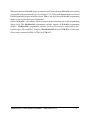
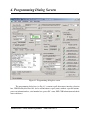
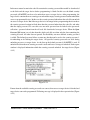
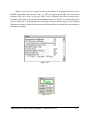
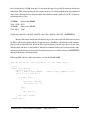
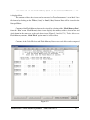
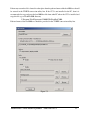
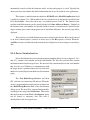
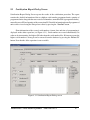
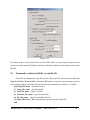
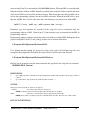
In the Preferences dialog screen (Figure 7.3) is possible to select the PDF reader, select the
hex conversion tool and select desired audio option when warning or error are present.
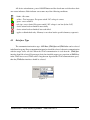
In the first line it can be selected the PDF reader. By default it is entered Acrobat Reader AcroRd32.exe. If other PDF reader is used in the system, then the full path of the used PDF reader
should be entered in the edit line. Name and path can also be entered using the Browse button.
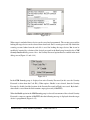
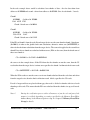
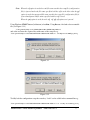
The FlashPro2000 software allows to convert the *.out file generated by TI’s Code Composer
Studio (CCS). However the TI’s hex2000.exe conversion file is used during the conversion process.
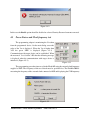
It is required to enter the path to the hex2000.exe file, otherwise the conversion of the *.out will not
work. All parameters required during conversion the *.out file to 16-bits width Intel file are
generated automatically by the FlashPro2000 software.
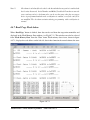
By default the hex2000.exe is located in the following CCS directory
C:\CCStudio_v3.3\C2000\cgtools\bin
The full path and file name selected in this case is
C:\CCStudio_v3.3\C2000\cgtools\bin\hex2000.exe
FlashPro2000 - C2000 Flash Programmer
PM034A01 Rev.0
51