1
Setup and operation
■
Basic Operating Procedures
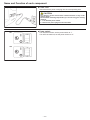
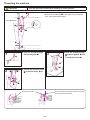
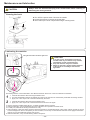
1) Insert the electric power cord plug into the
corresponding inlet.
Turn ON the power switch.
This is described in the Instruction Manual.
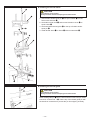
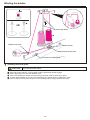
2) Set the machine settings from the LCD screen.
You can set the maximum sewing speed and the automatic
thread trimming at the end of sewing.
For details,
please refer to the "Stitch Regulator User Manual".
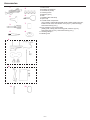
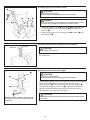
Screen of stand-up type
Screen of sit-down type
85%
15%
60%
85%
<1. Stand-up type>
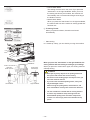
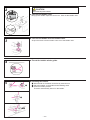
1 Setting the Maximum Sewing Speed
You can set the maximum sewing speed in 5% increments.
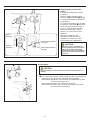
2 Setting the Stitch Mode
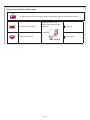
• Cruise Stitch Mode
When you press the "start button" on the right handlebar,
the machine will sew at the maximum sewing speed that
has been set.
When you move the sewing machine by the handles, the
machine will sew automatically with a sewing speed so
that the set "Stitch per Inch" (SPI) can be maintained.
• Baste Stitch Mode
When you press the "start button" on the right handlebar
and move the sewing machine by the handles, it will sew
with the stitch length that has been set.
–9–