1
Issue 2
Safety
Before you use the Intecal software program, make sure that you read
and understand all the related data. This includes: the applicable local
safety procedures, the instructions for the equipment you are using
with the software, and this publication.
When you use equipment with this software, make sure that it is
serviceable and that it is in its normal condition for safe operation.
Before you start an operation or procedure in this publication, make
sure that you have the necessary skills (if necessary, with
qualifications from an approved training establishment). Follow good
engineering practice at all times.
Copyright
© 2008 General Electric Company. All rights reserved.
Trademarks
All product names are trademarks of their respective companies.
Microsoft, Excel, and Windows are either registered trademarks or
trademarks of Microsoft Corporation in the United States and/or other
countries.
InstallShield is a registered trademark and service mark of
InstallShield Software Corporation in the United States and/or other
countries.
Software purpose
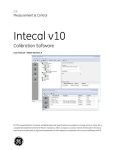
The Intecal calibration software is a Windows-based calibration
management tool that helps you maintain and control your calibration
environment to the highest standards of metrology. Available in
different languages, you can use the software for these tasks:
•
Manage the maintenance and calibration of all the measurement
devices for a specified business location.
•
Set up a schedule of calibration work for different employees.
•
Upload and download data to and from portable calibrators that
have a serial communications function or an IEEE 488 interface
(Druck, Ruska, or devices with a Field Calibrator Interface FCINTF).
•
Manage the calibration records for devices that do not have a
serial communications function or an IEEE 488 interface (Manual
Data Entry).
ii