1
Issue 2
Registration
•
Inspect your calibration history records. You can also make a
permanent record of each calibration report. For example: For
ISO 9000 quality control procedures.
•
(Intecal-Advanced only) Set up automatic calibration systems to
make full use of your GE calibrators and controllers (Ruska and
Druck) or alternative systems with an FCINTF facility.
•
(Intecal-Advanced only) Calibrate a Device that has a serial
communications function or an IEEE 488 interface (Druck, Ruska,
or FCINTF).
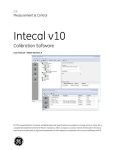
The Intecal calibration software (from a CD or downloaded from the
Web) is available for you to try as a fully functional product, with no
obligation, for a period of 30 days. The trial period starts on the day it
is first used - not on the day it is installed.
To change the 30 day license to a full license, please purchase the
applicable software license (Intecal-Advanced or Intecal Basic) from
the GE Sensing sales team at: www.gesensing.com.
Please read the Registration Help available in the Registration Tool:
Use the Intecal program group (Figure 2-1) or use the Intecal menu:
Help > Registration ... .
iii