1
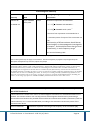
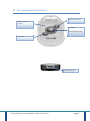
- Insert the new batteries by respecting the polarity indicated,
the + side (bottom of the batteries) directed upwards.
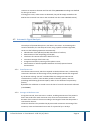
The R.Test then begins a cycle of battery checks for a few seconds ending with a
double tone.
If the batteries are new, the LED illuminates green for 5 seconds
If the batteries are not new, the LED illuminates orange for 5 seconds
If the batteries are low, the LED illuminates in red for 5 seconds
5.4 Programming of the recorder
Connect the R.TEST Evolution 4 to the PC via the USB cable, then Program/Read via
the software to choose the program to be used as well as to input patient
information.
Note: it is not necessary to have inserted batteries to read or program and R.TEST
Evolution 4 with the USB cable.
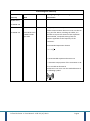
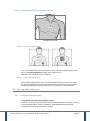
5.5 Connecting the Patient Cable to the R.Test
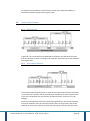
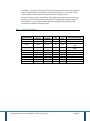
R.Test /cable
R.Test Evolution 4 - User Manual – 6UK -23/07/2012
Page 29