1
CW1602 Display
3.3.8.Turn Off Blinking Block Cursor (254 90 253)...................................18
3.3.9.Move Cursor Left (254 76 253)..........................................................18
3.3.10.Move Cursor Right (254 77 253).....................................................18
Chapter 4.Bar Charts, User Defined Characters and Graphics........................19
4.1.Introduction...........................................................................................................19
4.2.Command List.......................................................................................................19
4.2.1.Initialize Wide Vertical Bar Graph (254 118 253).............................19
4.2.2.Initialize Narrow Vertical Bar Graph (254 115 253).........................19
4.2.3.Draw Vertical Bar Graph (254 61 [column] [height] 253)................19
4.2.4.Erase Vertical Bar Graph (254 45 [column] 253).............................19
4.2.5.Initialize Horizontal Bar Graph (254 104 253)..................................19
4.2.6.Draw Horizontal Bar Graph (254 124 [column] [row] [length] 253)
........................................................................................................................19
4.2.7.Define Custom character (254 78 [cc] [8 bytes] 253)......................19
Chapter 5.Miscellaneous Commands..................................................................21
5.1.General Command List.........................................................................................21
5.1.1.Read Model Number (254 48 253)....................................................21
5.1.2.Read Firmware Version (254 49 253)...............................................21
5.1.3.Soft Reset (254 86 253).....................................................................21
5.1.4.Clear Display (254 88 253)................................................................21
5.1.5.Set RS232 port speed (254 57 [speed] 253)....................................21
5.2.Backlight Command List......................................................................................21
5.2.1.Backlight On (254 66 253)..................................................................21
5.2.2.Backlight Off (254 70 253)..................................................................22
5.2.3.Backlight Brightness (254 65 [brightness] 253)...............................22
5.3.Keypad Command List.........................................................................................22
5.3.1.Auto Key Hold On (254 50 253)........................................................22
5.3.2.Auto Key Hold Off (254 51 253)........................................................22
5.3.3.Keypad Mapping.................................................................................22
5.4.Non-Volatile Memory Command List.................................................................23
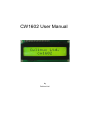
CW1602 User Manual
5