1
Chapter 2
Installing your system
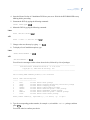
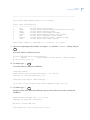
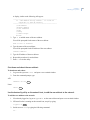
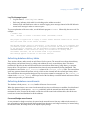
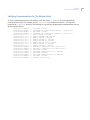
Starting the Informix database.. Done
Updating dictionary for network host version...
Loaded report 'Netlan Operator History Report'.
Loaded report 'Netlan Alarm History Report'.
Loaded report 'Netlan Badge History Report'.
Loaded report 'Netlan Operator History Archive Report'.
Loaded report 'Netlan Badge History Archive Report'.
Loaded report 'Netlan Alarm History Archive Report'.
Inserting alarm entries for the host table...
Updating System Administrator permission record...
Setting up ntp Server to keep the hosts time in sync...
The Netlan installation has completed successfully.
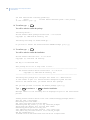
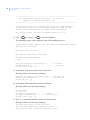
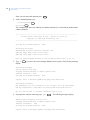
Checking if need to update nls files...
Picture Perfect NLS Check - 4.0 01/16/06
Copyright (C) 2000-2006 GE Security
Mon Aug 17 07:58:49 EDT 2009
No nls files for netlan package
Running /cas/bin/fixperm on /tmp/netlan.perm file...
No errors detected
/cas/bin/fixperm finished.
Installing desired BASE_OPTIONS product(s) was successful.
The INSTALLation has completed.
The system needs to be rebooted for the changes to take effect.
Reboot the system (y/n)? [y]
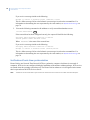
12. Type y to reboot the system. Remember to remove the installation media following the reboot.
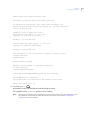
The host installation of netlan is now complete.
Note:
Permissions for the default System Administrator record are automatically set up during installation. If you
have additional records requiring system administrator permissions, refer to Chapter 5 Verifying the
configuration to verify the settings.
Configure subhosts and workstations
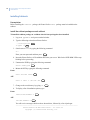
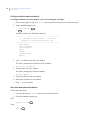
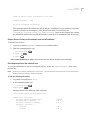
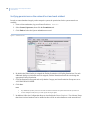
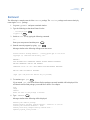
To configure subhosts and workstations in /etc/hosts using the 'aa' utility:
1. If not already logged on, log on as root on the network host and open a new terminal window.
2. At the command prompt, type:
. /cas/bin/profile
aa
Enter
Enter
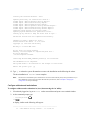
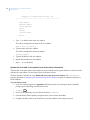
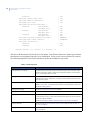
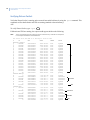
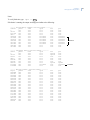
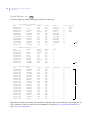
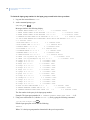
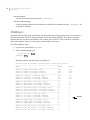
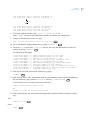
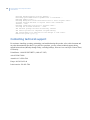
A display, similar to the following will appear:
------------------------------------------------------aa - add address utility version - 1.2 01/29/03
11