1
OPERATION
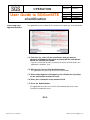
User Guide to SGSonSITE
eCertification
Type:
Document
Reference:
P-OPS.08
Issue n°:
Issue date:
Author:
Approver:
Page n°:
3
29.05.2012
E. TOLETE
L. REFRAN
2 of 47
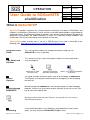
What is SGSonSITE?
SGSonSITE provides a platform for issuing electronic certificates and reports (eCertificates and
eReports, or collectively, eDocuments), which are then accessible, downloadable, and printable by
authorized clients. The eDocument platform provides more efficient and economical distribution of
documents and expedites the trade transaction. It serves as a repository of both eReports and
eCertificates that can be accessed by clients quickly and securely.
SGSonSITE is widely used by most, if not all, in SGS Business Lines and is accessible at the
following URL: http://www.sgs.com/en/Our-Company/Online-Services.aspx
Using this User’s
Guide
This user’s guide includes task related information to help you use
SGSonSITE as easy as possible.
1.1
Tips, Notes and
Cautions
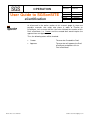
This manual uses tips, notes and cautions shown in the left margin and is
easy to recognize.
Information to make
the task easier
Important information
about the current topic
Warns you of potential problems
or concerns
1.2
Screen
Captures
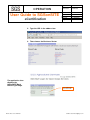
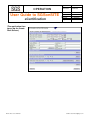
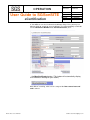
This guide includes the actual screen shots of all the pages of SGSonSITE.
The intention is to help you familiarize with all the pages just like navigating
the web site.
1.3
Moving through
SGSonSITE
Moving through the SGSonSITE is like moving through any other Windows
program. You can use your mouse to point and click or you can use the Tab
key to move from field to field.
Moving from field to field using the Tab Key is only possible if you are using an
Internet Explorer Browser
1.4
Contacting
Back office User’s Manual
If you need help and this User Guide has not provided an answer to your
query, you may contact the SGSonSITE Support Team:
email: [email protected]













![取扱説明書 [F-03B] - Altehandys.de](http://vs1.manualzilla.com/store/data/006538124_2-9b53d14369fe3af8b4369d863b7cba7c-150x150.png)