1
103-52-390-005-EH-0909.pdf
3. Connections with smartMODULPREMIUM
smartMODULPREMIUM starts automatically after the start-up phase. (Section.4).
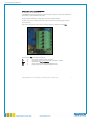
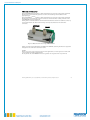
Connections and signal output for the smartMODULPREMIUM are via the ST1 plug. For operation
and use of the current output, the sensor must first be installed and connected.
To avoid faults and possible damage to the device, we recommend adherence to the following
sequence of operations:
1.
Install smartMODULPREMIUM in the desired application, ensuring sufficient distance
from conducting components to avoid short-circuits and possible damage.
2.
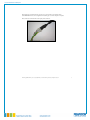
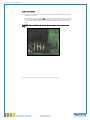
Remove the green plug from the ST1 socket. The connections and clamping screws are
now easy to reach.
3.
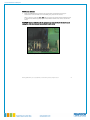
Connect the power supply to V+ and GND. Connect the signal cable for current output I
and GND. GND is the common ground for the power supply and current signal. Make
sure that the sequence of the connections on the plug corresponds to that on the circuit
board (make sure the plug is inserted correctly!).
4.
re-connect the ST1 plug.
The smartMODULPREMIUM starts automatically with the start-up phase (see Section 4).
Anleitung_SM-Premium_V2.4 | 15.9.2009/ M.N. | Issued without guarantee, all rights reserved
6