1
DUEMMEGI
User's manual
MiniDISP2 BUS
7 – OPTIONS SETTING
7.1 - Display contrast
The contrast of the LCD display may be adjusted according to the user preferences.
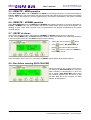
To execute this adjustment, enter the Mini DISP2 BUS setting menu pushing down at the same time the
buttons
+
+
and move across the menus, using the buttons
and
, until the
DISPLAY CONTRAST parameter is reached. To modify the displayed parameter refer to paragraph 10.1.
The setting of this parameter can be done through the keyboard on Mini DISP2 BUS front panel or by the
configuration program DISPTools running on the PC.
7.2 - Mini DISP2 BUS address
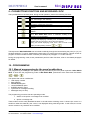
This is the bus base address assigned to Mini DISP2 BUS. To execute this setting, enter in the Mini DISP2
BUS setting menu pushing down at the same time the buttons
+
+
and move across the
menus, using the buttons
and
, until the BUS ADDRESS parameter is reached. To modify the
displayed parameter refer to paragraph 10.1. The setting of this parameter can be done through the keyboard
on Mini DISP2 BUS front panel or by the configuration program DISPTools running on the PC.
7.3 - Memory option
MEM (memory): each message, when recalled, remains in the displaying queue even if the binary code sent
by bus changes; if several messages had recalled, these ones will be cyclically displayed with a period in the
range 1 to 10 seconds (as set in CYCLE TIME option).
NOM (NOMEM = no memory): the displaying cycle shows the message related to the current binary code
received by the bus.
To modify this option, enter in the Mini DISP2 BUS setting menu pushing down at the same time the buttons
+
+
and move across the menus, using the buttons
and
, until the MEMORY
OPTION is reached. To modify the displayed option refer to paragraph 10.1.
The setting of this option can be done through the keyboard on Mini DISP2 BUS front panel or by the
configuration program DISPTools running on the PC.
7.4 - Local/Remote option
LOC (Local): two output relays are locally handled by Mini DISP2 BUS, in a way similar to the standard ISAM alarm sequence.
REM (Remote): two output relays are exclusively driven by the bus; in other words, handling of the relays will
be left to the Contatto system controller (MCP).
To modify this option, enter in the Mini DISP2 BUS setting menu pushing down at the same time the buttons
+
+
and move across the menus, using the buttons
and
, until the SET
LOCAL/REMOTE option is reached. To modify the displayed option refer to paragraph 10.1.
The setting of this option can be done through the keyboard on Mini DISP2 BUS front panel or by the
configuration program DISPTools running on the PC.
7.5 – Buzzer option
BUZZER ON (Enable buzzer): this option enables the buzzer inside Mini DISP2 BUS. This is a global option,
because it applies to all messages. In LOCAL mode the buzzer, if enabled, follows the status of the siren
relay.
Note: the buzzer, as for the siren and flasher outputs, will be activated only for the messages that were
configured for this function.
BUZZER OFF (Disable buzzer): this option disables the buzzer inside Mini DISP2 BUS (but siren will be
however enabled).
To modify this option, enter in the Mini DISP2 BUS setting menu pushing down at the same time the buttons
+
+
and move across the menus, using the buttons
DUEMMEGI s.r.l. - Via Longhena, 4 – 20139 MILANO
Tel. 02/57300377 - Fax 02/55213686 – www.duemmegi.it
and
Rel.: 1.0 July 2007
, until the BUZZER
Page 7 of 14