1
 T1/FT1 CSU/DSU, V.35 3.3
System Operation
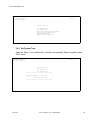
3.3.1 Date
This product is equipped with a RTC (Real Time Clock). The user can change
the current date and time as required. The RTC is activated by the
manufacturer before shipping. This is to save RTC battery life. The RTC battery
has a 10-year power off life cycle.
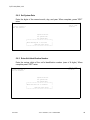
3.3.2 System Clock
This product has a system clock PLL (Phase Lock Loop) which may be
phase locked to the T1 line or the internal oscillator clock of the T1 Spartan. The
T1 line signal and the internal clock of the T1 Spartan are all 1.544 Mbps. The
default system clock is derived from the T1 line signal often referred to as the
Network Interface or NI for short.
3.3.3 Console Port
The console port allows the user to use a local VT-100 terminal via a
DB9/RS232 cable connection for system configuration, diagnostics, utilities, etc.
The console port must be set to a proper operational mode. The default console
port baud rate, data bit length, parity bit length, and XON-XOFF flow control are
set as shown in Table 3-1.
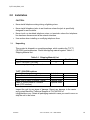
Table 3-1. Console Port Default Setting
Item
Options
Baud Rate
9600
Data Bit
8
Parity Bit
NONE
XON-XOFF
OFF
Default
9600
8
NONE
OFF
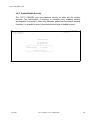
3.3.4 Security System
The terminal is used to read events, system configurations, diagnostics, and
system status. It can also be used to change system configurations and clear
the event log, etc. By enabling the security system, the user may restrict
terminal access to users who know the password stored in the system. The
default password stored in the T1/ F T 1 C S U / D S U prior to factory shipment
is “Default”. Once the Security System is enabled, the user may enter any new
password into the T1/FT1 CSU/DSU after providing the old password.
MT1500A
Rev. 1
T1/FT1 CSU/DSU, V.35 – USER GUIDE
21