1
Statim_2000E_manual_rev2_Statim_2000E_manual_rev2 3/10/11 11:23 AM Page 8
3. Installation
5. To select the next field, press the RUBBER / PLASTIC cycle button.
6. To save changes and return to the regular operating mode, press the STOP button.
7. To quit without making changes, power the STATim OFF.
3.7 Language Selection
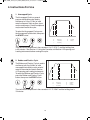
The messages displayed on the LCD can be changed to a number of different languages.
To change the current language selections, follow these steps:
1. Turn the power switch at the back of the unit OFF.
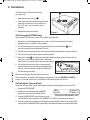
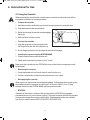
N.A. ENGLISH
2. Power up unit while pressing the STOP button
to access the User Setup menu.
3. Use the UNWRAPPED cycle button to scroll
Display when scrolling through languages
to LANGUAGE setup and press the
RUBBER / PLASTIC cycle button to select it.
4. Press the UNWRAPPED cycle button to scroll to the next language selection.
5. When the desired language is displayed, press the STOP button to save the selection
and return to the regular operating mode.
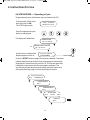
3.8 Assigning Unit Identifier Number
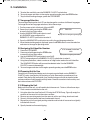
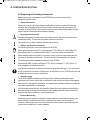
STATIM 2000E S2S2R601
1. Power the STATim OFF.
#323
2. Power up unit while pressing the STOP button
to access the User Setup menu.
Display when assigning unit number
3. Use the UNWRAPPED cycle button to scroll to ID
SETUP setup and press the RUBBER / PLASTIC cycle button to select it.
4. Using the cycle buttons, select a maximum of 3 digits to be used as the unit’s identifier.
The UNWRAPPED button will increase the selected value. Use the RUBBER /
PLASTIC to move to the next digit.
5. To save changes and return to the regular operating mode, press the STOP button.
3.9 Preparing Unit for Use
Once the unit is installed and before any instruments are sterilized, run two RUBBER /
PLASTIC cycles (see Section 4.6 Operating a Cycle). Remove the cassette once it has
cooled. Clean the top (lid) and bottom (tray) sections using a soft cloth to wipe the inside
surfaces and then rinse thoroughly with tap water. Once the cassette is clean and dry, coat
the inside surfaces with STAT-DRI.
3.10 Shipping the Unit
Before you move the unit, you will need to drain the reservoir. To do so, follow these steps:
1. Place a water container below the unit.
2. Using the drain tube (see Section 3.5 Priming the STATim Pump, Figure 6) empty the
contents of the reservoir into the water container.
3. Remove any remaining water from the reservoir with a non-linting, absorbant towel.
4. Screw-in the three leveler feet found underneath the unit.
5. Repack the unit in the original packing materials and include all accessories originally
included with the unit.
6. Specify heated and insured shipping.
8