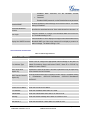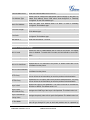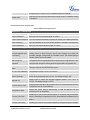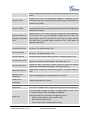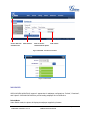
1
Grandstream Networks, Inc. GXP2130/GXP2140/GXP2160 Enterprise IP Phone Administration Guide GXP2130/GXP2140/GXP2160 Administration Guide This page intentionally left blank GXP2130/GXP2140/GXP2160 Administration Guide GXP2130/GXP2140/GXP2160 Administration Guide Table of Content DOCUMENT PURPOSE ............................................................................... 4 GUI INTERFACE EXAMPLES ...................................................................... 5 GNU GPL INFORMATION ............................................................................ 6 CHANGE LOG ............................................................................................... 7 FIRMWARE VERSION 1.0.4.16 .......................................................................................................... 7 FIRMWARE VERSION 1.0.4.15 .......................................................................................................... 7 FIRMWARE VERSION 1.0.4.10 .......................................................................................................... 7 FIRMWARE VERSION 1.0.3.9 ............................................................................................................ 8 FIRMWARE VERSION 1.0.2.9 ............................................................................................................ 8 GXP2130 ............................................................................................................................................. 8 FIRMWARE VERSION 1.0.1.19 .......................................................................................................... 8 GX2140/GXP2160 ............................................................................................................................... 9 FIRMWARE VERSION 1.0.1.6 ............................................................................................................ 9 FIRMWARE VERSION 1.0.0.17 .......................................................................................................... 9 WELCOME ...................................................................................................11 PRODUCT OVERVIEW............................................................................... 13 FEATURE HIGHTLIGHTS ................................................................................................................. 13 GXP2130/GXP2140/GXP2160 TECHNICAL SPECIFICATIONS ....................................................... 15 CONFIGURATION GUIDE .......................................................................... 19 CONFIGURATION VIA KEYPAD ....................................................................................................... 19 CONFIGURATION VIA WEB BROWSER .......................................................................................... 27 DEFINITIONS .................................................................................................................................... 29 STATUS PAGE DEFINITIONS .................................................................................................... 29 ACCOUNTS PAGE DEFINITIONS ............................................................................................. 31 SETTINGS PAGE DEFINITIONS ............................................................................................... 43 NETWORK PAGE DEFINITIONS ............................................................................................... 55 MAINTENANCE PAGE DEFINITIONS ....................................................................................... 57 PHONEBOOK PAGE DEFINITIONS .......................................................................................... 61 GXP2130/GXP2140/GXP2160 FIRMWARE VERSION 1.0.4.16 GXP2130/GXP2140/GXP2160 ADMINISTRATION GUIDE Page 1 of 81 NAT SETTINGS ................................................................................................................................. 65 WEATHER UPDATE .......................................................................................................................... 67 EDITING CONTACTS AND CLICK-TO-DIAL ..................................................................................... 67 WALLPAPER ..................................................................................................................................... 69 SAVING THE CONFIGURATION CHANGES .................................................................................... 71 REBOOTING FROM REMOTE LOCATIONS .................................................................................... 71 BLUETOOTH ..................................................................................................................................... 71 PACKET CAPTURE ........................................................................................................................... 73 MULTICAST PAGGING ..................................................................................................................... 75 UPGRADING AND PROVISIONING .......................................................... 77 UPGRADE VIA KEYPAD MENU ........................................................................................................ 77 SHORTCUT OF UPGRADE AND PROVISION VIA KEYPAD MENU ................................................ 77 UPGRAGE VIA WEB GUI .................................................................................................................. 79 NO LOCAL TFTP/HTTP SERVERS ................................................................................................... 79 CONFIGURATION FILE DOWNLOAD .............................................................................................. 81 RESTORE FACTORY DEFAULT SETTINGS ............................................ 83 EXPERIENCING THE GXP2130/GXP2140/GXP2160 .............................. 85 GXP2130/GXP2140/GXP2160 FIRMWARE VERSION 1.0.4.16 GXP2130/GXP2140/GXP2160 ADMINISTRATION GUIDE Page 2 of 81 Table of Tables GXP2130/GXP2140/GXP2160 User Manual Table 1: GXP2130 /GXP2140/GXP2160 FEATURES IN A GLANCE ........................................................ 13 Table 2: GXP2130/ /GXP2140/GXP2160 COMPARISON GUIDE ............................................................ 14 Table 3 GXP2130 TECHNICAL SPECIFICATIONS .................................................................................. 15 Table 4: GXP2140 TECHNICAL SPECIFICATIONS ................................................................................. 16 Table 5: GXP2160 TECHNICAL SPECIFICATIONS ................................................................................. 17 Table 6: CONFIGURATION MENU ........................................................................................................... 19 Table 7: Status Page Definitions ............................................................................................................... 29 Table 8: Account Page Definitions............................................................................................................. 31 Table 9: Settings Page Definitions ............................................................................................................ 43 Table 10: Network Page Definitions .......................................................................................................... 55 Table 11: Maintenance Page Definitions ................................................................................................... 57 Table 12: Phonebook Page Definitions ..................................................................................................... 61 Table of Figures GXP2130/GXP2140/GXP2160 User Manual Figure 1: Keypad MENU Flow................................................................................................................... 25 Figure 2: Web Service............................................................................................................................... 67 Figure 3: Web GUI - Phonebook->Contacts.............................................................................................. 69 Figure 4: Click-to-Dial ............................................................................................................................... 69 Figure 5 Download wallpaper from server................................................................................................. 70 Figure 6 Upload selected wallpaper to phone ........................................................................................... 71 Figure 7 Packet Capture in idle ................................................................................................................. 73 Figure 8 Capture to USB drive .................................................................................................................. 73 Figure 9 Capture to internal storage ......................................................................................................... 74 GXP2130/GXP2140/GXP2160 FIRMWARE VERSION 1.0.4.16 GXP2130/GXP2140/GXP2160 ADMINISTRATION GUIDE Page 3 of 81 DOCUMENT PURPOSE This document describes how to configure GXP2130/GXP2140/GXP2160 features via phone’s LCD menu and Web GUI menu. The intended audiences of this document are phone administrators. To learn the basic functions of GXP2130/GXP2140/GXP2160, please visit http://www.grandstream.com/support download the latest “GXP2130/GXP2140/GXP2160 End User Guide”. GXP2130/GXP2140/GXP2160 FIRMWARE VERSION 1.0.4.16 GXP2130/GXP2140/GXP2160 ADMINISTRATION GUIDE Page 4 of 81 to GUI INTERFACE EXAMPLES http://www.grandstream.com/products/gxp_series/general/documents/gxp2130_2140_2160_gui.zip 1. Screenshot of Login Page 2. Screenshots of Status Pages 3. Screenshots of Accounts Pages 4. Screenshots of Settings Pages 5. Screenshots of Network Pages 6. Screenshots of Maintenance Pages 7. Screenshots of Phonebook Pages GXP2130/GXP2140/GXP2160 FIRMWARE VERSION 1.0.4.16 GXP2130/GXP2140/GXP2160 ADMINISTRATION GUIDE Page 5 of 81 GNU GPL INFORMATION GXP2130/GXP2140/GXP2160 firmware contains third-party software licensed under the GNU General Public License (GPL). Grandstream uses software under the specific terms of the GPL. Please see the GNU General Public License (GPL) for the exact terms and conditions of the license. Grandstream GNU GPL related source code can be downloaded from Grandstream web site from: http://www.grandstream.com/support/faq/gnu_gpl. GXP2130/GXP2140/GXP2160 FIRMWARE VERSION 1.0.4.16 GXP2130/GXP2140/GXP2160 ADMINISTRATION GUIDE Page 6 of 81 CHANGE LOG This section documents significant changes from previous versions of user manuals for GXP2130/GXP2140/GXP2160. Only major new features or major document updates are listed here. Minor updates for corrections or editing are not documented here. FIRMWARE VERSION 1.0.4.16 Added support to configure phone’s MPK from phone GUI. [SETTINGS PAGE DEFINITIONS] FIRMWARE VERSION 1.0.4.15 Added option to configure to always use the prefix for BLF Call-pickup. [ACCOUNTS PAGE DEFINITIONS] Added option to send SUBSCRIBE to Broadsoft server to obtain Call Park Notifications. [ACCOUNTS PAGE DEFINITIONS] Added option to send credentials before being challenged by the server. [MAINTENANCE PAGE DEFINITIONS] Added user name and password options for HTTP/HTTPS server authentication for phonebook XML downloading. [PHONEBOOK PAGE DEFINITIONS] Added option to enable/disable the dial plan check while dialing through the call history and any phonebook directories. [SETTINGS PAGE DEFINITIONS] Added option to enable/disable the busy tone heard in the handset when call is disconnected remotely. [SETTINGS PAGE DEFINITIONS] Added XML Application support. [SETTINGS PAGE DEFINITIONS] Added Direct IP Call support on MPK and Phonebook. [SETTINGS PAGE DEFINITIONS] Added ability to dial the digits faster when using MPK as Dial DTMF. [SETTINGS PAGE DEFINITIONS] Added support to play short reminder beep when performing auto answer. [SETTINGS PAGE DEFINITIONS] FIRMWARE VERSION 1.0.4.10 Added option to show account name only and not the User ID on the LCD screen. [ACCOUNTS PAGE DEFINITIONS] Added option for adding Auth Header on initial REGISTER. [ACCOUNTS PAGE DEFINITIONS] Added Broadsoft Network Directories features.[SETTINGS PAGE DEFINITIONS] GXP2130/GXP2140/GXP2160 FIRMWARE VERSION 1.0.4.16 GXP2130/GXP2140/GXP2160 ADMINISTRATION GUIDE Page 7 of 81 Added Web UI option for downloading Language XML file. [MAINTENANCE PAGE DEFINITIONS] Added Web UI option for auto language download. [MAINTENANCE PAGE DEFINITIONS] Added Multicast paging support. [SETTINGS PAGE DEFINITIONS] Added Packet capture support. [MAINTENANCE PAGE DEFINITIONS] Added phonebook entry sorting option. [PHONEBOOK PAGE DEFINITIONS] FIRMWARE VERSION 1.0.3.9 Added PhonePower special feature. [ACCOUNTS PAGE DEFINITIONS] Added Broadsoft IM&P features.[PHONEBOOK PAGE DEFINITIONS] Added Screensaver options to LCD under Preference -> Appearance.[CONFIGURATION VIA KEYPAD] Added Web UI option to select default search mode for phonebook. [CONFIGURATION VIA KEYPAD] Added Second dial tone support. [SETTINGS PAGE DEFINITIONS] Added Input character selection window. [CONFIGURATION VIA KEYPAD] Added BLF server support.[ACCOUNTS PAGE DEFINITIONS] FIRMWARE VERSION 1.0.2.9 Add Bluetooth hands free mode.[BLUETOOTH] Add Configuration file upload support via Web GUI. [MAINTENANCE PAGE DEFINITIONS] Add Screen saver support. [SETTINGS PAGE DEFINITIONS] Add Wallpaper support. [WALLPAPER] Add the support of STAR key keypad lock feature. [MAINTENANCE PAGE DEFINITIONS] Add the support of Configuration via Keypad Menu.[ MAINTENANCE PAGE DEFINITIONS] Add Keypad shortcut to reboot and provisioning. [SHORTCUT OF UPGRADE AND PROVISION VIA KEYPAD MENU] GXP2130 FIRMWARE VERSION 1.0.1.19 This is the initial version. GXP2130/GXP2140/GXP2160 FIRMWARE VERSION 1.0.4.16 GXP2130/GXP2140/GXP2160 ADMINISTRATION GUIDE Page 8 of 81 GX2140/GXP2160 FIRMWARE VERSION 1.0.1.6 Added Local group and Broadsoft phonebook in phonebook support. Added Instant message. Added Broadsoft shared call appearance support. Added Broadsoft call center support. Added Eventlist BLF update support for Broadsoft. [ACCOUNTS PAGE DEFINITIONS] [CONFIGURATION VIA KEYPAD] [ACCOUNTS PAGE DEFINITIONS] FIRMWARE VERSION 1.0.0.17 This is the initial version. GXP2130/GXP2140/GXP2160 FIRMWARE VERSION 1.0.4.16 GXP2130/GXP2140/GXP2160 ADMINISTRATION GUIDE Page 9 of 81 This page intentionally left blank GXP2130/GXP2140/GXP2160 FIRMWARE VERSION 1.0.4.16 GXP2130/GXP2140/GXP2160 ADMINISTRATION GUIDE Page 10 of 81 WELCOME Thank you for purchasing Grandstream GXP2130/GXP2140/GXP2160 Enterprise IP Phone. GXP2130/GXP2140/GXP2160 is a state-of-the-art enterprise grade IP phone. GXP2140/GXP2160 features 4.3 inch TFT Color LCD, 5 programmable context-sensitive soft keys, dual Gigabit network ports, integrated PoE and Bluetooth, 5-way conference, and Electronic Hook Switch (EHS). GXP2130 supports 2.8 inch TFT Color LCD, 4 programmable context-sensitive soft keys, 4-way voice conference and EHS with Plantronics headsets. Also, this series can support up to 3 lines for GXP2130, 4 lines for GXP2140 and 6 lines for GXP2160. The GXP2130/GXP2140/GXP2160 delivers superior HD audio quality, rich and leading edge telephony features, personalized information and customizable application service, automated provisioning for easy deployment, advanced security protection for privacy, and broad interoperability with most 3rd party SIP devices and leading SIP/NGN/IMS platforms. The GXP2130/GXP2160 supports presence and Busy Lamp Field (BLF) in the Multi-Purpose Keys as well. The GXP2140 is expandable with one to 4 expansion modules. The GXP2160/GXP2140/GXP2130 is the perfect choice for enterprise users looking for a high quality, feature rich multi-line executive IP phone with advanced functionalities and performance. Caution: Changes or modifications to this product not expressly approved by Grandstream, or operation of this product in any way other than as detailed by this User Manual, could void your manufacturer warranty. Warning: Please do not use a different power adaptor with the GXP2130/GXP2140/GXP2160 as it may cause damage to the products and void the manufacturer warranty. This document is subject to change without notice. The latest electronic version of this user manual is available for download here: http://www.grandstream.com/support Reproduction or transmittal of the entire or any part, in any form or by any means, electronic or print, for any purpose without the express written permission of Grandstream Networks, Inc. is not permitted. GXP2130/GXP2140/GXP2160 FIRMWARE VERSION 1.0.4.16 GXP2130/GXP2140/GXP2160 ADMINISTRATION GUIDE Page 11 of 81 This page intentionally left blank GXP2130/GXP2140/GXP2160 FIRMWARE VERSION 1.0.4.16 GXP2130/GXP2140/GXP2160 ADMINISTRATION GUIDE Page 12 of 81 PRODUCT OVERVIEW FEATURE HIGHTLIGHTS Table 1: GXP2130 /GXP2140/GXP2160 FEATURES IN A GLANCE GXP2130 GXP2140 GXP2160 GXP2130/GXP2140/GXP2160 FIRMWARE VERSION 1.0.4.16 3 lines 2.8 inch (320x240) TFT color LCD 4 programmable soft keys 8 programmable Multi-Purpose Keys 4-way conference 4 lines 4.3 inch (480x272) TFT color LCD 5 programmable soft keys Bluetooth V2.1 5-way conference Expansion board 6 lines 4.3 inch (480x272) TFT color LCD 5 programmable soft keys Bluetooth V2.1 5-way conference 24 programmable Multi-Purpose Keys GXP2130/GXP2140/GXP2160 ADMINISTRATION GUIDE Page 13 of 81 Table 2: GXP2130/ /GXP2140/GXP2160 COMPARISON GUIDE Features LCD Display LCD Backlight Number of Lines Programmable Hard Keys Programmable Soft Keys Extension Module GXP2130/GXP2140/GXP2160 FIRMWARE VERSION 1.0.4.16 GXP2130 GXP2140 GXP2160 320x240 480 x 272 480 x 272 Yes Yes Yes 3 4 6 8 N/A 24 4 5 5 N/A Yes, up to 4 EXT Boards, GXP2130/GXP2140/GXP2160 ADMINISTRATION GUIDE N/A Page 14 of 81 GXP2130/GXP2140/GXP2160 TECHNICAL SPECIFICATIONS Table 3 GXP2130 TECHNICAL SPECIFICATIONS Protocols/Standards SIP RFC3261, TCP/IP/UDP, RTP/RTCP, HTTP/HTTPS, ARP, ICMP, DNS (A record, SRV, NAPTR), DHCP, PPPoE, TELNET, TFTP, NTP, STUN, SIMPLE, LLDP, LDAP, TR-069, 802.1x, TLS, SRTP, IPv6 Network Interfaces Dual switched auto-sensing 10/100/1000 Mbps Gigabit Ethernet ports with integrated PoE Graphic Display 2.8 inch (320x240) TFT color LCD Feature Keys 3 line keys with up to 3 SIP accounts, 8 speed-dial/BLF extension keys with dualcolor LED, 4 programmable context sensitive softkeys, 5 navigation/menu keys, 11 dedicated function keys for: MESSAGE (with LED indicator), PHONEBOOK, TRANSFER, CONFERENCE, HOLD, HEADSET, MUTE, SEND/REDIAL, SPEAKERPHONE, VOL+, VOLVoice Codec Support for G.729A/B, G.711µ/a-law, G.726, G.722 (wide-band), and iLBC(pending), in-band and out-of-band DTMF (in audio, RFC2833, SIP INFO) Auxiliary Ports RJ9 headset jack (allowing EHS with Plantronics headsets) Telephony Features Hold, transfer, forward, 4-way conference, call park, call pickup, shared-callappearance (SCA), bridged-line-appearance (BLA), downloadable phonebook (XML, LDAP, up to 2000 items), call waiting, call log (up to 500 records), customization of screen, off-hook auto dial, auto answer, click-to-dial, flexible dial plan, hot desking, personalized music ringtones and music on hold, server redundancy and fail-over Sample Applications Weather, currency, GMI available for advanced custom application development HD audio Yes, both on handset and speakerphone Base Stand Yes, allow 2 angle positions Wall Mountable Yes QoS Layer 2 (808.1Q, 802.1p) and Layer 3 (ToS, DiffServ, MPLS) QoS Security User and administrator level passwords, MD5 and MD5-sess based authentication, AES based secure configuration file, SRTP, TLS, 802.1x media access control Multi-language English, Arabic, Chinese, Croatian, Czech, Dutch, German, French, Hebrew, Hungarian, Italian, Japanese, Korean, Polish, Portuguese, Russian, Slovenia, Spanish, Turkish Upgrade/Provisioning Firmware upgrade via TFTP/HTTP/HTTPS, mass provisioning using TR-069 or encrypted XML configuration file Power & Green Energy Efficiency Universal power adapter included: Input:100-240VAC ; Output: +12VDC, 0.5A ; Integrated Power-over-Ethernet (802.3af) GXP2130/GXP2140/GXP2160 FIRMWARE VERSION 1.0.4.16 GXP2130/GXP2140/GXP2160 ADMINISTRATION GUIDE Page 15 of 81 Max power consumption 3W (power adapter) or 25.5W (PoE) Physical Dimension: 193mm (W) x 211mm (L) x 84.5 mm (H); Unit weight: 0.78kg ; Temperature and Package weight: 1.3kg 32-104℉ / 0~40℃, 10-90% (non- condensing) Humidity Package Content GXP2130 phone, handset with cord, base stand, universal power supply, network cable, Quick Start Guide Compliance FCC Part15 Class B, EN55022 ClassB, EN61000-3-2, EN61000-3-3, EN55024, EN60950-1, AS/NZS CISPR22 Class B Table 4: GXP2140 TECHNICAL SPECIFICATIONS Protocols/Standards SIP RFC3261, TCP/IP/UDP, RTP/RTCP, HTTP/HTTPS, ARP, ICMP, DNS (A record, SRV, NAPTR), DHCP, PPPoE, SSH, TFTP, NTP, STUN, SIMPLE, LLDP, LDAP, TR-069, 802.1x, TLS, SRTP, IPv6 Network Interfaces Dual switched auto-sensing 10/100/1000 Mbps Gigabit Ethernet ports with integrated PoE Graphic Display 4.3 inch (480x272) TFT color LCD Bluetooth Yes, Bluetooth V2.1 Feature Keys 4 line keys with up to 4 SIP accounts, 5 programmable context sensitive softkeys, 5 navigation/menu keys, 11 dedicated function keys for : MESSAGE (with LED indicator), PHONEBOOK, TRANSFER, CONFERENCE, HOLD, HEADSET, Voice Codec MUTE, SEND/REDIAL, SPEAKERPHONE, VOL+, VOL- Support for G.729A/B, G.711µ/a-law, G.726, G.722 (wide-band), iLBC(pending) and in-band and out-of-band DTMF (in audio, RFC2833, SIP INFO) Auxiliary Ports RJ9 headset jack (allowing EHS with Plantronics headsets), USB, extension module port Telephony Features Hold, transfer, forward, 5-way conference, call park, call pickup, shared-callappearance (SCA)/bridged-line-appearance (BLA), downloadable phonebook (XML, LDAP, up to 2000 items), call waiting, call log (up to 500 records), customization of screen, off-hook auto dial, auto answer, click-to-dial, flexible dial plan, hot desking, personalized music ringtones and music on hold, server redundancy and fail-over Sample Applications Weather, currency, GMI available for advanced custom application development HD audio Yes, both on handset and speakerphone Extension Module Yes, can power up up to 4 GXP2200EXT modules which features a 128x384 graphic LCD, 20 quick-dial/BLF keys which dual-color LED, 2 navigation keys, and less than 1.2W power consumption per unit. Base Stand Yes, allow 2 angle positions GXP2130/GXP2140/GXP2160 FIRMWARE VERSION 1.0.4.16 GXP2130/GXP2140/GXP2160 ADMINISTRATION GUIDE Page 16 of 81 Wall Mountable Yes QoS Layer 2 (808.1Q, 802.1p) and Layer 3 (ToS, DiffServ, MPLS) QoS Security User and administrator level passwords, MD5 and MD5-sess based authentication, AES based secure configuration file, SRTP, TLS, 802.1x media access control Multi-language English, Arabic, Chinese, Croatian, Czech, Dutch, German, French, Hebrew, Hungarian, Italian, Japanese, Korean, Polish, Portuguese, Russian, Slovenia, Spanish, Turkish Upgrade/Provisioning Firmware upgrade via TFTP/HTTP/HTTPS, mass provisioning using TR-069 or encrypted XML configuration file Power & Green Energy Efficiency Universal power adapter included: Input:100-240V ; Output: +12V, 1A ; Integrated Power-over-Ethernet (802.3af) Max power consumption: 6W (without GXP2200EXT), 10W(with 4 cascaded GXP2200EXTs ) Physical Dimention: 222mm (W) x 210mm (L) x 93mm (H); Unit weight: 0.98kg; Package weight: 1.55kg Temperature and 32-104℉ / 0~40℃, 10-90% (non- condensing) Humidity Package Content GXP2140 phone, handset with cord, base stand, universal power supply, network cable, Quick Start Guide Compliance FCC Part15 Class B, EN55022 ClassB, EN61000-3-2, EN61000-3-3, EN55024, EN60950-1, AS/NZS CISPR22 Class B Table 5: GXP2160 TECHNICAL SPECIFICATIONS Protocols/Standards SIP RFC3261, TCP/IP/UDP, RTP/RTCP, HTTP/HTTPS, ARP, ICMP, DNS (A record, SRV, NAPTR), DHCP, PPPoE, SSH, TFTP, NTP, STUN, SIMPLE, LLDP, LDAP, TR-069, 802.1x, TLS, SRTP, IPv6 Network Interfaces Dual switched auto-sensing 10/100/1000 Mbps Gigabit Ethernet ports with integrated PoE Graphic Display 4.3 inch (480x272) TFT color LCD Bluetooth Yes, Bluetooth V2.1 Feature Keys 6 line keys with up to 6 SIP accounts, 24 speed-dial/BLF extension keys with dual-color LED, 5 programmable context sensitive softkeys, 5 navigation/menu keys, 11 dedicated function keys for : MESSAGE (with LED indicator), PHONEBOOK, TRANSFER, CONFERENCE, HOLD, HEADSET, MUTE, SEND/REDIAL, SPEAKERPHONE, VOL+, VOLVoice Codec Support for G.729A/B, G.711µ/a-law, G.726, G.722 (wide-band), iLBC(pending) GXP2130/GXP2140/GXP2160 FIRMWARE VERSION 1.0.4.16 GXP2130/GXP2140/GXP2160 ADMINISTRATION GUIDE Page 17 of 81 and in-band and out-of-band DTMF (in audio, RFC2833, SIP INFO) Auxiliary Ports RJ9 headset jack (allowing EHS with Plantronics headsets), USB Telephony Features Hold, transfer, forward, 5-way conference, call park, call pickup, shared-callappearance (SCA)/bridged-line-appearance (BLA), downloadable phonebook (XML, LDAP, up to 2000 items), call waiting, call log (up to 500 records), customization of screen, off-hook auto dial, auto answer, click-to-dial, flexible dial plan, hot desking, personalized music ringtones and music on hold, server redundancy and fail-over Sample Applications Weather, currency, GMI available for advanced custom application development HD audio Yes, both on handset and speakerphone Base Stand Yes, allow 2 angle positions Wall Mountable Yes QoS Layer 2 (808.1Q, 802.1p) and Layer 3 (ToS, DiffServ, MPLS) QoS Security User and administrator level passwords, MD5 and MD5-sess based authentication, AES based secure configuration file, SRTP, TLS, 802.1x media access control Multi-language English, Arabic, Chinese, Croatian, Czech, Dutch, German, French, Hebrew, Hungarian, Italian, Japanese, Korean, Polish, Portuguese, Russian, Slovenia, Spanish, Turkish Upgrade/Provisioning Firmware upgrade via TFTP/HTTP/HTTPS, mass provisioning using TR-069 or encrypted XML configuration file Power & Green Energy Efficiency Universal power adapter included: Input:100-240V ; Output: +12V, 1A ; Integrated Power-over-Ethernet (802.3af) Max power consumption:6W Physical Dimention: 222mm (W) x 210mm (L) x 93mm (H); Unit weight: 0.98kg; Package weight: 1.62kg Temperature and 32-104℉ / 0~40℃, 10-90% (non- condensing) Humidity Package Content GXP2160 phone, handset with cord, base stand, universal power supply, network cable, Quick Start Guide Compliance FCC Part15 Class B, EN55022 ClassB, EN61000-3-2, EN61000-3-3, EN55024, EN60950-1, AS/NZS CISPR22 Class B GXP2130/GXP2140/GXP2160 FIRMWARE VERSION 1.0.4.16 GXP2130/GXP2140/GXP2160 ADMINISTRATION GUIDE Page 18 of 81 CONFIGURATION GUIDE The GXP2130/GXP2140/GXP2160 can be configured via two ways: LCD Configuration Menu using the phone's keypad; Web GUI embedded on the phone using PC's web browser. CONFIGURATION VIA KEYPAD To configure the LCD menu using phone's keypad, follow the instructions below: Enter MENU options. When the phone is in idle, press the round MENU button to enter the configuration menu; Navigate in the menu options. Press the arrow keys up/down/left/right to navigate in the menu options; Enter/Confirm selection. Press the round MENU button or “Select” soft key to enter the selected option; Exit. Press “Exit” soft key to exit to the previous menu; Return to Home page. In the Main menu, press Home soft key to return home screen; In sub menu, press and hold “Exit” soft key until the Exit soft key changes to Home soft key, then release the soft key. The phone automatically exits MENU mode with an incoming call, when the phone is off hook or the MENU mode if left idle for more than 60 seconds. When the phone is in idle, pressing the UP navigation key can see phone’s IP address. The MENU options are listed in the following table. Table 6: CONFIGURATION MENU Call History Displays Local call logs and Broadsoft call log: Local Call Log Answered calls, dialed calls, missed calls, transferred calls and forwarded calls. Broadsoft Call Log There will be Boradsoft call log entries, if Boradsoft call log is configured under Phonebook > Broadsoft on Phone’s Web GUI. GXP2130/GXP2140/GXP2160 FIRMWARE VERSION 1.0.4.16 GXP2130/GXP2140/GXP2160 ADMINISTRATION GUIDE Page 19 of 81 Status Displays account status, network status, software version number and Hardware Account status. Network status. Press to enter the sub menu for IP setting information (DHCP/Static IP/PPPoE), IPv4 address, IPv6 address, Subnet Mask, Gateway and DNS server. Software Version Press to enter the sub menu for Boot, Core, Base and Prog version. Hardware Press to enter the sub menu for MAC address, Hardware version and P/N number. Contacts Contacts sub menu includes the following options: Local Phonebook Local Group Bluetooth Phonebook (GXP2140/GXP2160 only) This option will appear when Handsfree device is connected on GXP phonebok. The phonebook of Handsfree device will be sync-up to GXP phonebook. Broadsoft Phonebook LDAP Directory Contacts sub menu is for Local Phonebook, Local Group, LDAP Directory and Broadsoft Phonebooks. User could configure phonebooks/groups/LDAP options here, download phonebook XML to the phone and search phonebook/LDAP directory. Messages Message sub menu include the following options: Instant Message Displays received instant messages; Voice Mails Displays voicemail message information in the format below: new messages/all messages (urgent messages/all urgent messages). Preference Preference sub menu includes the following options: Do Not Disturb GXP2130/GXP2140/GXP2160 FIRMWARE VERSION 1.0.4.16 GXP2130/GXP2140/GXP2160 ADMINISTRATION GUIDE Page 20 of 81 Enables/disables Do Not Disturb on the phone. Star Key Lock Turns on/off keypad lock feature and configures keypad lock password. The default keypad lock password is null. If user enabled Star Key lock without configuring password, user can unlock keypad by holding * key 4 seconds and pressing “OK” button. Sounds o Ring Tone Configures different ring tones for incoming call. o Ring Volume Adjusts ring volume by pressing left/right arrow key. Appearance o Active LCD Brightness Adjusts active LCD brightness by pressing left/right arrow key o Idle LCD Brightness Adjusts idle LCD brightness by pressing left/right arrow key o Screensaver Enable/Disable Screensaver o Screensaver Timeout Configures the minutes of idle before the screensaver activates. Valid range is 3 to 6. Language and Input o Display Language Selects the language to be displayed on the phone's LCD. Users could select Automatic for local language based on IP location if available. By default, it is Auto. o Default Input Selection Selects the Input mode from Multi-Tap and Shiftable. By default, it is Multi-Tap. Multi-Tap: User may tap the same key multiple times to switch to the desired character. Shiftable: After pressing the number button, user will see the IDs of the characters that matching to the button. User can select the desired character by entering the corresponding ID on GXP2130/GXP2140/GXP2160 FIRMWARE VERSION 1.0.4.16 GXP2130/GXP2140/GXP2160 ADMINISTRATION GUIDE Page 21 of 81 keypad. Time Settings Configures date and time on the phone. Search Mode Specifies the phonebook search mode to QuickMatch or ExactMatch. By default, it is QuickMatch. Phone Phone sub menu includes the following options: SIP Configures SIP Proxy, Outbound Proxy, SIP User ID, SIP Auth ID, SIP Password, SIP Transport and Audio information to register SIP account on the phone. Call Features Configures call forward features for Forward All, Forward Busy, Forward No Answer and No Answer Timeout. System System sub menu includes the following options: Network o IP Setting Selects IP mode (DHCP/Static IP/PPPoE); Configures PPPoE account ID and password; Configures static IP address, Netmask, Gateway, DNS Server 1 and DNS Server 2. o 802.1X Enables/Disables 802.1X mode; Configures 802.1x identity and MD5 password. o Layer 2 QoS Configures 802.1Q/VLAN Tag and priority value. Select “Reset Vlan Config” to reset VLAN configuration. Bluetooth Settings(GXP2140/GXP2160 only) o Bluetooth Status Displays the status of Bluetooth o Bluetooth MAC Displays the GXP phone’s MAC address o Power Turns on/off the Bluetooth feature. GXP2130/GXP2140/GXP2160 FIRMWARE VERSION 1.0.4.16 GXP2130/GXP2140/GXP2160 ADMINISTRATION GUIDE Page 22 of 81 o Handsfree Mode Enable/Disable Handsfree mode o Bluetooth Name Specifies GXP phone name when discovered by other Bluetooth devices. o Start Scan Starts to scan other Bluetooth devices around the phone. If found, user could press “Pair” soft key, and enter Pin code to pair to other Bluetooth devices. Upgrade o Firmware Server Configures firmware server for upgrading the phone. o Config Server Configures config server for provisioning the phone. o Upgrade Via Specifies upgrade/provisioning via TFTP/HTTP/HTTPS. o Start Provison Starts Provision immediately. Factory Functions o Diagnostic Mode All LEDs will light up. All keys’ name will display in red on LCD screen before diagnosing. Press any key on the keypad to diagnose the key’s function. When done, the key’s name will display in blue on LCD. Lift and put back the handset to exit diagnostic mode. o Audio Loopback Speak to the phone using speaker/handset/headset. If you can hear your voice, your audio is working fine. Press “Exit” soft key to exit audio loopback mode. o LCD on/off Selects this option to turn off LCD. Press any button to turn on LCD. o LCD Diagnostic Enters this option and press Left/Right Navigation key to do LCD GXP2130/GXP2140/GXP2160 FIRMWARE VERSION 1.0.4.16 GXP2130/GXP2140/GXP2160 ADMINISTRATION GUIDE Page 23 of 81 Diagnostic. Press “Exit” soft key to quite. UCM Detect Detect/connect UCM server to process auto-provision. Manually input the IP and port of the UCM server phone wants to bind with; Or select from the available UCM server in network. Operations o Factory Reset Restores the phone to factory default settings. Reboot Reboots the phone. The following picture shows the keypad MENU configuration flow. GXP2130/GXP2140/GXP2160 FIRMWARE VERSION 1.0.4.16 GXP2130/GXP2140/GXP2160 ADMINISTRATION GUIDE Page 24 of 81 Figure 1: Keypad MENU Flow. MENU Call History Local CallLog Broadsoft Call Log Status Account Status Network Status System information Hardware Contacts Local Phonebook Local Group Bluetooth Phonebook (GXP2140/GXP2160 only) Enable/Disable Password Ring Tone Ring Volume Broadsoft Phonebook LDAP Directory Messages Preference Phone System Instant Messages Voice Mails Do Not Disturb Star Key Lock Sounds Appearance Language and Input Time Settings Search Mode SIP Call Features Network Bluetooth(GXP2140/60 only) Upgrade Factory Functions UCM Detect Factory Reset Reboot Active LCD Brightness Idle LCD Brightness Screensaver Screensaver Timeout Display Language Default Input Selection IP Settings 802.1X Layer 2 QoS Bluetooth status Bluetooth MAC Power Handsfree Mode Bluetooth Name Start Scan Firmware Server Config Server Upgrade via Start Provision Diagnostic Mode Audio Loopback LCD on/off LCD Diagnostic GXP2130/GXP2140/GXP2160 FIRMWARE VERSION 1.0.4.16 GXP2130/GXP2140/GXP2160 ADMINISTRATION GUIDE Page 25 of 81 This page intentionally left blank GXP2130/GXP2140/GXP2160 FIRMWARE VERSION 1.0.4.16 GXP2130/GXP2140/GXP2160 ADMINISTRATION GUIDE Page 26 of 81 CONFIGURATION VIA WEB BROWSER The GXP2130/GXP2140/GXP2160 embedded Web server responds to HTTP/HTTPS GET/POST requests. Embedded HTML pages allow a user to configure the IP phone through a Web browser such as Google Chrome, Mozilla Firefox and Microsoft’s IE. To access the Web GUI: 1. Connect the computer to the same network as the phone; 2. Make sure the phone is turned on and shows its IP address. You may check the IP address by pressing Up arrow button when phone is at idle state; 3. Open a Web browser on your computer; 4. Enter the phone’s IP address in the address bar of the browser; 5. Enter the administrator’s login and password to access the Web Configuration Menu. Note: The computer has to be connected to the same sub-network as the phone. This can be easily done by connecting the computer to the same hub or switch as the phone connected to. In absence of a hub/switch (or free ports on the hub/switch), please connect the computer directly to the PC port on the back of the phone; If the phone is properly connected to a working Internet connection, the IP address of the phone will display in MENU->Status->Network Status. This address has the format: xxx.xxx.xxx.xxx, where xxx stands for a number from 0-255. Users will need this number to access the Web GUI. For example, if the phone has IP address 192.168.40.154, please enter "http://192.168.40.154" in the address bar of the browser; There are two default passwords for the login page: User Level User Password Web Pages Allowed End User Level user 123 Only Status and Basic Settings Administrator Level admin admin Browse all pages The password is case sensitive with maximum length of 25 characters. When changing any settings, always SUBMIT them by pressing the "Save" or "Save and Apply" button on the bottom of the page. If the change is saved only but not applied, after making all the changes, click on the "APPLY" button on top of the page to submit. After submitting the changes in all the Web GUI pages, reboot the phone to have the changes take effect if necessary (All the options under "Accounts" page and "Phonebook" page do not require reboot. Most of the options under "Settings" page do not require reboot). GXP2130/GXP2140/GXP2160 FIRMWARE VERSION 1.0.4.16 GXP2130/GXP2140/GXP2160 ADMINISTRATION GUIDE Page 27 of 81 This page intentionally left blank GXP2130/GXP2140/GXP2160 FIRMWARE VERSION 1.0.4.16 GXP2130/GXP2140/GXP2160 ADMINISTRATION GUIDE Page 28 of 81 DEFINITIONS This section describes the options in the phone's Web GUI. As mentioned, you can log in as an administrator or an end user. Status: Displays the Account status, Network status, and System Info of the phone; Account: To configure the SIP account; Settings: To configure call features, ring tone, audio control, LCD display, date and time, Web services, XML applications, programmable keys and etc.; Network: To configure network settings; Maintenance: To configure web access, upgrading and provisioning, syslog, language settings, TR069, security and etc.; Phonebook: To manage Phonebook and LDAP. STATUS PAGE DEFINITIONS Table 7: Status Page Definitions Status -> Account Status Account Account index. User could configure 6 SIP accounts on the phone. SIP User ID Displays the configured SIP User ID for the account. SIP Server SIP Registration Displays the configured SIP Server address, URL or IP address, and port of the SIP server. Displays SIP registration status for the SIP account, it will display Yes/No with Green/Red background. Status -> Network Status Global unique ID of device, in HEX format. The MAC address will be used MAC Address for provisioning and can be found on the label coming with original box and on the label located on the back of the device. IP Setting The configured address type: DHCP, Static IP or PPPoE. IPv4 Address The IPv4 address obtained on the phone. IPv6 Address The IPv6 address obtained on the phone. Subnet Mask The subnet mask obtained on the phone. Gateway The gateway address obtained on the phone. DNS Server 1 The DNS server address 1 obtained on the phone. GXP2130/GXP2140/GXP2160 FIRMWARE VERSION 1.0.4.16 GXP2130/GXP2140/GXP2160 ADMINISTRATION GUIDE Page 29 of 81 DNS Server 2 The DNS server address 2 obtained on the phone. PPPoE Link Up PPPoE connection status. NAT Type The type of NAT connection used by the phone. Status -> System Info Product Model Product model of the phone. Part Number Product part number. Software Version Boot: boot version number; Core: core version number; Base: base version number; Prog: program version number. This is the main firmware release number, which is always used for identifying the software system of the phone; System Up Time System up time since the last reboot. System Time Current system time on the phone system. Service Status GUI and Phone service status. Core Dump Core dump file that could be downloaded for troubleshooting purpose. GXP2130/GXP2140/GXP2160 FIRMWARE VERSION 1.0.4.16 GXP2130/GXP2140/GXP2160 ADMINISTRATION GUIDE Page 30 of 81 ACCOUNTS PAGE DEFINITIONS Table 8: Account Page Definitions Account x -> General Settings Account Active This field indicates whether the account is active. The default setting is "Yes". Account Name The name associated with each account to be displayed on the LCD. SIP Server Secondary SIP Server The URL or IP address, and port of the SIP server. This is provided by your VoIP service provider (ITSP). The URL or IP address, and port of the SIP server. This will be used when the primary SIP server fails. IP address or Domain name of the Primary Outbound Proxy, Media Gateway, or Session Border Controller. It's used by the phone for Firewall or Outbound Proxy NAT penetration in different network environments. If a symmetric NAT is detected, STUN will not work and ONLY an Outbound Proxy can provide a solution. BLF Server Optional server for BLF (Busy Lamp Field) feature. The BLF feature allows a user to monitor the real-time status of another user. User account information, provided by your VoIP service provider (ITSP). It's SIP User ID usually in the form of digits similar to phone number or actually a phone number. Authenticate ID SIP service subscriber's Authenticate ID used for authentication. It can be identical to or different from the SIP User ID. The account password required for the phone to authenticate with the ITSP Authenticate Password (SIP) server before the account can be registered. After it is saved, this will appear as hidden for security purpose. Name The SIP server subscriber's name (optional) that will be used for Caller ID display. This parameter allows you to access voice messages by pressing the Voice Mail User ID MESSAGE button on the phone. This ID is usually the VM portal access number. For example, in UCM6100 IPPBX, *97 could be used. Show Account Name When enabled, only show the action name on the idle screen without the SIP Only user ID. Account x -> Network Settings This parameter controls how the Search Appliance looks up IP addresses DNS Mode for hostnames. There are four modes: A Record, SRV, NATPTR/SRV, Use Configured IP. The default setting is "A Record". If the user wishes to locate GXP2130/GXP2140/GXP2160 FIRMWARE VERSION 1.0.4.16 GXP2130/GXP2140/GXP2160 ADMINISTRATION GUIDE Page 31 of 81 the server by DNS SRV, the user may select "SRV" or "NATPTR/SRV". If "Use Configured IP" is selected, please fill in the three fields below: Primary IP: Backup IP 1; Backup IP 2. If SIP server is configured as domain name, phone will not send DNS query, but use “Primary IP” or “Backup IP x” to send SIP message if at least one of them are not empty. Phone will try to use “Primary IP” first. After 3 tries without any response, it will switch to “Backup IP x”, and then it will switch back to “Primary IP” after 3 re-tries. If SIP server is already an IP address, phone will use it directly even “User Configured IP” is selected. This parameter configures whether the NAT traversal mechanism is activated. Users could select the mechanism from No, STUN, Keep-alive, UPnP, Auto or VPN. The default setting is "No". If set to "STUN" and STUN server is configured, the phone will route NAT Traversal according to the STUN server. If NAT type is Full Cone, Restricted Cone or Port-Restricted Cone, the phone will try to use public IP addresses and port number in all the SIP&SDP messages. The phone will send empty SDP packet to the SIP server periodically to keep the NAT port open if it is configured to be "Keep-alive". Configure this to be "No" if an outbound proxy is used. "STUN" cannot be used if the detected NAT is symmetric NAT. Set this to "VPN" if OpenVPN is used. A SIP Extension to notify the SIP server that the phone is behind a Proxy-Require NAT/Firewall. Do not configure this parameter unless this feature is supported on the SIP server. Account x -> SIP Settings -> Basic Settings If the phone has an assigned PSTN telephone number, this field should be set to "User=Phone". Then a "User=Phone" parameter will be attached to TEL URI the Request-Line and "TO" header in the SIP request to indicate the E.164 number. If set to "Enable", "Tel:" will be used instead of "SIP:" in the SIP request. The default setting is "Disable". SIP Registration Unregister On Reboot Selects whether or not the phone will send SIP Register messages to the proxy/server. The default setting is "Yes". If set to "Yes", the SIP user's registration information will be cleared when the phone reboots. The SIP Contact header will contain "*" to notify the GXP2130/GXP2140/GXP2160 FIRMWARE VERSION 1.0.4.16 GXP2130/GXP2140/GXP2160 ADMINISTRATION GUIDE Page 32 of 81 server to unbind the connection. The default setting is "No". Specifies the frequency (in minutes) that the phone refreshes its registration Register Expiration with the specified registrar. The default value is 60 minutes. The maximum value is 64800 minutes (about 45 days). Reregister Before Specifies the frequency (in seconds) that the phone sends re-registration Expiration request before the current registration expires. The default value is 0. Defines the local SIP port used to listen and transmit. The default value is Local SIP Port 5060 for Account 1, 5062 for Account 2, 5064 for Account 3, 5066 for Account 4, 5068 for Account 5, 5070 for Account 6. The valid range is from 1 to 65535. SIP Registration Failure Specifies the interval to retry registration if the process is failed. The valid Retry Wait Time range is 1 to 3600. The default value is 20 seconds. SIP T1 Timeout is an estimate of the round trip time of transactions between SIP T1 Timeout a client and server. If no response is received the timeout is increased, and request re-transmit retries would continue until a maximum amount of time define by T2. The default setting is 0.5 seconds. SIP T2 Timeout is the maximum retransmit time of any SIP request SIP T2 Timeout messages (excluding the INVITE message). The re-transmitting and doubling of T1 continues until it reaches the T2 value. The default setting is 4 seconds. SIP Transport Determines the network protocol used for the SIP transport. Users can choose from TCP, UDP and TLS. The default setting is “UDP”. SIP URI Scheme when Specifies if "sip" or "sips" will be used when TLS/TCP is selected for SIP using TLS Transport. The default setting is "sips". Use Actual Ephemeral Port in Contact with TCP/TLS This option is used to control the port information in the Via header and Contact header. If set to No, these port numbers will use the permanent listening port on the phone. Otherwise, they will use the ephemeral port for the particular connection. The default setting is “No”. Configures to remove outbound proxy from route. This is used for the SIP Remove OBP from route Extension to notify the SIP server that the device is behind a NAT/Firewall. The default setting is "No". Support SIP Instance ID Defines whether SIP Instance ID is supported or not. The default setting is "Yes". When set to "Yes", a SUBSCRIBE for Message Waiting Indication will be SUBSCRIBE for MWI sent periodically. The phone supports synchronized and non-synchronized MWI. The default setting is "No". GXP2130/GXP2140/GXP2160 FIRMWARE VERSION 1.0.4.16 GXP2130/GXP2140/GXP2160 ADMINISTRATION GUIDE Page 33 of 81 SUBSCRIBE for Registration When set to "Yes", phone subscribes to the registration event package for the address-of-record that it is registering contacts against. The default setting is "No". The use of the PRACK (Provisional Acknowledgment) method enables reliability to SIP provisional responses (1xx series). This is very important in Enable 100rel order to support PSTN internetworking. To invoke a reliable provisional response, the 100rel tag is appended to the value of the required header of the initial signaling messages. The default setting is "No". When set to "Auto", the phone will look for the caller ID in the order of PAsserted Identity Header, Remote-Party-ID Header and From Header in the Caller ID Display incoming SIP INVITE. When set to "Disabled", all incoming calls are displayed with "Unavailable". When set to "From Header", the phone will display the caller ID based on the From Header in the incoming SIP INVITE. The default setting is "Auto". Controls whether the Privacy header will present in the SIP INVITE message or not, whether the header contains the caller info. When set to "Default", the Use Privacy Header Privacy Header will show in INVITE only when "Huawei IMS" special feature is on. If set to "Yes", the Privacy Header will always show in INVITE. If set to "No", the Privacy Header will not show in INVITE. The default setting is "Default". Controls whether the P-Preferred-Identity Header will present in the SIP Use P-Preferred-Identity Header INVITE message. The default setting is "default": the P-Preferred-Identity Header will show in INVITE unless "Huawei IMS" special feature is on. If set to "Yes", the P-Preferred-Identity Header will always show in INVITE. If set to "No", the P-Preferred-Identity Header will not show in INVITE. Add Auth Header on To define whether authorization Header will be added on initial REGISTER Initial REGISTER from the first REGISTER. The default setting is “No”. Account x -> SIP Settings -> Advanced Features For Shared Call Appearance, phone must send a SUBSCRIBE-request for Line Seize Timeout the line-seize event package whenever a user attempts to take the shared line off hook. “Line Seize Timeout” is the line-seize event expiration timer. The default value is 15 seconds. The valid range is from 15 to 60. Configures the eventlist BLF URI on the phone to monitor the extensions in the list with Multi-Purpose Key. If the server supports this feature, users need Eventlist BLF URI to configure an eventlist BLF URI on the service side first (i.e., [email protected]) with a list of extension included. On the phone, in this "eventlist BLF URI" field, fill in the URI without the domain (i.e., GXP2130/GXP2140/GXP2160 FIRMWARE VERSION 1.0.4.16 GXP2130/GXP2140/GXP2160 ADMINISTRATION GUIDE Page 34 of 81 BLF1006). To monitor the extensions in the list, under Web GUI->Settings->Programmable Keys page, please select "eventlist BLF" in the key mode, choose account, enter the value of each extension in the list. Conference URI Music On Hold URI Configures Conference URI for N-way conference (Ad-hoc Conference). Configures Music On Hold URI to call when a call is on hold. Server side needs to support this feature. Force BLF Call-pickup Configures to always use the prefix for BLF Call-pickup. The default setting by prefix is “No”. BLF Call-pickup Prefix PUBLISH for Presence Omit charset=UTF-8 in MESSAGE Configures the prefix prepended to the BLF extension when the phone picks up a call with BLF key. The default setting is **. Enables presence feature on the phone. The default setting is "No". Omit charset=UTF-8 in MESSAGE content-type Different soft switch vendors have various specific requirements. Therefore users may need select special features to meet these requirements. Users Special Feature can choose from Standard, Nortel MCS, Broadsoft, CBCOM, RNK, Sylantro, Huawei IMS and PhonePower depending on the server type. The default setting is "Standard". Default setting is "No". When set to "Yes", a soft key “BSCCenter” is Broadsoft Call Center displayed on LCD. User can access different Broadsoft Call Center agent features via this softkey. Please note that “Feature Key Synchronization” will be enabled regardless of this setting. Broadsoft Hoteling event feature. Default setting is "No". With “Hoteling Hoteling Event Event” enabled, user can access the Hoteling feature option by pressing the “BSCCenter” sof tkey. Call Center Status When set to "Yes", the phone will send SUBSCRIBE to the server to obtain call center status. The default setting is "No". Broadsoft Executive When enabled, Feature Key Synchronization will be enabled regardless of Assistant web settings. This feature is used for Broadsoft call feature synchronization. When it's Feature Key enabled, DND, Call Forward features and Call Center Agent status can be Synchronization synchronized between Broadsoft server and phone. The default setting is "Disabled". Broadsoft Call Park When enabled, it will send SUBSCRIBE to Broadsoft server to obtain Call Park notifications. The default setting is “Disabled”. Account x -> SIP Settings -> Session Timer GXP2130/GXP2140/GXP2160 FIRMWARE VERSION 1.0.4.16 GXP2130/GXP2140/GXP2160 ADMINISTRATION GUIDE Page 35 of 81 The SIP Session Timer extension (in seconds) that enables SIP sessions to be periodically "refreshed" via a SIP request (UPDATE, or re-INVITE). If there is no refresh via an UPDATE or re-INVITE message, the session will Session Expiration be terminated once the session interval expires. Session Expiration is the time (in seconds) where the session is considered timed out, provided no successful session refresh transaction occurs beforehand. The default setting is 180. The valid range is from 90 to 64800. Min-SE The minimum session expiration (in seconds). The default value is 90 seconds. The valid range is from 90 to 64800. If set to "Yes" and the remote party supports session timers, the phone will Caller Request Timer use a session timer when it makes outbound calls. The default setting is "No". If set to "Yes" and the remote party supports session timers, the phone will Callee Request Timer use a session timer when it receives inbound calls. The default setting is "No". If Force Timer is set to "Yes", the phone will use the session timer even if the Force Timer remote party does not support this feature. If Force Timer is set to "No", the phone will enable the session timer only when the remote party supports this feature. To turn off the session timer, select "No". The default setting is "No". UAC Specify Refresher UAS Specify Refresher As a Caller, select UAC to use the phone as the refresher; or select UAS to use the Callee or proxy server as the refresher. The default setting is "Omit". As a Callee, select UAC to use caller or proxy server as the refresher; or select UAS to use the phone as the refresher. The default setting is "UAC". The Session Timer can be refreshed using the INVITE method or the Force INVITE UPDATE method. Select "Yes" to use the INVITE method to refresh the session timer. The default setting is "No". Account x -> SIP Settings -> Security Settings Check Domain Choose whether the domain certificates will be checked or not when Certificates TLS/TCP is used for SIP Transport. The default setting is "No". Validate Certification Validate certification chain when TCP/TLS is configured. The default setting Chain is “No”. Validate Incoming Choose whether the incoming messages will be validated or not. The default Messages setting is "No". Check SIP User ID for incoming INVITE If set to "Yes", SIP User ID will be checked in the Request URI of the incoming INVITE. If it doesn't match the phone's SIP User ID, the call will be rejected. The default setting is "No". GXP2130/GXP2140/GXP2160 FIRMWARE VERSION 1.0.4.16 GXP2130/GXP2140/GXP2160 ADMINISTRATION GUIDE Page 36 of 81 Accept Incoming SIP from Proxy Only Authenticate Incoming INVITE When set to "Yes", the SIP address of the Request URL in the incoming SIP message will be checked. If it doesn't match the SIP server address of the account, the call will be rejected. The default setting is "No". If set to "Yes", the phone will challenge the incoming INVITE for authentication with SIP 401 Unauthorized response. The default setting is "No". Account x -> Audio Settings This parameter specifies the mechanism to transmit DTMF digits. There are 3 supported modes: in audio which means DTMF is combined in the audio signal (not very reliable with low-bit-rate codecs), via RTP (RFC2833), or via SIP INFO. • In audio, which means DTMF is combined in the audio signal (not very Send DTMF reliable with low-bit-rate codecs); • RFC2833, which means to specify DTMF with RTP packet. Users could know the packet is DTMF in the RTP header as well as the type of DTMF; • SIP INFO, which use SIP info to carry DTMF. The defect of this mode is that it's easily to cause desynchronized of DTMF and media packet for the reason the SIP and RTP are transmitted respectively. The default setting is "RFC2833". DTMF Payload Type This parameter sets the payload type for DTMF using RFC2833. Default is 101. The valid range is from 96 to 127. Multiple vocoder types are supported on the phone, the vocoders in the list Preferred Vocoder is a higher preference. Users can configure vocoders in a preference list that is included with the same preference order in SDP message. Use First Matching When set to "Yes", the device will use the first matching vocoder in the Vocoder in 200OK SDP received 200OK SDP as the codec. The default setting is "No". SRTP Mode Symmetric RTP Enable SRTP mode based on your selection from the drop-down menu. The default setting is "Disabled". Defines whether symmetric RTP is supported or not. The default setting is "No". Controls the silence suppression/VAD feature of the audio codec G.729. If Silence Suppression set to "Yes", when silence is detected, a small quantity of VAD packets (instead of audio packets) will be sent during the period of no talking. If set to "No", this feature is disabled. The default setting is "No". Voice Frames Per TX Configures the number of voice frames transmitted per packet. When configuring this, it should be noted that the "ptime" value for the SDP will GXP2130/GXP2140/GXP2160 FIRMWARE VERSION 1.0.4.16 GXP2130/GXP2140/GXP2160 ADMINISTRATION GUIDE Page 37 of 81 change with different configurations here. This value is related to the codec used and the actual frames transmitted during the in payload call. For end users, it is recommended to use the default setting, as incorrect settings may influence the audio quality. The default setting is 2. G.726-32 Packing Mode Jitter Buffer Type Jitter Buffer Length Selects "ITU" or "IETF" for G726-32 packing mode. The default setting is “ITU”. Selects either Fixed or Adaptive for jitter buffer type, based on network conditions. The default setting is "Adaptive". Selects jitter buffer length from 100ms to 800ms, based on network conditions. The default setting is "300ms". Account x -> Call Settings Selects whether or not to enable early dial. If it's set to "Yes", the SIP proxy must support 484 response. Early Dial means that the phone sends for each Early Dial pressed digit a SIP INVITE message to SIP server. SIP server looks into its extensions and, if no match happened yet, it sends back a "484 Address Incomplete" message. Otherwise, it executes the action. The default setting is "No". Dial Plan Prefix Configures the prefix to be added to each dialed number. A dial plan establishes the expected number and pattern of digits for a telephone number. This parameter configures the allowed dial plan for the phone. Dial Plan Rules: 1. Accepted Digits: 1,2,3,4,5,6,7,8,9,0 , *, #, A,a,B,b,C,c,D,d; 2. Grammar: x - any digit from 0-9; a) xx+ - at least 2 digit numbers b) xx. - only 2 digit numbers Dial Plan c) ^ - exclude d) [3-5] - any digit of 3, 4, or 5 e) [147] - any digit of 1, 4, or 7 f) <2=011> - replace digit 2 with 011 when dialing g) | - the OR operand Example 1: {[369]11 | 1617xxxxxxx} Allow 311, 611, and 911 or any 10 digit numbers with leading digits 1617; Example 2: {^1900x+ | <=1617>xxxxxxx} GXP2130/GXP2140/GXP2160 FIRMWARE VERSION 1.0.4.16 GXP2130/GXP2140/GXP2160 ADMINISTRATION GUIDE Page 38 of 81 Block any number of leading digits 1900 or add prefix 1617 for any dialed 7 digit numbers; Example 3: {1xxx[2-9]xxxxxx | <2=011>x+} Allows any number with leading digit 1 followed by a 3 digit number, followed by any number between 2 and 9, followed by any 7 digit number OR Allows any length of numbers with leading digit 2, replacing the 2 with 011 when dialed. Example of a simple dial plan used in a Home/Office in the US: { ^1900x. | <=1617>[2-9]xxxxxx | 1[2-9]xx[2-9]xxxxxx | 011[2-9]x. | [3469]11 } Explanation of example rule (reading from left to right): ^1900x. - prevents dialing any number started with 1900; <=1617>[2-9]xxxxxx - allows dialing to local area code (617) numbers by dialing 7 numbers and 1617 area code will be added automatically; 1[2-9]xx[2-9]xxxxxx |- allows dialing to any US/Canada Number with 11 digits length; 011[2-9]x - allows international calls starting with 011; [3469]11 - allows dialing special and emergency numbers 311, 411, 611 and 911. Note: In some cases where the user wishes to dial strings such as *123 to activate voice mail or other applications provided by their service provider, the * should be predefined inside the dial plan feature. An example dial plan will be: { *x+ } which allows the user to dial * followed by any length of numbers. Delayed Call Forward Defines the timeout (in seconds) before the call is forwarded on no answer. Wait Time The default value is 20 seconds. The valid range is 1 to 120. The default setting is "Yes". When enabled, call features using star codes will be supported locally. If set to "No", Call Features and DND options under Enable Call Features LCD menu are supported, ForwardAll softkey will not be displayed in LCD for Account 1, and also the feature code will need to be provided from the server side. Configures Call Log setting on the phone. You can log all calls, only log Call Log incoming/outgoing calls (missed calls will not be logged), or disable call log. The default setting is "Log All Calls". GXP2130/GXP2140/GXP2160 FIRMWARE VERSION 1.0.4.16 GXP2130/GXP2140/GXP2160 ADMINISTRATION GUIDE Page 39 of 81 Account Ring Tone Allows users to configure the ringtone for the account. Users can choose from different ringtones from the dropdown menu. Specifies matching rules with number, pattern or Alert Info text. When the incoming caller ID or Alert Info matches the rule, the phone will ring with selected distinctive ringtone. Matching rules: Specific caller ID number. For example, 8321123; A defined pattern with certain length using x and + to specify, where x could be any digit from 0 to 9. Samples: xx+ : at least 2-digit number; xx : only 2-digit number; [345]xx: 3-digit number with the leading digit of 3, 4 or 5; Match Incoming Caller ID [6-9]xx: 3-digit number with the leading digit from 6 to 9. Alert Info text Users could configure the matching rule as certain text (e.g., priority) and select the custom ring tone mapped to it. The custom ring tone will be used if the phone receives SIP INVITE with Alert-Info header in the following format: Alert-Info: <http://127.0.0.1>; info=priority Selects the distinctive ring tone for the matching rule. When the incoming caller ID or Alert Info matches the rule, the phone will ring with the selected ring. Ring Timeout Defines the timeout (in seconds) for the rings on no answer. The default setting is 60. The valid range is from 10 to 300. If set to "Yes", the "From" header in outgoing INVITE messages will be set Send Anonymous to anonymous, essentially blocking the Caller ID to be displayed. The default setting is "No". Anonymous Call Rejection If set to "Yes", anonymous calls will be rejected. The default setting is "No". If set to "Yes", the phone will automatically turn on the speaker phone to Auto Answer answer incoming calls after a short reminding beep. The default setting is “No”. Allow Auto Answer by Call-Info If set to "Yes", the phone will automatically turn on the speaker phone to answer incoming calls, based on the SIP info header sent from the server/proxy. The default setting is "No". Custom Call-Info for Used in addition to match the contents of the info parameter in the Call-Info Auto Answer header for auto answer. GXP2130/GXP2140/GXP2160 FIRMWARE VERSION 1.0.4.16 GXP2130/GXP2140/GXP2160 ADMINISTRATION GUIDE Page 40 of 81 Refer-To Use Target If set to "Yes", the "Refer-To" header uses the transferred target's Contact Contact header information for attended transfer. The default setting is "No". Transfer on Conference Hangup No Key Entry Timeout (s) If set to "Yes", when the phone hangs up as the conference initiator, the conference call will be transferred to the other parties so that other parties will remain in the conference call. The default setting is "No". Defines the timeout (in seconds) for no key entry. If no key is pressed after the timeout, the digits will be sent out. The default value is 4 seconds. The valid range is from 1 to 15. Allows users to configure the "#" key as the "Send" key. If set to "Yes", the "#" key will immediately dial out the input digits. In this case, this key is Use # as Dial Key essentially equivalent to the "Send" key. If set to "No", the "#" key is included as part of the dialing string and please make sure the dial plan is properly configured to allow dialing # out. The default setting is “Yes”. DND Call Feature On DND Call Feature Off Configures DND feature code to turn on DND, your phone will send INVITE with the feature code you configured to your server. Configures DND feature code to turn off DND, you phone will send INVITE with the feature code you configured to your server. GXP2130/GXP2140/GXP2160 FIRMWARE VERSION 1.0.4.16 GXP2130/GXP2140/GXP2160 ADMINISTRATION GUIDE Page 41 of 81 This page intentionally left blank GXP2130/GXP2140/GXP2160 FIRMWARE VERSION 1.0.4.16 GXP2130/GXP2140/GXP2160 ADMINISTRATION GUIDE Page 42 of 81 SETTINGS PAGE DEFINITIONS Table 9: Settings Page Definitions Settings -> General Settings This parameter defines the local RTP port used to listen and transmit. It is the base RTP port for channel 0. When configured, channel 0 will use Local RTP Port this port _value for RTP; channel 1 will use port_value+2 for RTP. Local RTP port ranges from 1024 to 65400 and must be even. The default value is 5004. When set to "Yes", this parameter will force random generation of both the local SIP and RTP ports. This is usually necessary when multiple Use Random Port phones are behind the same full cone NAT. The default setting is "Yes" Note: This parameter must be set to "No" for Direct IP Calling to work. Specifies how often the phone sends a blank UDP packet to the SIP Keep-alive Interval server in order to keep the "ping hole" on the NAT router to open. The default setting is 20 seconds. The valid range is from 10 to 160. Use NAT IP The NAT IP address used in SIP/SDP messages. This field is blank at the default settings. It should ONLY be used if it's required by your ITSP. The IP address or Domain name of the STUN server. STUN resolution STUN Server results are displayed in the STATUS page of the Web GUI. Only nonsymmetric NAT routers work with STUN. Public Mode Configures to turn on/off the public mode for hot desking feature. The default setting is “No”. Settings -> Call Features Configures a User ID/extension to dial automatically when the phone is Off-hook Auto Dial off hook. The phone will use the first account to dial out. The default setting is "No". If configured, when the phone is on hook, it will go off hook after the Off-hook Timeout timeout (in seconds). The default value is 30 seconds. The valid range is from 10 to 60. Bypass Dial Plan Through Enable/Disable the dial plan check while dialing through the call history Call History and Directories and any phonebook directories. The default setting is “No”. Disable Call Waiting Disables the call waiting feature. The default setting is "No". Disable Call Waiting Tone Disable Busy Tone on GXP2130/GXP2140/GXP2160 FIRMWARE VERSION 1.0.4.16 Disables the call waiting tone when call waiting is on. The default setting is "No". Disable the busy tone heard in the handset when call is disconnected GXP2130/GXP2140/GXP2160 ADMINISTRATION GUIDE Page 43 of 81 Remote Disconnect remotely. The default setting is “No”. Disable Direct IP Call Disables Direct IP Call. The default setting is "No". When set to "Yes", users can dial an IP address under the same LAN/VPN segment by entering the last octet in the IP address. To dial quick IP call, off hook the phone and dial #XXX (X is 0-9 and XXX Use Quick IP Call mode <=255), phone will make direct IP call to aaa.bbb.ccc.XXX where aaa.bbb.ccc comes from the local IP address REGARDLESS of subnet mask. #XX or #X are also valid so leading 0 is not required (but OK). No SIP server is required to make quick IP call. The default setting is "No". Disable Conference Disables the Conference function. The default setting is "No". Disable in-call DTMF When it's set to "Yes", the DTMF digits entered during the call will not be Display displayed on phone LCD. The default setting is "No". Enable sending DTMF via Enables certain MPKs to send DTMF during the call. This option does specific MPKs not affect Dial DTMF. The default setting is "No". Specifies the function of mute key in idle. Default setting is “DND”. When Mute Key Functions While select “Idle Mute” and press Mute key while idle, the future incoming call Idle will be answered with mute. When select “Disabled”, Mute key will not take effect while idle. The default setting is “No”. Disable Transfer Disables the Transfer function. The default setting is "No". In-call dial number on Configures the number for the phone to dial as DTMF during the call pressing transfer key using TRAN button. Auto-Attended Transfer If set to "Yes", the phone will use attended transfer by default. The default setting is "No". Do Not Escape # as %23 in Specifies whether to replace # by %23 or not for some special situations. SIP URI The default setting is "No". Enables Click-To-Dial feature. If this feature is enabled, user could click Click-To-Dial Feature the green dial button on left top corner of phone’s Web GUI, then choose the account and dial to the target number. The default setting is "Disabled". Call History Flash Writing: Write Timeout Defines the interval (in seconds) to save the call history to phone's flash. 0 means this option is disabled. The default value is 300 seconds. Call History Flash Writing: Defines the number of unsaved logs before written to phone's flash. 0 Max Unsaved Log means this option is disabled. The default value is 200 entries. Settings -> Multicast paging GXP2130/GXP2140/GXP2160 FIRMWARE VERSION 1.0.4.16 GXP2130/GXP2140/GXP2160 ADMINISTRATION GUIDE Page 44 of 81 During active call if incoming multicast page is higher priority (1 being Paging Barge the highest) than this value the call will be held and multicast page will be played. The default setting is “Disabled”. If enabled, during a multicast page if another multicast is received with Paging Priority Active higher priority (1 being the highest) that one will be played instead. The default setting is “Disabled”. The codec for sending multicast pages, there are 5 codecs could be Multicast Paging Codec used: PCMU, PCMA, G.726-32, G.729A/B, G.722(wide band). The default setting is “PCMU”. Defines multicast listening addresses and labels. For example: “Listening Address” should match the sender’s Value such as Multicast Listening “237.11.10.11:6767” “Label” could be the description you want to use. For details, please check the “Multicast Paging User Guide” on our Website. Settings -> Ring Tone Configures ring or tone frequencies based on parameters from local Call Progresses Tones: telecom. The default value is North American standard. Frequencies System Ring Tone should be configured with known values to avoid uncomfortable high Dial Tone pitch sounds. Second Dial Tone Message Waiting Syntax: f1=val,f2=val[,c=on1/off1[-on2/off2[-on3/off3]]]; Ring Back Tone (Frequencies are in Hz and cadence on and off are in 10ms) Call-Waiting Tone ON is the period of ringing (“On time” in ‘ms’) while OFF is the period of Busy Tone silence. In order to set a continuous ring, OFF should be zero. Otherwise Reorder Tone it will ring ON ms and a pause of OFF ms and then repeat the pattern. Up to three cadences are supported. Call Waiting Tone Gain This adjusts the call waiting tone volume. Users can select "Low", "Medium" or "High". The default setting is "Low". Settings -> Audio Control When headset is connected to the phone, users could use the HEADSET button in "Default Mode" or "Toggle Headset/Speaker". Headset Key Mode Default Mode: When the phone is in idle, press HEADSET button to off hook the phone and make calls by using headset. Headset icon will display on the screen in dialing/talking status. GXP2130/GXP2140/GXP2160 FIRMWARE VERSION 1.0.4.16 GXP2130/GXP2140/GXP2160 ADMINISTRATION GUIDE Page 45 of 81 When there is an incoming call, press HEADSET button to pick up the call using headset. When there is an active call using headset, press HEADSET button to hang up the call. When Speaker/Handset is being used in dialing/talking status, press EADSET button to switch to headset. Press it again to hang up the call. Or press speaker/Handset to switch back to the previous mode. Toggle Headset/Speaker: When the phone is in idle, press HEADSET button to switch to Headset mode. The headset icon will display on the left side of the screen. In this mode, if pressing Speaker button or Line key to off hook the phone, headset will be used. When there is an active call, press HEADSET button to toggle between Headset and Speaker. Headset Type Selects whether the connected headset is normal RJ11 headset, Plantronics EHS headset. Configures to enable or disable the speaker to ring when headset is used Always Ring Speaker on "Toggle Headset/Speaker" mode. If set to "Yes", when the phone is in Headset "Toggle Headset/Speaker" mode, both headset and speaker will ring on incoming call. The default setting is "No". Headset TX gain Headset RX gain Handset TX gain Configures the transmission gain of the headset. The default value is 0dB. Configures the receiving gain of the headset. The default value is 0dB. Configures the transmission gain of the handset. The default value is 0 dB. Settings -> LCD Display Backlight Brightness: Active Backlight Brightness: Idle Configures the LCD brightness when the phone is active. Valid range is 10 to 100 where 100 is the brightest. Default value is 100. Configures the LCD brightness when the phone is idle. Valid range is 10 to 100 where 0 is off and 100 is the brightest. Default value is 60. Disable Missed Call If set to "Yes", the screen will turn off the LCD backlight when there is a Backlight missed call on the phone. The default setting is "No". Wallpaper Source GXP2130/GXP2140/GXP2160 FIRMWARE VERSION 1.0.4.16 Specifies the wallpaper source mode: Default, Download, USB and Uploaded. User could upload a wallpaper source into your phone, or GXP2130/GXP2140/GXP2160 ADMINISTRATION GUIDE Page 46 of 81 download it from file server with the server path, or plug your USB drive with wallpaper source into GXP2140/2160 to upload the wallpaper. Note: USB is only for GXP2140/GXP2160. Wallpaper Server Path Upload Wallpaper Screensaver Screensaver Timeout Specifies the wallpaper server path. This option will take effect when wallpaper source is “Download”. Click on the “Upload” button to browse and upload the desired wallpaper file. This option will take effect when wallpaper source is “Uploaded”. Disable/Enable Screensaver. By default, screensaver is enabled. Configures the minutes of idle before the screensaver activates. Valid range is 3 to 6. The default time is 3 minutes. Settings -> Date and Time NTP Server Allow DHCP Option 42 Override NTP Server Time Zone Defines the URL or IP address of the NTP server. The phone may obtain the date and time from the server. The default setting is us.pool.ntp.org. Defines whether DHCP Option 42 should override NTP server or not. When enabled, DHCP Option 42 will override the NTP server if it's set up on the LAN. The default setting is "Yes". Configures the date/time used on the phone according to the specified time zone. This parameter allows the users to define their own time zone. The syntax is: std offset dst [offset], start [/time], end [/time] Default is set to: MTZ+6MDT+5,M4.1.0,M11.1.0 MTZ+6MDT+5 This indicates a time zone with 6 hours offset with 1 hour ahead (when daylight saving) which is U.S central time. If it is positive (+) if the local time zone is west of the Prime Meridian (A.K.A: International or Self-Defined Time Zone Greenwich Meridian) and negative (-) if it is east. M4.1.0,M11.1.0 The 1st number indicates Month: 1,2,3.., 12 (for Jan, Feb, .., Dec) The 2nd number indicates the nth iteration of the weekday: (1st Sunday, 3rd Tuesday…) The 3rd number indicates weekday: 0,1,2,..,6( for Sun, Mon, Tues, ... ,Sat) Therefore, this example is the DST which starts from the First Sunday of April to the 1st Sunday of November. Date Display Format GXP2130/GXP2140/GXP2160 FIRMWARE VERSION 1.0.4.16 Configures the date display format on the LCD. The following formats GXP2130/GXP2140/GXP2160 ADMINISTRATION GUIDE Page 47 of 81 are supported: yyyy-mm-dd: 2012-07-02 mm-dd-yyyy: 07-02-2012 dd-mm-yyyy: 02-07-2012 dddd, MMMM dd: Friday, October 12 MMMM dd, dddd: October 12, Friday The default setting is yyyy-mm-dd. Time Display Format Configures the time display in 12-hour or 24-hour format on the LCD. The default setting is in 12-hour format. Settings -> Web Service Configures to enable or disable weather update on the phone. The Enable Weather Update default setting is "Yes". If set to "No", the weather information screen will not show. Configures weather city code for the phone to look up the weather information. The default setting is "Automatic" and the weather City Code information will be obtained based on the IP location of the phone if available. Otherwise, specify the self-defined city code. For example, USCA0638 is the city code for Los Angeles, CA, United States. Update Interval Specifies the weather update interval (in minutes). The default value is 15 minutes. Specifies the degree unit for the weather information to display on the Degree Unit phone. User could chose Fahrenheit, Celsius, or Auto to display the degree unit. The default setting is “Auto”. Configures to enable or disable currency update on the phone. The Enable Currency Update default setting is "Yes". If set to "No", the currency information screen will not show. Configures currency code for the phone to look up and display the Currency Code currency information. The default setting is: “EUR/USD;GBP/USD;CAD/USD;AUD/USD;CNY/USD;JPY/USD” Settings -> XML Application Server Path Softkey Label Configures the server path to download the idle screen XML file. This field could be IP address or URL, with up to 256 characters. Specifies the softkey name displayed on the idle screen for the users to enter XML application. The default Softkey Label is “XMLApp”. Settings -> Programmable Keys Line Key X GXP2130/GXP2140/GXP2160 FIRMWARE VERSION 1.0.4.16 Assigns a function to the corresponding line key. The key mode options GXP2130/GXP2140/GXP2160 ADMINISTRATION GUIDE Page 48 of 81 are: Line Regular line key to open up a line and switch line. The Value field can be left blank. Shared Line Share line for Shared Line Appearance feature. Select the Account registered as Shared line for the line key. The Value field can be left blank. Speed Dial Select the Account to dial from. And enter the Speed Dial number in the Value field to be dialed, or enter the IP address to set the Direct IP call as Speed Dial. Busy Lamp Field (BLF) Select the Account to monitor the BLF status. Enter the extension number in the Value field to be monitored. Presence Watcher This option has to be supported by a presence server and it is tied to the "Do Not Disturb" status of the phone's extension. Eventlist BLF This option is similar to the BLF option but in this case the PBX collects the information from the phones and sends it out in one single notify message. PBX server has to support this feature. Speed Dial via active account Similar to Speed Dial but it will dial based on the current active account. For example, if the phone is offhook and account 2 is active, it will call the configured Speed Dial number using account 2. Dial DTMF Enter a series of DTMF digits in the Value field to be dialed during the call. "Enable MPK Sending DTMF" has to be set to "Yes" first. Voice Mail Select Account and enter the Voice Mail access number in the Value field. Call Return The last answered calls can be dialed out by using Call Return. The Value field should be left blank. Also, this option is not binding to the account and the call will be returned based on the account with the last answered call. GXP2130/GXP2140/GXP2160 FIRMWARE VERSION 1.0.4.16 Transfer GXP2130/GXP2140/GXP2160 ADMINISTRATION GUIDE Page 49 of 81 Select Account, and enter the number in the Value field to be transferred (blind transfer) during the call. Call Park Select Account, and enter the call park extension in the Value field to park/pick up the call. Intercom Select Account, and enter the extension number in the Value field to do the intercom. LDAP Search This option is to narrow the LDAP search scope. Enter the LDAP search base in the Description field. It could be the same or different from the Base in LDAP configuration under Advanced Settings. The Base in LDAP configuration will be used if the Description field is left blank. Enter the LDAP Name/Number filter in the Value field. For example: If users set MPK 1 as “LDAP Search” for “Account 1”, and set filters: Description -> ou=video,ou=SZ,dc=grandstream,dc=com Value -> sn=Li Since the Base for LDAP server configuration is “dc=grandstream,dc=com”, “ou=video,ou=SZ” is added to narrow the LDAP search scope. “sn=Li” is the example to filter the last name. Multicast Paging This option is for multicast sending. Enter Line key description in Description filed and multicast sending address in Value field. Record This option is for Recording calls. Enter Line key description in Description filed and the recorded extension number in Value field. Please make sure whether your VOIP provider supports this feature before using it. Assigns a function to the corresponding softkeys. GXP2140/GXP2160 supports 3 configurable softkeys; GXP2130 supports 3 configurable softkeys. (The first and last softkeys are reserved for Exit/More Softkeys functionality.) The key mode options are: Speed Dial Select the Account to dial from. And enter the Speed Dial number in GXP2130/GXP2140/GXP2160 FIRMWARE VERSION 1.0.4.16 GXP2130/GXP2140/GXP2160 ADMINISTRATION GUIDE Page 50 of 81 the Value field to be dialed. Speed Dial via active account Similar to Speed Dial but it will dial based on the current active account. For example, if the phone is offhook and account 2 is active, it will call the configured Speed Dial number using account 2. Voice Mail Select Account and enter the Voice Mail access number in the Value field. Call Return The last answered calls can be dialed out by using Call Return. The Value field should be left blank. Also, this option is not binding to the account and the call will be returned based on the account with the last answered call. Intercom Select Account, and enter the extension number in the Value field to do the intercom. LDAP Search This option is to narrow the LDAP search scope. Enter the LDAP search base in the Description field. It could be the same or different from the Base in LDAP configuration under Advanced Settings. The Base in LDAP configuration will be used if the Description field is left blank. Enter the LDAP Name/Number filter in the Value field. For example: If users set MPK 1 as “LDAP Search” for “Account 1”, and set filters: Description -> ou=video,ou=SZ,dc=grandstream,dc=com Value -> sn=Li Since the Base for LDAP server configuration is “dc=grandstream,dc=com”, “ou=video,ou=SZ” is added to narrow the LDAP search scope. “sn=Li” is the example to filter the last name. Assigns a function to the corresponding Multi-Purpose Key. The key mode options are (For GXP2130 and GXP2160, user could also keep Multi-Purpose Key(Only for pressing a MPK 3 seconds on the phone to configure the MPK feature GXP2130/GXP2160) on LCD): /Extension Boards(Only for GXP2140) Speed Dial Select the Account to dial from. And enter the Speed Dial number in the Value field to be dialed. GXP2130/GXP2140/GXP2160 FIRMWARE VERSION 1.0.4.16 BLF (Busy Lamp Field) GXP2130/GXP2140/GXP2160 ADMINISTRATION GUIDE Page 51 of 81 This option has to be supported on the PBX and it indicates the status of the extension. The three possible states are idle (green), busy (red), ringing (blinking red). Presence Watcher This option has to be supported by a presence server and it is tied to the "Do Not Disturb" status of the phone's extension. Eventlist BLF This option is similar to the BLF option but in this case the PBX collects the information from the phones and sends it out in one single notify message. PBX server has to support this feature. Speed Dial via active account Similar to Speed Dial but it will dial based on the current active account. For example, if the phone is offhook and account 2 is active, it will call the configured Speed Dial number using account 2. Dial DTMF Enter a series of DTMF digits in the Value field to be dialed during the call. "Enable MPK Sending DTMF" has to be set to "Yes" first. Voice Mail Select Account and enter the Voice Mail access number in the Value field. Call Return The last answered calls can be dialed out by using Call Return. The Value field should be left blank. Also, this option is not binding to the account and the call will be returned based on the account with the last answered call. Transfer Select Account, and enter the number in the Value field to be transferred (blind transfer) during the call. Call Park Select Account, and enter the call park extension in the Value field to park/pick up the call. Intercom Select Account, and enter the extension number in the Value field to do the intercom. LDAP Search This option is to narrow the LDAP search scope. Enter the LDAP search base in the Description field. It could be the same or different from the Base in LDAP configuration under Advanced Settings. The GXP2130/GXP2140/GXP2160 FIRMWARE VERSION 1.0.4.16 GXP2130/GXP2140/GXP2160 ADMINISTRATION GUIDE Page 52 of 81 Base in LDAP configuration will be used if the Description field is left blank. Enter the LDAP Name/Number filter in the Value field. For example: If users set MPK 1 as “LDAP Search” for “Account 1”, and set filters: Description -> ou=video,ou=SZ,dc=grandstream,dc=com Value -> sn=Li Since the Base for LDAP server configuration is “dc=grandstream,dc=com”, “ou=video,ou=SZ” is added to narrow the LDAP search scope. “sn=Li” is the example to filter the last name. Multicast Paging This option is for multicast sending. Enter Line key description in Description filed and multicast sending address in Value field. Record This option is for Recording calls. Enter Line key description in Description filed and the recorded extension number in Value field. Please make sure whether your VOIP provider supports this feature before using it. Settings -> Broadsoft -> Broadsoft Directories Configures XSI Directory. Server Configure the BroadWorks Xsi server URI. If the server uses HTTPS, please add the header “错误!超链接引用无效。 Ahead of the Server URI. For instance, “https://SERVER_URI”. XSI Port. Configure the BroadWorks Xsi server port. The default port is 80. If the server uses HTTPS, please configure 443. User name. Configure the Username for the BroadWorks Xsi feature. Password. Configure the password for the BroadWorks Xsi feature. Enable/Disable Broadsoft Network directories and defines the directory name. The directory types are: Network Directories Group Directory Enable/Disable and rename the BroadWorks Xsi Group Direcory features on the phone. If keep the Name box blank, the phone will use the default name “Group” for it. GXP2130/GXP2140/GXP2160 FIRMWARE VERSION 1.0.4.16 GXP2130/GXP2140/GXP2160 ADMINISTRATION GUIDE Page 53 of 81 Enterprise Directory Enable/Disable and rename the BroadWorks Xsi Enterprise Directory features on the phone. If keep the Name box blank, the phone will use the default name “Enterprise” for it. Group Common Enable/Disable and rename the BroadWorks Xsi Group Common Directory features on the phone. If keep the Name box blank, the phone will use the default name “Group Common” for it. Enterprise Common Enable/Disable and rename the BroadWorks Xsi Enterprise Common Directory features on the phone. If keep the Name box blank, the phone will use the default name “Enterprise Common” for it. Personal Directory Enable/Disable and rename the BroadWorks Xsi Personal Directory features on the phone. If keep the Name box blank, the phone will use the default name “Personal” for it. Missed Call Log Enable/Disable and rename the BroadWorks Xsi Missed Call Log features on the phone. If keep the Name box blank, the phone will use the default name “Missed” for it. Placed Call Log Enable/Disable and rename the BroadWorks Xsi Placed Call Log features on the phone. If keep the Name box blank, the phone will use the default name “Outgoing” for it. Received Call Log Enable/Disable and rename the BroadWorks Xsi Placed Call Log features on the phone. If keep the Name box blank, the phone will use the default name “Incoming” for it. Phonebook -> Broadsoft IM Server Broadsoft IM&P server address. Usually not necessary to configure and can already be found in the Broadsoft IM&P LogIn Credentials username. Port Port for the Broadsoft IM&P server. Default port is 5222. GXP2130/GXP2140/GXP2160 FIRMWARE VERSION 1.0.4.16 Username GXP2130/GXP2140/GXP2160 ADMINISTRATION GUIDE Page 54 of 81 Broadsoft IM&P username, not the Broadsoft account username. Password Broadsoft IM&P password, not the Broadsoft account password. Enables Broadsoft Instant Message and Presence feature. The default Broadsoft IM&P setting is “Disabled”. Associated Broadsoft Specifies the associated account. User could choose from Account 1~6. Account Choose to whether or not login to the Broadsoft IM&P account at boot- Auto Login up. The default setting is “No”. Choose whether or not to display non-xmpp contacts associated with the Display Non XMPP Contacts Broadsoft IM&P user. Non-xmpp contacts will not display a presence or status message. The default setting is “No”. NETWORK PAGE DEFINITIONS Table 10: Network Page Definitions Network -> Basic Settings Internet Protocol Selects Prefer IPv4 or Prefer IPv6. The default setting is “Prefer IPv4”. Allows users to configure the appropriate network settings on the phone to IPv4 Address Type obtain IPv4 address. Users could select "DHCP", "Static IP" or "PPPoE". By default, it is set to "DHCP". DHCP Host name Specifies the name of the client. This field is optional but may be required by (Option 12) some Internet Service Providers. DHCP Vendor Class ID (Option 60) Used by clients and servers to exchange vendor class ID. The default setting is “Grandstream GXP2130”/”Grandstream GXP2140”/”Grandstream GXP2160”. PPPoE Account ID Enter the PPPoE account ID. PPPoE Password Enter the PPPoE Password. PPPoE Service Name Enter the PPPoE Service Name. IPv4 Address Enter the IP address when static IP is used. Subnet Mask Enter the Subnet Mask when static IP is used for IPv4. Gateway Enter the Default Gateway when static IP is used for IPv4. DNS Server 1 Enter the DNS Server 1 when static IP is used for IPv4. DNS Server 2 Enter the DNS Server 2 when static IP is used for IPv4. GXP2130/GXP2140/GXP2160 FIRMWARE VERSION 1.0.4.16 GXP2130/GXP2140/GXP2160 ADMINISTRATION GUIDE Page 55 of 81 Preferred DNS Server Enter the Preferred DNS Server for IPv4. Allows users to configure the appropriate network settings on the phone to IPv6 Address Type obtain IPv6 address. Users could select "Auto-configured" or "Statically configured" for the IPv6 address type. Static IPv6 Address IPv6 Prefix Length IPv6 Prefix Enter the static IPv6 address when Full Static is used in "Statically configured" IPv6 address type. Enter the IPv6 prefix length when Full Static is used in "Statically configured" IPv6 address type. Enter the IPv6 Prefix (64 bits) when Prefix Static is used in "Statically configured" IPv6 address type. DNS Server 1 Enter the DNS Server 1 for IPv6. DNS Server 2 Enter the DNS Server 2 for IPv6. Preferred DNS server Enter the Preferred DNS Server for IPv6. Network -> Advanced Settings Allows the user to enable/disable 802.1X mode on the phone. The default 802.1X mode value is disabled. To enable 802.1X mode, this field should be set to EAPMD5. 802.1X Identity Enter the Identity information for the 802.1x mode. MD5 Password Enter the MD5 Password for the 802.1X mode. 802.1X CA Certificate 802.1X Client Certificate HTTP Proxy HTTPS Proxy Layer 3 QoS Layer 2 QoS 802.1Q/VLAN Tag Layer 2 QoS 802.1p Priority Value PC Port Mode Upload 802.1X CA certificate to the phone; or delete existed 802.1X CA certificate from the phone. Upload 802.1X Client certificate to the phone; or delete existed 802.1X Client certificate from the phone. Specifies the HTTP proxy URL for the phone to send packets to. The proxy server will act as an intermediary to route the packets to the destination. Specifies the HTTPS proxy URL for the phone to send packets to. The proxy server will act as an intermediary to route the packets to the destination. Defines the Layer 3 QoS parameter. This value is used for IP Precedence, Diff-Serv or MPLS. The default value is 12. Assigns the VLAN Tag of the Layer 2 QoS packets. The default value is 0. Assigns the priority value of the Layer2 QoS packets. The default value is 0. Configures the PC port mode. When set to "Mirrored", the traffic in the LAN port will go through PC port as well and packets can be captured by GXP2130/GXP2140/GXP2160 FIRMWARE VERSION 1.0.4.16 GXP2130/GXP2140/GXP2160 ADMINISTRATION GUIDE Page 56 of 81 connecting a PC to the PC port. The default setting is "Enabled". Enable LLDP Control the LLDP (Link Layer Discovery Protocol) service. The default setting is “Enabled”. MAINTENANCE PAGE DEFINITIONS Table 11: Maintenance Page Definitions Maintenance -> Web Access End User Password Set new password for web GUI access as User. This field is case sensitive. Confirm Password Enter the new User password again to confirm. Current Admin Password The current admin password is required for setting a new admin password. Admin Password Set new password for web GUI access as Admin. This field is case sensitive. Confirm Password Enter the new Admin password again to confirm. Maintenance -> Upgrade and Provisioning Specifies how firmware upgrading and provisioning request to be sent: Firmware Upgrade and Always Check for New Firmware, Check New Firmware only when F/W Provisioning pre/suffix changes, Always Skip the Firmware Check. The default setting is “Always Check for New Firmware”. XML Config File The password for encrypting the XML configuration file using OpenSSL. This Password is required for the phone to decrypt the encrypted XML configuration file. HTTP/HTTPS User Name The user name for the HTTP/HTTPS server. HTTP/HTTPS Password The password for the HTTP/HTTPS server. Always Authenticate Only applies to HTTP/HTTPS. If enabled, the phone will send credentials Before Challenge before being challenged by the server. The default setting is “No”. Upgrade Via Firmware Server Path Config Server Path Allows users to choose the firmware upgrade method: TFTP, HTTP or HTTPS. The default setting is “HTTP”. Defines the server path for the firmware server. It could be different from the configuration server for provisioning. Defines the server path for provisioning. It could be different from the firmware server for upgrading. Enables your ITSP to lock firmware updates. If configured, only the firmware Firmware File Prefix with the matching encrypted prefix will be downloaded and flashed into the phone. Firmware File Postfix Enables your ITSP to lock firmware updates. If configured, only the firmware GXP2130/GXP2140/GXP2160 FIRMWARE VERSION 1.0.4.16 GXP2130/GXP2140/GXP2160 ADMINISTRATION GUIDE Page 57 of 81 with the matching encrypted postfix will be downloaded and flashed into the phone. Enables your ITSP to lock configuration updates. If configured, only the Config File Prefix configuration file with the matching encrypted prefix will be downloaded and flashed into the phone. Enables your ITSP to lock configuration updates. If configured, only the Config File Postfix configuration file with the matching encrypted postfix will be downloaded and flashed into the phone. Default setting is “Yes”. DHCP option 66 originally was only designed for Allow DHCP Option 43 TFTP server. Later on it was extended to support an HTTP URL. GXP and Option 66 Override phones support both TFTP and HTTP server via option 66. Users can also Server use DHCP option 43 vendor specific option to do this. DHCP option 43 approach has priorities. Allow DHCP Option 120 Enables DHCP Option 120 from local server to override the SIP Server on to override SIP Server the phone. The default setting is "No". 3CX Auto Provision Automatic Upgrade Hour of the Day (0-23) Day of the Week (0-6) Authenticate Conf File Download Device Configuration Upload Device Configuration Enables automatic provision feature on the phone when 3CX is used as the SIP server. The default setting is "Yes". Enables automatic upgrade and provisioning. The default setting is "No". Defines the hour of the day to check the HTTP/TFTP server for firmware upgrades or configuration files changes. The default value is 1. Defines the day of the week to check HTTP/TFTP server for firmware upgrades or configuration files changes. The default value is 1. Authenticates configuration file before acceptance. The default setting is "No". Click to download phone’s configuration file in .txt format. Upload configuration file to phone. Maintenance -> Syslog Syslog Server The URL or IP address of the syslog server for the phone to send syslog to. Selects the level of logging for syslog. The default setting is "None". There are 4 levels: DEBUG, INFO, WARNING AND ERROR. Syslog Level Syslog messages are sent based on the following events: Product model/version on boot up (INFO level); NAT related info (INFO level); sent or received SIP message (DEBUG level); GXP2130/GXP2140/GXP2160 FIRMWARE VERSION 1.0.4.16 GXP2130/GXP2140/GXP2160 ADMINISTRATION GUIDE Page 58 of 81 Send SIP Log SIP message summary (INFO level); inbound and outbound calls (INFO level); registration status change (INFO level); negotiated codec (INFO level); Ethernet link up (INFO level); SLIC chip exception (WARNING and ERROR levels); memory exception (ERROR level). Configures whether the SIP log will be included in the syslog messages. The default setting is "No". Auto Recover From If set to “Yes”, the phone will automatically recover when running into Abnormal abnormal status. The default setting is “Yes”. Maintenance -> Language Selects display language on the phone. There are 21 languages can be set Display Language as display language, user could also choose “Auto” or “Downloaded Language” as display language. The default setting is “Auto”. Configure the default input selection. Default Input Selection Multi-Tap: multi-tap to switch character; Shiftable: select input from available characters. The default setting is “Multi-Tap”. Maintenance -> TR-069 ACS URL URL for TR-069 Auto Configuration Servers (ACS). TR-069 Username ACS username for TR-069. TR-069 Password ACS password for TR-069. Periodic Inform Enable Periodic Inform Interval Connection Request Username Connection Request Password Connection Request Port Enables periodic inform. If set to "Yes", device will send inform packets to the ACS. The default setting is "No". Sets up the periodic inform interval to send the inform packets to the ACS. The user name for the ACS to connect to the phone. The password for the ACS to connect to the phone. The port for the ACS to connect to the phone. CPE SSL Certificate The Cert File for the phone to connect to the ACS via SSL. CPE SSL Private Key The Cert Key for the phone to connect to the ACS via SSL. Maintenance -> Security GXP2130/GXP2140/GXP2160 FIRMWARE VERSION 1.0.4.16 GXP2130/GXP2140/GXP2160 ADMINISTRATION GUIDE Page 59 of 81 Configures the access control for the users to configure from keypad Menu. There are three different options: Unrestricted. All the options can be accessed in keypad Menu. Basic settings only. The SIP option under Phone submenu, and Configuration via Network, Upgrade, UCM Detect and Factory Reset options under Keypad Menu System submenu will not be available in LCD Menu. Constraint Mode. The phone will require administration password to change the Network, Upgrade and Factory Reset options under System submenu, and SIP option under Phone submenu as well. The default setting is “Unrestricted”. If set to "Yes", the keypad can be locked by pressing and holding the STAR * key for about 4 seconds. A lock icon will show indicating the keypad is Enable STAR key Keypad locking locked. The default setting is "Yes". Note: When the keypad is locked, users would need press and hold the STAR * key for about 4 seconds again and then enter the password to unlock it. Password to lock/unlock Configures the password to lock/unlock the keypad. SIP TLS Certificate SSL Certificate used for SIP Transport in TLS/TCP. SIP TLS Private Key SSL Private key used for SIP Transport in TLS/TCP. SIP TLS Private Key SSL Private key password used for SIP Transport in TLS/TCP. Password Web Access Mode Sets the protocol for web interface. The default setting is “HTTP”. Disable SSH Disables SSH access. The default setting is “No”. Specifies the time in minutes that the web or LCD login interface will be Web/Keypad/Restrict locked out to user after five login failures. This lockout time is used for web mode Lockout Duration login, STAR keypad unlock and LCD restrict mode admin login. Range is 060 minutes. Maintenance -> Packet Capture Status Capture Location With RTP Packets USB Filename Displays packet capture status. When user starts to capture trace file, it will show “RUNNING” status, otherwise, it will show “STOPPED”. Selects the location where capture file will be stored: internal storage or USB. The default setting is “Internal Storage”. Defines whether the packet capture file contains RTP or not. The default setting is “No”. Defines the filename of the capture. Only required when capture location is GXP2130/GXP2140/GXP2160 FIRMWARE VERSION 1.0.4.16 GXP2130/GXP2140/GXP2160 ADMINISTRATION GUIDE Page 60 of 81 USB. PHONEBOOK PAGE DEFINITIONS Table 12: Phonebook Page Definitions Phonebook -> Contacts Add Contact Specifies Contact’s First Name, Last Name, Phone Number, Accounts and Groups to add one new contact in phonebook. Edit Contact Edits selected contact. Delete All Contacts Deletes all contacts from phonebook. Phonebook -> Group Management Add Group Specifies Group’s name to add new group. Edit Group Edits selected group. Phonebook -> Phonebook Management Enable Phonebook XML Download HTTP/HTTPS User Name Configures to enable phonebook XML download. Users could select HTTP/HTTPS/TFTP to download the phonebook file. The default setting is "Disabled". The user name for the HTTP/HTTPS server. HTTP/HTTPS Password The password for the HTTP/HTTPS server. Phonebook XML Server Configures the server path to download the phonebook XML. This field could Path be IP address or URL, with up to 256 characters. Phonebook Download Interval Remove Manuallyedited Entries on Download Sort Phonebook by Download XML Phonebook Upload XML Phonebook Configures the phonebook download interval (in minutes). If it's set to 0, the automatic download will be disabled. The default value is 0. The valid range is 5 to 720 minutes. If set to "Yes", when XML phonebook is downloaded, the entries added manually will be automatically removed. The default setting is "Yes". Sort phonebook based on the selection of first name or last name. The default setting is “Last Name”. Click on "Download" to download the XML phonebook file to local PC. Click on "Upload" to upload local XML phonebook file to the phone. GXP2130/GXP2140/GXP2160 FIRMWARE VERSION 1.0.4.16 GXP2130/GXP2140/GXP2160 ADMINISTRATION GUIDE Page 61 of 81 Phonebook Key Function Default search mode Control the behavior of phonebook key. There are four options: Default, LDAP Search, Local Phonebook, Local Group. The default setting is “Default”, when user presses it, phone LCD will show the four options. Configures the default phonebook search mode. The default setting is “Qick match”. Phonebook -> LDAP Server Address Configures the IP address or DNS name of the LDAP server. Port Configures the LDAP server port. The default port number is “389”. Configures the LDAP search base. This is the location in the directory where the search is requested to begin. Base Example: dc=grandstream, dc=com ou=Boston, dc=grandstream, dc=com User Name Password Configures the bind "Username" for querying LDAP servers. Some LDAP servers allow anonymous binds in which case the setting can be left blank. Configures the bind "Password" for querying LDAP servers. The field can be left blank if the LDAP server allows anonymous binds. Configures the filter used for number lookups. Examples: LDAP Number Filter (|(telephoneNumber=%)(Mobile=%) returns all records which has the "telephoneNumber" or "Mobile" field starting with the entered prefix; (&(telephoneNumber=%) (cn=*)) returns all the records with the "telephoneNumber" field starting with the entered prefix and "cn" field set. Configures the filter used for name lookups. Examples: (|(cn=%)(sn=%)) returns all records which has the "cn" or "sn" field starting with the entered prefix; LDAP Name Filter (!(sn=%)) returns all the records which do not have the "sn" field starting with the entered prefix; (&(cn=%) (telephoneNumber=*)) returns all the records with the "cn" field starting with the entered prefix and "telephoneNumber" field set. LDAP Version LDAP Name Attributes Selects the protocol version for the phone to send the bind requests. The default setting is "Version 3". Specify the "name" attributes of each record which are returned in the LDAP GXP2130/GXP2140/GXP2160 FIRMWARE VERSION 1.0.4.16 GXP2130/GXP2140/GXP2160 ADMINISTRATION GUIDE Page 62 of 81 search result. This field allows the users to configure multiple space separated name attributes. Example: gn cn sn description Specifies the "number" attributes of each record which are returned in the LDAP search result. This field allows the users to configure multiple space LDAP Number separated number attributes. Attributes Example: telephoneNumber telephoneNumber Mobile Configures the entry information to be shown on phone's LCD. Up to 3 fields LDAP Display Name can be displayed. Example: %cn %sn %telephoneNumber Max. Hits Search Timeout Sort Results LDAP Lookup Specifies the maximum number of results to be returned by the LDAP server. If set to 0, server will return all search results. The default setting is 50. Specifies the interval (in seconds) for the server to process the request and client waits for server to return. The default setting is 30 seconds. Specifies whether the searching result is sorted or not. The default setting is "No". Configures to enable LDAP number searching when dialing and receiving calls. Configures the display name when LDAP looks up the name for incoming call or outgoing call. This field must be a subset of the LDAP Name Attributes. Lookup Display Name Example: gn cn sn description GXP2130/GXP2140/GXP2160 FIRMWARE VERSION 1.0.4.16 GXP2130/GXP2140/GXP2160 ADMINISTRATION GUIDE Page 63 of 81 This page intentionally left blank GXP2130/GXP2140/GXP2160 FIRMWARE VERSION 1.0.4.16 GXP2130/GXP2140/GXP2160 ADMINISTRATION GUIDE Page 64 of 81 NAT SETTINGS If the devices are kept within a private network behind a firewall, we recommend using STUN Server. The following settings are useful in the STUN Server scenario: STUN Server Under Settings->General Settings, enter a STUN Server IP (or FQDN) that you may have, or look up a free public STUN Server on the internet and enter it on this field. If using Public IP, keep this field blank. Use Random Ports It is under Settings->General Settings. This setting depends on your network settings. When set to "Yes", it will force random generation of both the local SIP and RTP ports. This is usually necessary when multiple GXPs are behind the same NAT. If using a Public IP address, set this parameter to "No". NAT Traversal It is under Accounts X->Network Settings. Default setting is "No". Enable the device to use NAT traversal when it is behind firewall on a private network. Select Keep-Alive, Auto, STUN (with STUN server path configured too) or other option according to the network setting. GXP2130/GXP2140/GXP2160 FIRMWARE VERSION 1.0.4.16 GXP2130/GXP2140/GXP2160 ADMINISTRATION GUIDE Page 65 of 81 This page intentionally left blank GXP2130/GXP2140/GXP2160 FIRMWARE VERSION 1.0.4.16 GXP2130/GXP2140/GXP2160 ADMINISTRATION GUIDE Page 66 of 81 WEATHER UPDATE To customize GXP2130/GXP2140/GXP2160 to display weather information for the preferred city, users could go to web GUI->Settings->Web Service page and enter the city code in the following options: Figure 2: Web Service By default the City Code is set to "Automatic", which allows the phone to obtain weather information based on the IP location detected. To use "Self-Defined City Code" option, please follow the steps below to obtain the correct city code: In a web browser, go to www.weather.com; Enter the city name in the search field. For example, Boston, MA. And click on "SEARCH"; The searching result will show in a new window with URL in the browser's address bar. For example, http://www.weather.com/weather/today/Boston+MA+USMA0046:1:US In the above link, USMA0046 is the city code to be filled in "Self-Defined City Code" option. Users could then further configure the "Update Interval" and "Degree Unit" for weather information display. EDITING CONTACTS AND CLICK-TO-DIAL From GXP2130/GXP2140/GXP2160 Web GUI, users could view contacts, edit contacts, or dial out with GXP2130/GXP2140/GXP2160 FIRMWARE VERSION 1.0.4.16 GXP2130/GXP2140/GXP2160 ADMINISTRATION GUIDE Page 67 of 81 Click-to-Dial feature on the top of the Web GUI. In the following figure, the Contact page shows all the added contacts (manually or downloaded via XML phonebook). Here users could add new contact, edit selected contact, or dial the contact/number. Before using the Click-To-Dial feature, make sure the option "Click-To-Dial Feature" under web GUI->Settings->Call Features is turned on. By default it's disabled and the dialing icon in web GUI is in grey . When clicking on the icon on the top menu of the Web GUI, a new dialing window will show for you to enter the number. Once Dial is clicked, the phone will go off hook and dial out the number from selected account. Please see Figure 11 in the following pages for more details. Additionally, users could directly send the command for the phone to dial out by specifying the following URL in PC's web browser, or in the field as required in other call modules. http://ip_address/cgi-bin/api-make_call?phonenumber=1234&account=0&password=admin/123 In the above link, replace the fields with ip_address: Phone's IP Address. phonenumber=1234: The number for the phone to dial out account=0: The account index for the phone to make call. The index is 0 for account 1, 1 for account 2, 2 for account 3, and etc. password=admin/123: The admin login password or user login password of phone's Web GUI. GXP2130/GXP2140/GXP2160 FIRMWARE VERSION 1.0.4.16 GXP2130/GXP2140/GXP2160 ADMINISTRATION GUIDE Page 68 of 81 Click to dial from Add contacts. available lines. Click to call this Edit contact. contact from the phone. Figure 3: Web GUI - Phonebook->Contacts Figure 4: Click-to-Dial WALLPAPER GXP2130/GXP2140/GXP2160 support 3 approaches for wallpaper configurations: “Default”, “Download”, and “Upload”. GXP2140/GXP2160 also provide loading wallpaper file from USB drive. Default Mode Under Default mode, the phone will display the wallpaper supplied by firmware. GXP2130/GXP2140/GXP2160 FIRMWARE VERSION 1.0.4.16 GXP2130/GXP2140/GXP2160 ADMINISTRATION GUIDE Page 69 of 81 Download Mode Under Download mode, the phone will download the wallpaper from the specified server path under “Wallpaper Server Path” option. The Wallpaper Server Path option will take effect only when Download mode specified. See Figure 5 Download wallpaper from server. The server path must begin with tftp:// or http:// or https://, otherwise, phone will assume HTTP mode. Figure 5 Download wallpaper from server USB Mode(For GXP2140/GXP2160 only) Under USB mode, when USB drive is connected on phone, it will look for a wallpaper.jpg file under the USB root directory. If no such file found, phone will display default wallpaper. Uploaded Mode Under Uploaded mode, user can browse and upload a .jpg or .jpeg format wallpaper file. The image must be smaller 500 KB. See Figure 6 Upload selected wallpaper to phone. GXP2130/GXP2140/GXP2160 FIRMWARE VERSION 1.0.4.16 GXP2130/GXP2140/GXP2160 ADMINISTRATION GUIDE Page 70 of 81 Figure 6 Upload selected wallpaper to phone SAVING THE CONFIGURATION CHANGES After users makes changes to the configuration, press the "Save" button will save but not apply the changes until the "Apply" button on the top of web GUI page is clicked. Or, users could directly press "Save and Apply" button. We recommend rebooting or powering cycle the phone after applying all the changes. REBOOTING FROM REMOTE LOCATIONS Press the "Reboot" button on the top right corner of the web GUI page to reboot the phone remotely. The web browser will then display a reboot message. Wait for about 1 minute to log in again. BLUETOOTH Bluetooth is a proprietary, open wireless technology standard for exchanging data over short distances from fixed and mobile devices, creating personal area networks with high levels of security. GXP2140/GXP2160 supports Bluetooth Class 2 of version 2.1. On GXP2140/GXP2160, users could GXP2130/GXP2140/GXP2160 FIRMWARE VERSION 1.0.4.16 GXP2130/GXP2140/GXP2160 ADMINISTRATION GUIDE Page 71 of 81 connect to cellphones (supporting Bluetooth) via hands free mode or use Bluetooth headset for making calls. To connect to a Bluetooth device, turn on GXP2140/GXP2160’s Bluetooth radio first. The first time when using a new Bluetooth device with the GXP2140/GXP2160, "pair" the device with the phone so that both devices know how to connect securely to each other. After that, users could simply connect to a paired device. Turn off Bluetooth if it's not used. Bluetooth related settings are under GXP2140/GXP2160's LCD Menu->System->Bluetooth. For more details on Bluetooth features, please refer to: http://www.grandstream.com/gxp2140/bluetooth_white_paper.pdf GXP2130/GXP2140/GXP2160 FIRMWARE VERSION 1.0.4.16 GXP2130/GXP2140/GXP2160 ADMINISTRATION GUIDE Page 72 of 81 PACKET CAPTURE GXP2130/GXP2140/GXP2160 is embedded with packet capture function on firmware 1.0.4.10 or greater. The related options are under Maintenance -> Packet Capture. Figure 7 Packet Capture in idle In the option Capture Location, User can select to store the capture file in phone’s internal storage or extended USB storage. When the Capture Location is specified as USB, a USB drive must be connected. When USB is selected as the capture location, user can define the capture file name in USB Filename field. User can also define whether RTP packets will be captured or not from With RTP Packets option. Note: Only GXP2140/GXP2160 supports USB connection. Figure 8 Capture to USB drive GXP2130/GXP2140/GXP2160 FIRMWARE VERSION 1.0.4.16 GXP2130/GXP2140/GXP2160 ADMINISTRATION GUIDE Page 73 of 81 Figure 9 Capture to internal storage When the capture configuration is set, press Start button to start packet capture. The Status will become RUNNING while capturing, as showed in Figure 8 and Figure 9. Press Stop button to end capture. If the capture location is internal storage, user can press Download button to download capture file to local PC. If capture location is USB, the file will be saved on USB automatically with the defined name. The capture file is in .pcap format. GXP2130/GXP2140/GXP2160 FIRMWARE VERSION 1.0.4.16 GXP2130/GXP2140/GXP2160 ADMINISTRATION GUIDE Page 74 of 81 MULTICAST PAGGING GXP2130/GXP2140/GXP2160 supports multicast paging, including sending and listening. On the phone, users could send multicast page by setting the multicast address and port. Also, users can listen to at most 10 different multicast IP address. Multicast sender related settings are under Web UI, Settings -> Programmable keys. Select Multicast paging as the key mode for dial page call. Multicast paging listening related settings are under Web UI Settings -> Multicast Paging. For more details on Multicast paging features, please visit http://www.grandstream.com/support to download the latest “GXP2130/GXP2140/GXP2160 Multicast Paging User Guide”. GXP2130/GXP2140/GXP2160 FIRMWARE VERSION 1.0.4.16 GXP2130/GXP2140/GXP2160 ADMINISTRATION GUIDE Page 75 of 81 This page intentionally left blank GXP2130/GXP2140/GXP2160 FIRMWARE VERSION 1.0.4.16 GXP2130/GXP2140/GXP2160 ADMINISTRATION GUIDE Page 76 of 81 UPGRADING AND PROVISIONING The GXP2130/GXP2140/GXP2160 can be upgraded via TFTP/HTTP/HTTPS by configuring the URL/IP Address for the TFTP/HTTP/HTTPS server and selecting a download method. Configure a valid URL for TFTP or HTTP/HTTPS; the server name can be FQDN or IP address. Examples of valid URLs: firmware.grandstream.com fw.ipvideotalk.com/gs There are two ways to setup a software upgrade server: The LCD Keypad Menu or the Web Configuration Interface. UPGRADE VIA KEYPAD MENU Follow the steps below to configure the upgrade server path via phone's keypad menu: Press MENU button and navigate using Up/Down arrow to select System; In the System options, select Upgrade; Enter the firmware server path and select upgrade method. The server path could be in IP address format or FQDN format; Select Start Provision option, and press the "Select" soft key. A warning window will be prompt for provision confirmation. Press “YES” soft key to start upgrading/provisioning immediately. When upgrading starts, the screen will show upgrading progress. When done you will see the phone restarts again. Please do not interrupt or power cycle the phone when the upgrading process is on. SHORTCUT OF UPGRADE AND PROVISION VIA KEYPAD MENU When GXP phone is in idle state, user could press HOLD key and RIGHT navigation key together to trigger provision functions. Similarly, phone will pop up reboot banner while idle, if user presses HOLD key and LEFT navigation key together. After the provision or reboot banner pops up on LCD screen, user could press YES/NO soft key to confirm/cancel the action. GXP2130/GXP2140/GXP2160 FIRMWARE VERSION 1.0.4.16 GXP2130/GXP2140/GXP2160 ADMINISTRATION GUIDE Page 77 of 81 This page intentionally left blank GXP2130/GXP2140/GXP2160 FIRMWARE VERSION 1.0.4.16 GXP2130/GXP2140/GXP2160 ADMINISTRATION GUIDE Page 78 of 81 UPGRAGE VIA WEB GUI Open a web browser on PC and enter the IP address of the phone. Then, login with the administrator username and password. Go to Maintenance->Upgrade and Provisioning page, enter the IP address or the FQDN for the upgrade server in "Firmware Server Path" field and choose to upgrade via TFTP or HTTP/HTTPS. Update the change by clicking the "Save and Apply" button. Then "Reboot" or power cycle the phone to update the new firmware. When upgrading starts, the screen will show upgrading progress. When done you will see the phone restart again. Please do not interrupt or power cycle the phone when the upgrading process is on. Firmware upgrading takes around 60 seconds in a controlled LAN or 5-10 minutes over the Internet. We recommend completing firmware upgrades in a controlled LAN environment whenever possible. NO LOCAL TFTP/HTTP SERVERS For users that would like to use remote upgrading without a local TFTP/HTTP server, Grandstream offers a NAT-friendly HTTP server. This enables users to download the latest software upgrades for their phone via this server. Please refer to the webpage: http://www.grandstream.com/support/firmware Alternatively, users can download a free TFTP or HTTP server and conduct a local firmware upgrade. A free windows version TFTP server is available for download from : http://www.solarwinds.com/products/freetools/free_tftp_server.aspx http://tftpd32.jounin.net/. Instructions for local firmware upgrade via TFTP: 1. Unzip the firmware files and put all of them in the root directory of the TFTP server; 2. Connect the PC running the TFTP server and the phone to the same LAN segment; 3. Launch the TFTP server and go to the File menu->Configure->Security to change the TFTP server's default setting from "Receive Only" to "Transmit Only" for the firmware upgrade; 4. Start the TFTP server and configure the TFTP server in the phone’s web configuration interface; 5. Configure the Firmware Server Path to the IP address of the PC; 6. Update the changes and reboot the phone. End users can also choose to download a free HTTP server from http://httpd.apache.org/ or use Microsoft IIS web server. GXP2130/GXP2140/GXP2160 FIRMWARE VERSION 1.0.4.16 GXP2130/GXP2140/GXP2160 ADMINISTRATION GUIDE Page 79 of 81 This page intentionally left blank GXP2130/GXP2140/GXP2160 FIRMWARE VERSION 1.0.4.16 GXP2130/GXP2140/GXP2160 ADMINISTRATION GUIDE Page 80 of 81 CONFIGURATION FILE DOWNLOAD Grandstream SIP Devices can be configured via the Web Interface as well as via a Configuration File (binary or XML) through TFTP or HTTP/HTTPS. The "Config Server Path" is the TFTP or HTTP/HTTPS server path for the configuration file. It needs to be set to a valid URL, either in FQDN or IP address format. The "Config Server Path" can be the same or different from the "Firmware Server Path". A configuration parameter is associated with each particular field in the web configuration page. A parameter consists of a Capital letter P and 2 to 3 (Could be extended to 4 in the future) digit numeric numbers. i.e., P2 is associated with the "New Password" in the Web GUI->Maintenance->Web Access page->Admin Password. For a detailed parameter list, please refer to the corresponding firmware release configuration template. When the GXP2130/GXP2140/GXP2160 boots up or reboots, it will issue a request to download a configuration XML file named "cfgxxxxxxxxxxxx.xml" followed by a file named "cfgxxxxxxxxxxxx", where "xxxxxxxxxxxx" is the MAC address of the phone, i.e., "cfg000b820102ab.xml" and "cfg000b820102ab". If the download of "cfgxxxxxxxxxxxx.xml" file is not successful, the provision program will download a generic cfg.xml file. The configuration file name should be in lower case letters. For more details on XML provisioning, please refer to: http://www.grandstream.com/general/gs_provisioning_guide_public.pdf GXP2130/GXP2140/GXP2160 FIRMWARE VERSION 1.0.4.16 GXP2130/GXP2140/GXP2160 ADMINISTRATION GUIDE Page 81 of 81 This page intentionally left blank GXP2130/GXP2140/GXP2160 FIRMWARE VERSION 1.0.4.16 GXP2130/GXP2140/GXP2160 ADMINISTRATION GUIDE Page 82 of 81 RESTORE FACTORY DEFAULT SETTINGS Warning: Restoring the Factory Default Settings will delete all configuration information on the phone. Please backup or print all the settings before you restore to the factory default settings. Grandstream is not responsible for restoring lost parameters and cannot connect your device to your VoIP service provider. Please follow the instructions below to reset the phone: Press MENU button to bring up the keypad configuration menu; Select "System" and enter; Select "Operations - Factory Reset"; A warning window will pop out to make sure a reset is requested and confirmed; Press the "Yes" soft key to confirm and the phone will reboot. To cancel the Reset, press “No” soft key instead. GXP2130/GXP2140/GXP2160 FIRMWARE VERSION 1.0.4.16 GXP2130/GXP2140/GXP2160 ADMINISTRATION GUIDE Page 83 of 81 This page intentionally left blank GXP2130/GXP2140/GXP2160 FIRMWARE VERSION 1.0.4.16 GXP2130/GXP2140/GXP2160 ADMINISTRATION GUIDE Page 84 of 81 EXPERIENCING THE GXP2130/GXP2140/GXP2160 Please visit our website: http://www.grandstream.com to receive the most up- to-date updates on firmware releases, additional features, FAQs, documentation and news on new products. We encourage you to browse our product related documentation, FAQs and User and Developer Forum for answers to your general questions. If you have purchased our products through a Grandstream Certified Partner or Reseller, please contact them directly for immediate support. Our technical support staff is trained and ready to answer all of your questions. Contact a technical support member or submit a trouble ticket online to receive in-depth support. Thank you again for purchasing Grandstream IP phone, it will be sure to bring convenience and color to both your business and personal life. GXP2130/GXP2140/GXP2160 FIRMWARE VERSION 1.0.4.16 GXP2130/GXP2140/GXP2160 ADMINISTRATION GUIDE Page 85 of 81