1
13.3.2 Using the XCLI
The second method to collect statistics is through the XCLI operation. In order to access the e
XCLI session, refer to Chapter 4, “Configuration” on page 79.
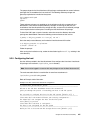
To retrieve the system time, issue the time_list command, and the system retrieves the
current time. Refer to Example 13-1 for an example of retrieving the XIV Storage System
time.
Example 13-1 Retrieving the XIV Storage System time
>> time_list
Time
Date
11:45:42
2009-06-16
Time Zone
GMT
Daylight Saving Time
no
After the system time is obtained, the statistics_get command can be formatted and
issued.
The statistics_get command requires several parameters to operate. The command
requires that you enter a starting or ending time point, a count for the number of intervals to
collect, the size of the interval, and the units related to that size. The TimeStamp is modified
from the previous time_list command. Example 13-2 provides a description of the
command.
Example 13-2 The statistics_get command format
statistics_get [ host=H | host_iscsi_name=initiatorName | host_fc_port=WWPN |
target=RemoteTarget | remote_fc_port=WWPN | remote_ipaddress=IPAdress |
vol=VolName | ipinterface=IPInterfaceName | local_fc_port=ComponentId ]
< start=TimeStamp | end=TimeStamp > [ module=ComponentId ] count=N
interval=IntervalSize resolution_unit=<minute|hour|day|week|month>
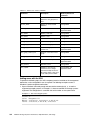
To further explain this command, assume that you want to collect 10 intervals, and each
interval is for one minute. The point of interest occurred June 16 2008 roughly 15 minutes
11:45:00. It is important to note the statistics_get command allows you to gather the
performance data from any time period.
The time stamp is formatted as YYYY-MM-DD:hh:mm:ss, where the YYYY represents a four
digit year, MM is the two digit month, and DD is the two digit day. After the date portion of the
time stamp is specified, you specify the time, where hh is the hour, mm is the minute, and ss
represents the seconds.
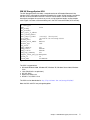
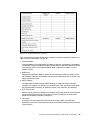
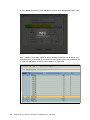
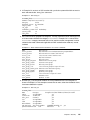
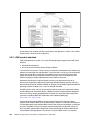
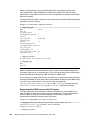
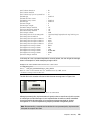
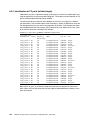
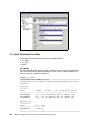
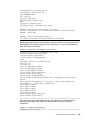
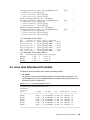
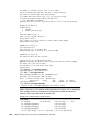
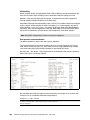
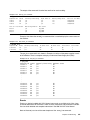
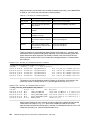
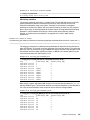
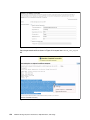
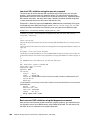
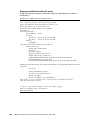
Example 13-3 shows a typical use of this command, and Figure 13-8 shows some sample
output of the statistics. The output displayed is a small portion of the data provided.
Example 13-3 The statistics_get command example
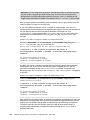
>> statistics_get end=2009-06-16.11:45:00 count=10 interval=1
resolution_unit=minute
310
IBM XIV Storage System: Architecture, Implementation, and Usage