1
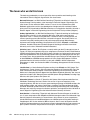
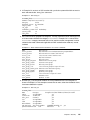
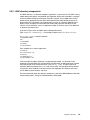
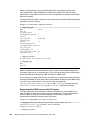
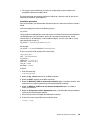
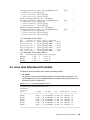
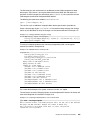
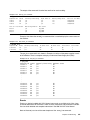
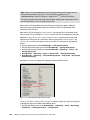
The output of the ldapsearch command shows the structure of the LDAP object retrieved
from the LDAP repository. We do not need to describe every attribute of the retrieved object,
however at least two attributes should be checked to validate the response:
name: xivtestuser1
description: Storage Administrator
The fact that ldapsearch returns the expected results in our example indicates that:
1. The account is indeed registered in Active Directory
2. The distinguished name (DN) of the LDAP object is known and valid
3. The password is valid
4. The designated attribute “description” has a predefined value assigned “Storage
Administrator”
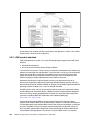
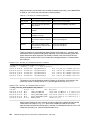
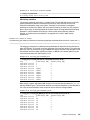
When the Active Directory account verification is completed, we can proceed with configuring
the XIV System for LDAP authentication mode. At this point we still have a few unassigned
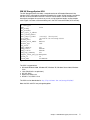
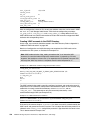
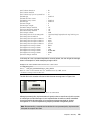
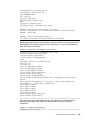
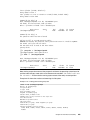
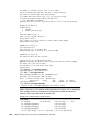
LDAP related configuration parameters in our XIV System as can be observed in
Example A-2.
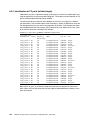
Example: A-2 Remaining XIV LDAP configuration parameters
>> ldap_config_get
Name
base_dn
xiv_group_attrib
third_expiration_event
version
user_id_attrib
current_server
use_ssl
session_cache_period
second_expiration_event
read_only_role
storage_admin_role
first_expiration_event
bind_time_limit
Value
description
7
3
objectSiD
no
14
Read Only
Storage Administrator
30
0
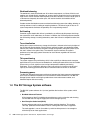
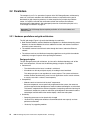
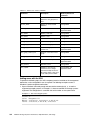
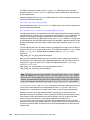
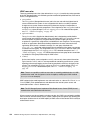
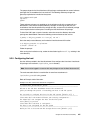
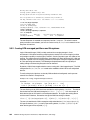
base_dn - base DN (distinguished name), the parameter which specifies where in the
Active Directory LDAP repository that a user can be located. In our example we use
“CN=Users,DC=xivhost1ldap,DC=storage,DC=tucson,DC=ibm,DC=com” as base DN, see
Example A-1 on page 357.
current_server - is read-only parameter and can not be populated manually.. It will get
updated by the XIV system after the initial contact with LDAP server is established.
session_cache_period - duration in minutes the XIV system keeps user credentials in its
cache before discarding the cache contents. If a user repeats the login attempt within
session_cache_period minutes from the first attempt, authentication will be done from the
cache content without contacting LDAP server for user credentials.
bind_time_limit - the timeout value in seconds after which the next LDAP server on the
ldap_list_servers is called. The default value for this parameter is 0. It must be set to a
non-zero value in order for bind (establishing LDAP connection) to work. The rule also applies
to configurations where the XIV System is configured with only a single server on the
ldap_list_servers list.
Appendix A. Additional LDAP information
359