1
Multipla 9V LCD
User manual
Page 5
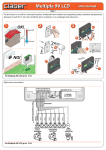
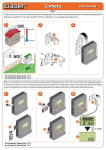
To delay the start of the program, press the START+… button a second time before 5 seconds have elapsed, to
set a delay of one hour, a third time for two hours, and so on up to as many as 23 hours. The display momentarily
indicates the number of hours delay selected, then the watering standby signal appears, together with the time
remaining until the start of the first cycle.
1
Start
per 1
+
20
15
30
15
30
60
10
60
20
30
60
30
60
60
15
20
15
30
60
30
60
5
HOUR
MIN
5
10
5
20
15
10
20
5
5
30
10
20
10
10
15
20
60
10
20
1...23
per
7
20 30
30
60
5
10
5
20
15
30
60
5
For Multipla 9V LCD10(p/n): 8060
20
15
30
60
5
10
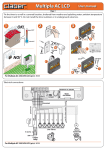
When a watering cycle is in progress, the display shows the in-progress symbol, the number of the line currently active, and the
5
number
of minutes remaining until watering is due to finish on that line. The valve currently open is also indicated by the relative Led,
which blinks. On completion of the watering cycle, the standby signal reappears in the display, with the time remaining until the start
of the next watering cycle. (example of watering cycle with FREQUENCY selector set to 8h).
1
2
Example of watering cycle with FREQUENCY selector set to 8h
3d
2d
LINE
4d
4h
7d
FR
Y
NC
UE
EQ
2
h
12
RS
MIN
U
AN
/M
ST
U
HO
..
.
T+
AR
ST
AL
TE
20
8h
T
SE
20
15
30
60
HOUR
10
30
MIN
5
60
10
RE
15
20
30
60
5
10
15
20
30
60
5
10
15
20
30
60
5
10
15
20
30
60
10
5
CD
VL
4
0/2
5
led-valve 1
For Multipla 9V LCD (p/n): 8060
LA
IP
LT
MU
AC
23
LINE
MIN