1
Manual: Kepler Software Package
Resuming a run after any
change in module
settings will not produce
reliable results.
4.4
mdo-Kepler-MAN-001.1
(preliminary)
At every run start, the spectrum memory and statistics from the last run
can either be cleared or retained. If cleared, the statistics are reset to zero and
the spectrum memory is emptied. If retained, then the new run picks up where
the last run stopped. Resuming a run after changing any acquisition settings is
generally not recommended. Stop the run then start anew. Two of the methods
to set the resume run status are shown in the sidebar.
Update Interval
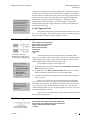
Saturn»Run Control»Auto Update…
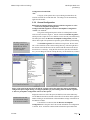
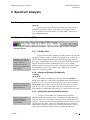
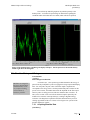
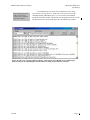
The run control section of the
DAQExplorer.
Auto update varies the
interval used to
continuously readout
module data (spectrum
and statistics).
If auto update is
disabled, Kepler still
checks if the run is
finished every second.
4.5
After a run is started, Kepler can periodically update the spectrum
display with the most recent data stored on the module. This is very useful for
monitoring the success or failure of the current run, allowing the operator to
make adjustments as needed. The interval between spectrum updates can be set
with the DAQExplorer entry (see the sidebar), Saturn»Run Control»Auto
Update…. Simply click on the entry and choose an update interval. The
module itself limits the minimum auto update rate (readout time is typically less
than 10 ms). If auto update is disabled, then Kepler will only read out the
spectrum when the run is stopped either by you or by the module.
Once each update, Kepler performs two important functions to keep
itself synchronized with the module. First, if auto update is enabled for any time
interval, then Kepler also reads the statistical information (see §4.6) about the
run in addition to the spectrum. Second, Kepler will also check if the run has
been stopped for any reason by the module. If so, Kepler will update its own
display appropriately, including reading out the spectrum and statistical
information one final time.
If auto update is disabled, Kepler will still monitor the run status once
every second, an action that does not require reading the spectrum or statistical
information and requires less than 1 ms of the host computers time (does not
affect data taking at all).
Run Types and Times
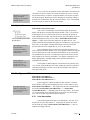
Saturn»Run Control»Run to…
Saturn»Run Control»Run Time =…
Saturn»Run Control»Run Events =…
Five data collection
modes are supported:
one is infinite, the other
four are preset.
Kepler supports five different modes for data collection. Select the
desired mode by clicking on the DAQExplorer entry (see the sidebar of §4.4),
Saturn»Run Control»Run to…. The length of the run will be determined by
the setting of Saturn»Run Control»Run Time =… or Saturn»Run
Control»Run Events =…, depending upon the run type selected. At any time,
you can interrupt the run by stopping the run in one of the ways described in
§4.2. The five modes of operation are described below.
4.5.1
User Intervention
This mode programs the module to run indefinitely. The only way to
stop this run is by user intervention, i.e. using Kepler to stop the current run.
For this mode, the setting of Saturn»Run Control»Run Time =… does not
influence the length of the run.
5/6/2003
Page 17