1
Contents
Checking the Contents of the Package........................................................................................................................5
Introduction to Functions............................................................................................................................................10
Overview of the MW100 Data Acquisition Unit ........................................................................................................10
Overview of MW100 Viewer Software......................................................................................................................11
Address Setting Software.........................................................................................................................................11
Viewer.......................................................................................................................................................................12
Calibrator..................................................................................................................................................................12
Flow of Operations during Installation......................................................................................................................13
Connecting to a Network.............................................................................................................................................14
Connecting an Ethernet Cable to the Main Module..................................................................................................14
Checking the Communication Status........................................................................................................................14
Connection to the PC................................................................................................................................................14
Connecting the Main Module to a PC.........................................................................................................................15
Ethernet Connection.................................................................................................................................................15
Entering Settings on the MW100 Using a Browser...................................................................................................17
MW100 System Settings..........................................................................................................................................17
Measurement Groups and Measurement Module Settings......................................................................................18
Settings for Recording to CF Card............................................................................................................................19
Recording Channel Settings.....................................................................................................................................19
Measuring Interval and Range Settings (for the Universal Input Module)................................................................20
Alarm and Relay Settings.........................................................................................................................................21
Changing Monitor Screen Display Conditions..........................................................................................................22
Tag Settings..............................................................................................................................................................22
Setting Messages.....................................................................................................................................................22
Display Scale Settings..............................................................................................................................................23
Display Color Settings..............................................................................................................................................24
Display Group Settings.............................................................................................................................................24
Starting and Stopping Measurement and Recording ..............................................................................................25
Starting Measurement..............................................................................................................................................25
Starting Recording....................................................................................................................................................26
Stopping Recording..................................................................................................................................................26
Stopping Measurement.............................................................................................................................................26
Viewing Measured Data on the Monitor Screen and Starting/Stopping Recording...............................................27
Transferring Measured Data to the FTP Server........................................................................................................30
Viewing Measured Data on the Viewer Software.......................................................................................................31
Displaying Data.........................................................................................................................................................31
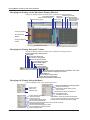
Changing the Display on the Waveform Display Window.........................................................................................32
Changing the Display Using the Toolbar...................................................................................................................32
Changing the Display Using the Menu.....................................................................................................................32
Changing the Display Using the Display Setup Window..........................................................................................33
Numerical Display.....................................................................................................................................................33
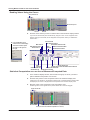
Reading Values Using the Cursor.............................................................................................................................34
Statistical Computation over an Area of Measured/Computed Data........................................................................34
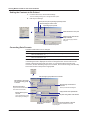
Alarm/Mark List.........................................................................................................................................................35
Setting the Contents to Be Printed...........................................................................................................................36
Converting Data Formats..........................................................................................................................................36
IM MW100-02E