1
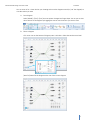
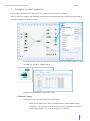
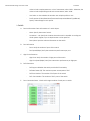
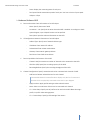
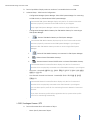
iPOLiS Network Design Tool User Guide Functions If you don’t choose any profile before registration device, system resister profile no.2 for live monitoring automatically. SSM All of setting for SSM(Samsung Security Manager) system is implemented in SSM-Console. A. Device Information: Basic information of a SSM object. Name: Specify the name of SSM. Location #1 ~ #4: Specify the location where the SSM is installed. According to a whole system diagram, up to 4-depth location can be specified. B. Description: Input the relevant information on the SSM. SSM Configuration: Network information of a SSM object. SSM Type: Displays which type of SSM the object is. i. SSM-System Manager: It manages SSM Media Gateways. Up to 4 Media Gateways are connectable. ii. SSM-Media Gateway: It receives media data by directly connecting with camera, NVR, and encoder. iii. SSM-Console: It provides monitoring environment. It links to SSM System Manager and views video through Media Gateway registering on the System Manager. iv. SSM-Standalone: Installing and using all the System Manager, Media Gateway, and Console in a single PC. Console Setup: Configurable when [SSM-Console] or [SSM-Standalone] selected. Specify one of SSM System Manager physically connected. Select cameras, NVRs, and encoders to be monitored from the list. Media Gateway Setup: Configurable when [SSM-Media Gateway] or [SSM-Standalone] selected. Select cameras, NVRs, and encoders from the list. System Manager Setup: Configurable when [SSM-System Manager] or [SSM-Standalone] selected. Select one of Media Gateway from the list. C. IP Configuration: Network information of a SSM object. Address Type: Specify one of network address type. IP Address: Enter network IP address. Subnet Mask: Enter subnet mask address. Gateway: Enter network gateway address. DNS Server: Enter DNS server address. 21