1
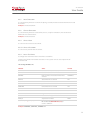
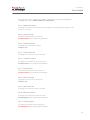
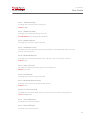
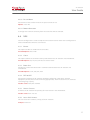
XL-Telecom User Guide Two traps are available in XL-TELECOM: When setting -> Cold Start When restarting -> Warm Start NOTE: These parameters are enabled only after restarting the XL-TELECOM. 4.10.1 ENABLED SNMP This option enables the traps to be sent to the server. Available Options: YES or NO 4.10.2 SERVER IP ADDRESS It configures the address of the SNMP server to which the XL-Telecom must send the event traps. Example: 201.345.45.3 4.10.3 SERVER PORT It configures the SNMP server port configured to receive traps. Example: 162 4.11. SYSTEM 4.11.1 RESTART XL Many of the configurations described above are only enabled if the XL-Telecom is restarted. This option permits restarting the XL-TELECOM. 4.11.2 CHANGE USER’S PASSWORD "XLCFG" It permits the change of the access password through a terminal. 4.11.3 CHANGE USER’S PASSWORD "XLFTP" It permits the change of the access user password by FTP to collect files. 4.11.4 RESTORE FACTORY CONFIGURATION It permits returning all configurations to the factory standard. 4.11.5 FIRMWARE UPDATE It permits update of the XL-Telecom version. To do so, a file made especially for this purpose by Open Switch must be used. 23