1
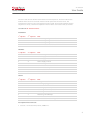
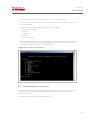
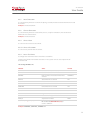
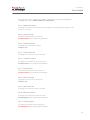
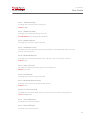
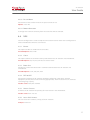
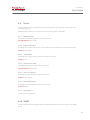
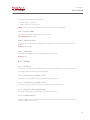
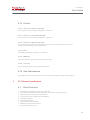
XL-Telecom User Guide The error code consists of two intermittent error LED sequences. The first indicates the module where the error occurred and the second represents the actual error. The intermittence interval in the same sequence is 0.5 second. The interval between the two sequences is one (1) second. The repetition interval of the error code is two (2) seconds. See below the XL-Telecom error list: Initialization 1st sequence 1 1 1 1 2nd sequence 1 2 3 4 Error Error reading configuration file: OSNet.ini Error reading configuration file: OS.ini Error reading configuration file: OSControl.ini Error – Invalid control number 2nd sequence 1 2 3 4 5 6 7 8 9 Error Error reading driver: '/dev/iotaped' Power supply sensor failed Power supply 1 failed Power supply 2 failed Error reading folder '/media/usb' Pen Drive not installed Pen Drive Read Only SCSI interface error X.25 interface error 2nd sequence 1 2 3 4 5 6 7 8 9 Error Storage limit overflow Restarting Syslog process Restarting tape collect process Restarting X25 collect process Restarting X25 Router Restarting FTP & Backup No file received in the last 24 hours No file received in the configured limit time Hardware 1st sequence 2 2 2 2 2 2 2 2 2 Control 1st sequence 3 3 3 3 3 3 3 3 3 Description of front connector: Console – Connector DB-9, RS232, 9600 8-N-1. 8