1
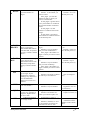
INDEX
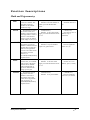
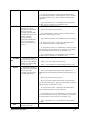
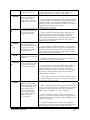
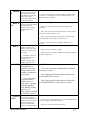
Returns the value of
an element in a table or an
array, selected by the row
and column number
indexes.
The INDEX function
has two syntax forms:
array and reference. The
array form always returns
a value or array of values;
the reference form always
returns a reference. Use
the array form if the first
argument to INDEX is an
array constant.
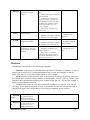
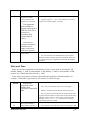
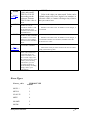
specifies whether you want HLOOKUP to find an exact
match or an approximate match. If TRUE or omitted, an
approximate match is returned. In other words, if an exact
match is not found, the next largest value that is less than
lookup_value is returned.
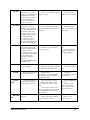
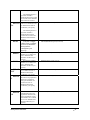
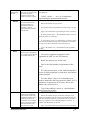
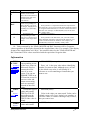
INDEX(array,row_num,column_num)
Array is a range of cells or an array constant.
If array contains only one row or column, the
corresponding row_num or column_num argument is
optional.
If array has more than one row and more than one column,
and only row_num or column_num is used, INDEX returns
an array of the entire row or column in array.
Row_num selects the row in array from which to return a
value. If row_num is omitted, column_num is required.
Column_num selects the column in array from
which to return a value. If column_num is omitted,
row_num is required.
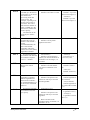
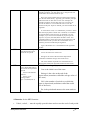
INDEX(reference,row_num,column_num,area_num)
Reference is a reference to one or more cell ranges.
If you are entering a nonadjacent range for the reference,
enclose reference in parentheses.
If each area in reference contains only one row or column,
the row_num or column_num argument, respectively, is
optional. For example, for a single row reference, use
INDEX(reference,,column_num).
Row_num is the number of the row in reference from
which to return a reference.
Column_num is the number of the column in reference
from which to return a reference.
Area_num selects a range in reference from which to
return the intersection of row_num and column_num. The
first area selected or entered is numbered 1, the second is 2,
and so on. If area_num is omitted, INDEX uses area 1.
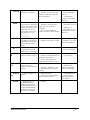
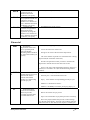
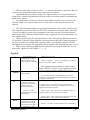
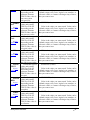
LOOK
UP
Returns a value either
from a one-row or onecolumn range or from an
array. The LOOKUP
function has two syntax
forms: vector and array.
The vector form of
LOOKUP looks in a onerow or one-column range
(known as a vector) for a
MobiSystems® OfficeSuite
LOOKUP(lookup_value,lookup_vector,result_ve
ctor)
Lookup_value is a value that LOOKUP searches
for in the first vector. Lookup_value can be a
number, text, a logical value, or a name or
reference that refers to a value.
• 62