1
3.1
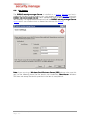
The IKARUS security.manager Server
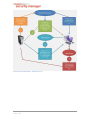
The IKARUS security.manager Server is the core of the IKARUS security.manager.
security.manager It
is the part that actually does all the distributional and statistical work and also handles
the communication between the IKARUS security.manager and the IKARUS anti.virus
installed on the computers on your network.
The IKARUS security.manager Server runs on a Windows server operating system as
a service. All of the settings and information the IKARUS security.manager Server
holds are saved in a MSSQL database, which can but does not need to reside on the
computer where the IKARUS security.manager Server is installed. The communication
between the IKARUS security.manager and the IKARUS anti.virus on your network is
established via TCP using 9887 as the default port number. That port can be modified
in the Config File of the IKARUS security.manager Server.
Server
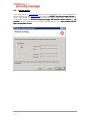
Since the IKARUS security.manager Server needs to perform executional tasks remotely on computers on your network, it needs appropriate rights. Therefore, we highly
recommend installing the IKARUS security.manager Server service using a user account with administrative rights for your domain. This will ensure that the IKARUS secusecurity.manager Server is allowed to install and administer the IKARUS anti.virus on computers within the domain on your network. For further information about this topic and
the administration of computers outside your domain, please read the Software Distribution chapter.
© 2012 IKARUS Security Software GmbH
Page - 7 -