1
MOBIHEALTH USERMANUAL
version 1.4 November 2003
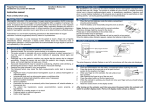
After starting the Patient manager you will enter the patient database. This database shows you a list
of patients, as shown in figure 3.2. This list contains the following fields:
•
•
•
•
First name
Last name
Date of Birth
Comment
Figure 3.2: the patient list
Using your mouse or the arrow keys you can step through the list and you can highlight the patient
records. Select a patients name by double-click or choose open.
Back will bring you back to the start window.
To add a new patient name select add new patient, the screen as is shown in figure 3.3 will be visible.
Figure 3.3: the patient information
MobiHealth BAN / PortiLab Manual
Page 33