1
1
Infinity V95 August 2014 Update Notes
Introduction
Change Log V95 - August 2014 Minor Update
Firmware Changes and bug fixes:
Improved comms stability with high speed USB 3.0 ports.
Infinity Tuner Changes:
USB drivers now installed automatically.
Recent sessions feature added to the File menu.
New Application options feature added to File menu. See Application Options for more detail.
Prompt for save when shutting down - applies to sessions and layout files (selectable in
Application Options)
Layout preferences - No preference, load last, load specific or prompt user options available in
Application Options.
Save path for session and layout files now persists independently. Save paths can also be set
manually in Application Options.
Option to append firmware version to saved session and log files. Available in Application
Options.
Recent layouts feature added to the Layouts menu.
PC logging data is now written to disk periodically while logging. This minimizes the time
required to save to disk when PC logging is stopped. It also allows PC logged data to be
maintained in the event of a power interruption or comms error.
New legend toggle button added to plot control window.
Hot keys now available for certain types of plot control data manipulation.
Up/Page Up - Zoom in
Down/Page Down- Zoom out
Left - Pan left
Right - Pan right
Home - Bring you to the start of the log.
End - Brings you to the end of the log.
For Home and End, the current display range is kept. So if viewing 10 seconds worth of data,
Home will display the first 10 seconds while end will display the last 10 seconds.
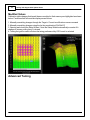
Follow ECU function now available for 1D and 2D tables. See Follow ECU 11 for more detail.
Older pakgrp firmware files are now displayed but grayed out. This will help customers
understand they put the wrong file in the correct folder, so they can put the correct file in the
correct folder and proceed flashing the ECU.
Setup Wizard Changes:
© 2015 AEM Performance Electronics