1
Serial Bus PROFIBUS Adapter, Series A (RPSSCPBA)
Set the Station Address
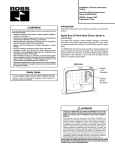
To set the station address, adjust the switches on the front of the
module (refer to the illustration on page 1). Use a small blade
screwdriver to rotate the switches. Line up the small notch on the
switch with the number setting you wish to use. The two switches
are most significant digit (MSD) and least significant digit (LSD).
The switches can be set from 01 through 99. The module reads the
switches at power-up only.
This example shows the
node address set at 63.
GSD File Requirements
Current functionality of a PROFIBUS adapter requires a GSD file.
The file is easy to install and is available online at: www.rosscontrols.
com/rosslit.htm.
© 2007 ROSS CONTROLS®. All Rights Reserved.