1
HD 960H
XC960SA
How to Operate
the Camera
1.3.Product
Overview
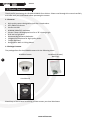
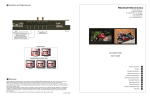
DC Socket for
power
AV Output for
Audio
BNC Socket for
video
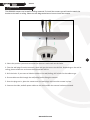
To operate the camera, firstly you will need to connect the BNC and DC sockets to the BNC and DC sockets
of a power supply and DVR or Monitor. If you wish to extend the cables, you can connect the DC and BNC
Sockets to the BNC/DC of a PNP cable/RG59 cable.
6
You can then connect the DC socket to a 12V DC Power Supply and the BNC socket to back of your
compatible DVR or monitor.
To connect the Audio output to a DVR or monitor, connect the white audio lead to the corresponding input
on the DVR/monitor. If you wish to extend the cables, you can connect the AV cable and to the AV cable of
a PNP cable/RG59 cable.
www.xvision.com