1
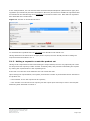
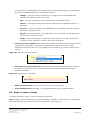
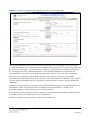
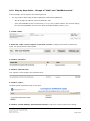
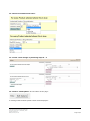
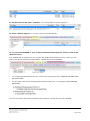
In the example below, the user has set filters for Authorised/Development (abbreviated to type) and
ingredient (as indicated by the filter field labels in blue text) and chosen to disable the ingredient filter
as indicated in the strikethrough text (ingredient) in the Active Filters area. Note that the ingredient
filter field label text remains blue.
Figure 14: Activate or deactivate set filters.
To reactivate the ingredient filter the ingredient text should be left clicked once.
Having decided on the active filters to apply for the export; the user should proceed to setting the
output format as described in 5.1.3.
5.1.3. Making a request to create the product set
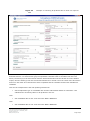
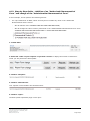
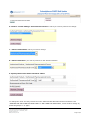
Having set all required active filters and setting the output format; the user may optionally set a title
for the product set request (to make it easier to identify later) and proceed to submitting the request
by clicking the request button in the requesting area.
If the title is not set then it will default to the user name and date.
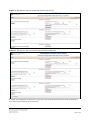
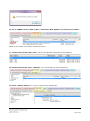
Upon clicking the request button, the system previews the number of products that will be included in
the product set:
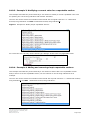
- if this number is zero the request will be rejected;
- if the number is not zero then the request joins the export queue and may be seen in the Request
Monitoring Area described in section 6.
eXtended EudraVigilance Medicinal
Product Dictionary (XEVMPD) Bulk
Update Manager
EMA/623491/2014
Page 21/59