1
Screen Display
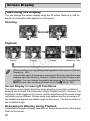
Switching the Display
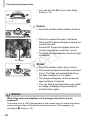
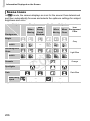
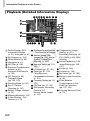
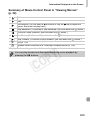
You can change the screen display using the p button. Refer to p. 204 for
details on information that appears on the screen.
Shooting
[
]
[
]
Playback
No Information
Display
Simple Information
Display
C
Y
P
O
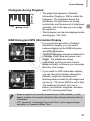
Detailed Information
Display
Focus Check
Display (p. 146)
• When you shoot, you can change what appears on the screen in [Custom
Display] (p. 185).
• You can also switch the display by pressing the p button while the image
displays right after shooting. However, Simple Information Display is not
available. You can change the display that appears first by pressing the
n button, then choosing [Review Info] in the 4 tab (p. 185).
Screen Display in Low Light Conditions
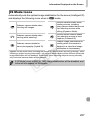
The display automatically brightens when shooting in low light conditions,
allowing you to check the composition (Night Display function). However, the
brightness of the image on the screen, and the brightness of the actual image
recorded may be different. Screen noise may appear and the movement of
the subject may appear somewhat rough on the screen. This has no effect on
the recorded image.
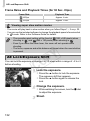
Overexposure Warning during Playback
In Detailed Information Display (see above), overexposed areas of the image
flash on the screen.
40