1
English
DVD Video Player Operations
Switching angles
Owner’s Manual
On DVD discs in which video images have been
recorded in two or more angles, you can switch
among the angles during playback.
1. Press the [ANGLE] button on the remote control during playback. Each time you press the
key, you can switch among angles.
* It may take time to switch among angles.
* Depending on the disc, up to 9 angles may
be recorded. For details, see the mark of the
Indicates multi-angle).
disc: (
* Depending on the disc, angles may switch
smoothly or switch with a momentary still
image.
* Depending on the disc, switching may be
completely impossible or impossible on some
scenes.
* Depending on the disc, scenes recorded in
two or more angles may be played back.
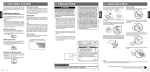
Displaying the playback status
Touch the [
] key on the DVD Player mode
screen to display the playback status.
1-
2-
3-
4-
5-
6-
7-
8-
lay/Pause key
P
Eject key
Main Menu key
Stop key
Previous Track key
Next Track key
Audio Settings key
List key
9- Fast Forward key
10 -Fast Backward key
11- Media Information
12-User (Name, Artist,
Album) Information
13- Track Play number
14- Track Play time
Pausing Playback
1. Touch the [
] key to pause playback.
2. To resume playback, touch the [
] key again.
Skipping a Track (searching)
Touch the [ ] or [ ] key during playback.
Tracks are skipped as many times the key is
pressed, and playback starts.
• Pressing the [ ] key starts playback from the
beginning of the next track.
• Pressing the [ ] key starts playback from
the beginning of the current track. When this
key is pressed again within about 5 seconds,
playback starts from the beginning of the
previous track.
Fast Forward and Fast Backward
1. Touch the [ ] or [ ] key during play back. The
media will advance at 2x speed.
2. Touch again to advance to higher speed
reversing or forwarding such as 4x, 8x and 16x.
Touch once more to resume normal speed
playback.
Scanning the Tracks
MP3/WMA /CD Playback
1
2
3
4
10
5
9
6
7
8
11
20
VX402E/VZ402E
12 13
14
1. Touch the [List] key to display the Disc List
screen.
2. Touch the [Scan] key to begin previewing the
first 10 seconds of each song on the disc.
Searching with the Track Number
This operation allows searching using the track
numbers recorded on the CD.
1. Touch the [List] key to display the Disc List
screen.
2. Touch the [Key] key to display the numerical
keypad.
3. Input the track number that you want to play
back with numerical keypad.
4. Touch the [OK] key to confirm.
• If the input track number does not exist or
searching with a track number is not al lowed,
the unit will return to the List screen