1
English
English
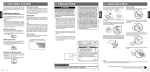
Functions of Remote Control Buttons
You can use the remote control unit to control the VX402E and VZ402E.
Note:
• The wireless remote control operation may not be optimal in direct sunlight.
[ ], [ ], [ ], [ ] Buttons
• Press those buttons for cursor movement in
main menu or Setting mode.
• Press [ ], [ ] to scroll through the saved
presets list in the TUNER Radio mode.
• Press [ ], [ ] to scroll through the page
screens in the TUNER Radio mode.
• Press to select button items on the menu
screen of a DVD video.
• Press[ ], [ ]to scroll through the pages
screens in the CD and MP3/WMA modes.
[MENU] Button
Press this button to enter the MAIN MENU or
return current resource.
[PIC] Button
Press this button to change your monitor
brightness.
[ENT] Button
Press to fix the entered data in the Key Pad
screen or enter the item the cursor is on.
[TA] Button
Press to TA On/Off.
[TITLE] Button
Press to go to the title menu on the DVD.
[ROOT] Button
Press to go to the root menu on the DVD.
[RPT] Button
• Press to perform repeat chapter / repeat title /
repeat off while playing DVD mode.
• Press to perform repeat single / repeat all /
repeat off while playing CD.
• Press to perform repeat single / repeat folder /
repeat all / repeat off while playing MP3/WMA,
or video files on disc.
• Press to perform repeat single / repeat folder /
repeat all / repeat off while playing MP3/WMA,
or video files in USB memory.
• Press to perform repeat single / repeat all /
repeat off in iPod mode.
• Press for AF On/Off in Tuner mode.
[ ] Buttons
• Press to seek the next available lower station in
Tuner mode.
• Press to select the next lower chapter number
in DVD video mode.
• Press to select the next lower in DVD Audio,
CD,USB Video, USB Audio iPod Audio, iPod
Video mode.
• Press to play from beginning of current track
in DVD Audio, CD,USB Video, USB Audio.
(In play for 5 seconds)
VX402E/VZ402E
9
Owner’s Manual
[
] Button
• Press this button to play or pause video and
audio media.
• Press this button more than 1 second to stop
ideo and audio media.
[MUTE] Button
Mute or unmute the speaker.
[OPEN] Button
• Press this button to eject the disc.(VX402E)
• Press this button to open/close operation
panel. Please ensure there are no obstructions
before starting the operation.(VZ402E)
[POWER/SRC] Button
• Press this button to power on when the unit is
power off.
• Press this button to select a source.
• Press this button more than 1 second to power
off when the unit is power on.
[0 - 9] Buttons
• Use in the Key Pad screen to select the radio or
DVB-T channels.
• Use to select the track in the track list screen.
• Press to enter DVD video chapters/titles in the
Key Pad screen.
[VOLUME] Button
Increase or decrease volume.
[NAVI/AV] Button
Press this button to switch between current
source and current position on navigation map.
[SRCH] Button
Press this button to open chapter or title search
window while playing DVD.
[BAND] button
Switch to next band alternately.
[SET] Button
Press this button to open the Audio setting menu
in any mode.
[BACK] Button
Press this button to quit main menu if current
screen is main menu.
Press this button to exit selection and adjustment
menus.