1
2
English
Usage Notice
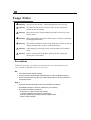
Warning-
Do not look into the lens. The bright light may hurt your eyes.
Warning-
To reduce the risk of fire or electric shock, do not expose this
product to rain or moisture.
Warning-
Please do not open or disassemble the product as this may cause
electric shock.
Warning-
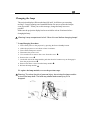
When changing the lamp, please allow unit to cool down, and follow
all changing instructions.
Warning-
This product will detect the life of the lamp itself. Please be sure to
change the lamp when it shows warning messages.
Warning-
After changing a new lamp, please reset the lamp life from OSD
menu.
Warning-
Before switching off the product, please keep the cooling fan
running for a few minutes.
Precautions
Follow all warnings, precautions and maintenance as recommended in this
user’s manual to maximize the life of your unit.
Do:
q
q
q
Turn off the product before cleaning.
Use a soft cloth moistened with mild detergent to clean the display housing.
Disconnect the power plug from AC outlet if the product is not being used for a
long period of time.
Don’t:
q
q
q
Block the slots and openings on the unit provided for ventilation.
Use abrasive cleaners, waxes or solvents for your cleaning.
Use under the following conditions:
- Extremely hot, cold or humid environment.
- In areas susceptible to excessive dust and dirt.
- Near any appliance generating a strong magnetic field.
- Place in direct sunlight.