1
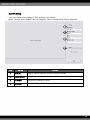
6-6. Record
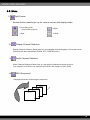
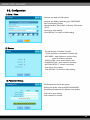
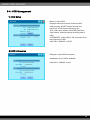
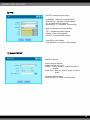
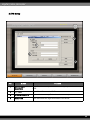
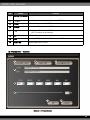
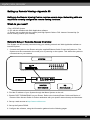
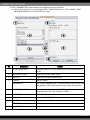
1) Record Setup
-Set Recorder configuration.
- CHANNEL : Channels of 4-camera groups.
- QUALITY : Recording quality of selected channels
of 4-camera group.
- FPS : Frames per second
- Pre Alarm : Record data 0~5 seconds before alarm
occurs
*Notice : In case of sudden power off while in PreAlarm mode, up to 5 seconds of data loss
may occur.
- Click OK to save setting.
- Click DEFAULT to return to initial setting.
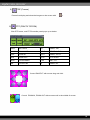
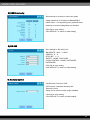
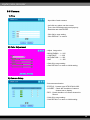
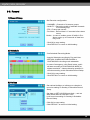
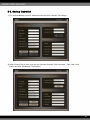
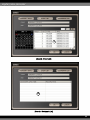
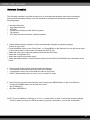
2) Schedule
- Set Schedule Recording Mode.
- Appoint Schedule recording by Day and Hour.
- MOTION, ALARM, MOTION+ALARM or
CONTINUOUS recording mode selectable.
* In case of emergency, click Panic button, and it
will start recording at CONTINUOUS MODE at
highest resolution. Unless otherwise specified, it
records according to this Schedule Record Setup.
- Click OK to save setting.
- Click DEFAULT to return to initial setting.
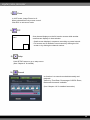
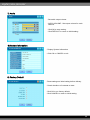
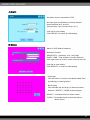
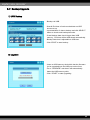
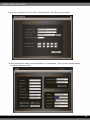
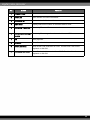
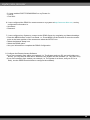
3) Holiday
- Set national holidays or holidays on calendar to
record as setting for Sunday in Schedule Record
Setup.
- Set date on SET HOLIDAY and click ⇒, and set
date will be listed on HOLIDAY LIST.
- It will record as setting for Sunday in Schedule
Record Setup.
- Click OK to save setting.
- Click DEFAULT to return to initial setting.
39