1
Operating Manual for CCT772 & CCT771 Video Tardis Manual
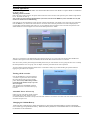
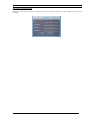
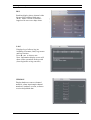
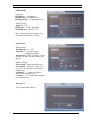
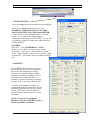
IMAGE
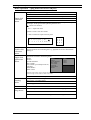
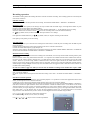
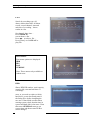
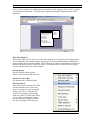
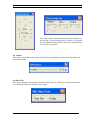
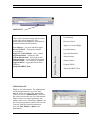
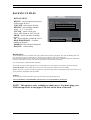
This menu can select the channel, frame rate,
bit transfer method and resolution quality and
you can set the option to alarm you when a
video loss on this channel is detected. Click
Save to save the setting of this channel.
Finally, click Save Config to save all settings.
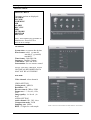
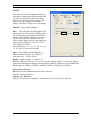
Channel –select channel number
Rate – The Frame Rate for this channel. The
total frame rate for this unit is 50FPS (frames
Per Second) but you must deduct 14FPS for
the two audio channels. This leaves a total of
36FPS over four video channels. You can
select variable frame rates for each channel up
to the total of 36FPS. E.g CH1-25, CH2-3,
CH3-4 and CH4-4 FPS.
Select from1/10, 1/5, ½, 1, 2, 3, 4, 5, 6, 8, 10,
12, 15, 20 & 25 Frames Per Second.
Style –Set to VBR (Variable Bit Rate) or
CBR (Constant Bit Rate). Use VBR for
network access –LAN or WAN.
Quality –Image Quality –set from 1 ~6.
When in VBR style, there are 1,2,3,4,5, & 6 levels of image quality. Level 6 is the highest
quality but transmission loading is also the highest. When in CBR style, the selectable data
flux settings are 128Kb/S, 256Kb/S, 384Kb/S, 512Kb/S, 768 Kb/S or 1024Kb/S.
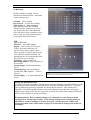
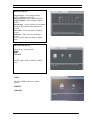
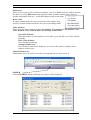
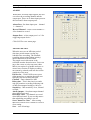
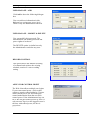
Alarm when video lost
Off means no alarm. On means alarm when video lost.
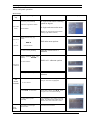
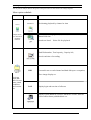
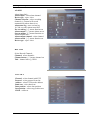
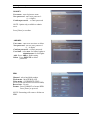
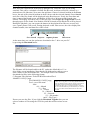
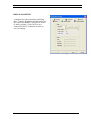
Network Transport Protocol
Monitor and Playback
Only the TCP protocol is supported. A maximum of two TCP users are allowed.
44